New Participant
March 18, 2021
Answered

A script for creating guides

  • March 18, 2021
  • 5 replies
  • 3398 views

Hello, I am creating technical drawings on illustrator constantly and I have come across scripts! I understand they automate a process however I cant find one online for what I want to achieve 😞  or even if it is possible. 

could anyone help! 

I am trying to create a script that creates a guide two times 3.528mm from a shape / drawing, then a guide that finds the widest point and tallest point of the drawings / text and creates a guide five times 3.528mm and then trims the artboard down to this size of the exsterior guides. I hope that makes sense?Is this possible?  

thank you 

charlie 


[ title changed by moderator ]


This topic has been closed for replies.
Correct answer pixxxelschubser

Your description does not match your screenshot.

Neither the amount, whether the distance between the guides!


But I played a little:

requirements: opened document with your artwork - artwork is grouped


// guides_add_guides_around_grouped_artwork.jsx

// requirements: opened document with your grouped artwork

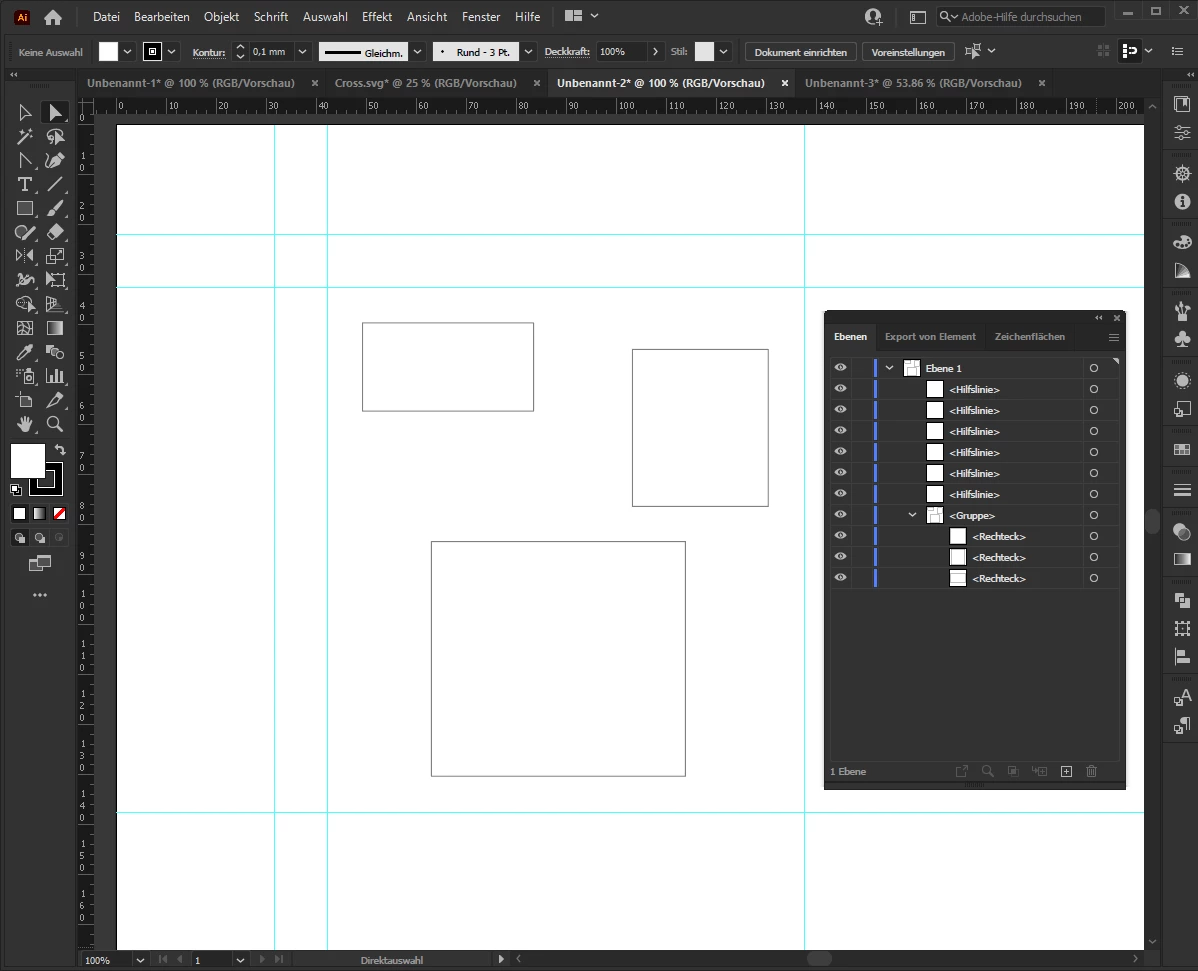
// creates 4 guides around your artwork (+ 2*distance 3,528mm)
// creates 2 guides on left and top of your artwork (+ 5*distance 3,528mm)

// regards: pixxxelschubser  18.März 2021
// https://community.adobe.com/t5/illustrator/a-script/td-p/11906968
// A script for creating guides

if ( app.documents.length > 0 && app.activeDocument.groupItems.length >0) {
    var distance = 10;
    var aDoc = app.activeDocument;
    var ab_0 = aDoc.artboards[0];
    var ab_lft = ab_0.artboardRect[0];
    var ab_top = ab_0.artboardRect[1];
    var ab_rgt = ab_0.artboardRect[2];
    var ab_btm = ab_0.artboardRect[3];
    
    var grp = aDoc.groupItems[0];
    var grp_bds = grp.visibleBounds;
    var bds_lft = grp_bds[0];
    var bds_top = grp_bds[1];
    var bds_rgt = grp_bds[2];
    var bds_btm = grp_bds[3];
    
    draw_guide (bds_lft-2*distance, ab_top, bds_lft-2*distance, ab_btm);
    draw_guide (bds_rgt+2*distance, ab_top, bds_rgt+2*distance, ab_btm);
    draw_guide (ab_lft, bds_top+2*distance, ab_rgt, bds_top+2*distance);
    draw_guide (ab_lft, bds_btm-2*distance, ab_rgt, bds_btm-2*distance);
    
    draw_guide (bds_lft-5*distance, ab_top, bds_lft-5*distance, ab_btm);
    draw_guide (ab_lft, bds_top+5*distance, ab_rgt, bds_top+5*distance);
}

function draw_guide (x1, y1, x2, y2) {
    var _lft = x1;
    var _top = y1;
    var _rgt = x2;
    var _btm = y2;
    var line = aDoc.pathItems.add();
    line.setEntirePath( Array( Array(_lft, _top), Array(_rgt, _btm) ) );
    line.guides = true;
}


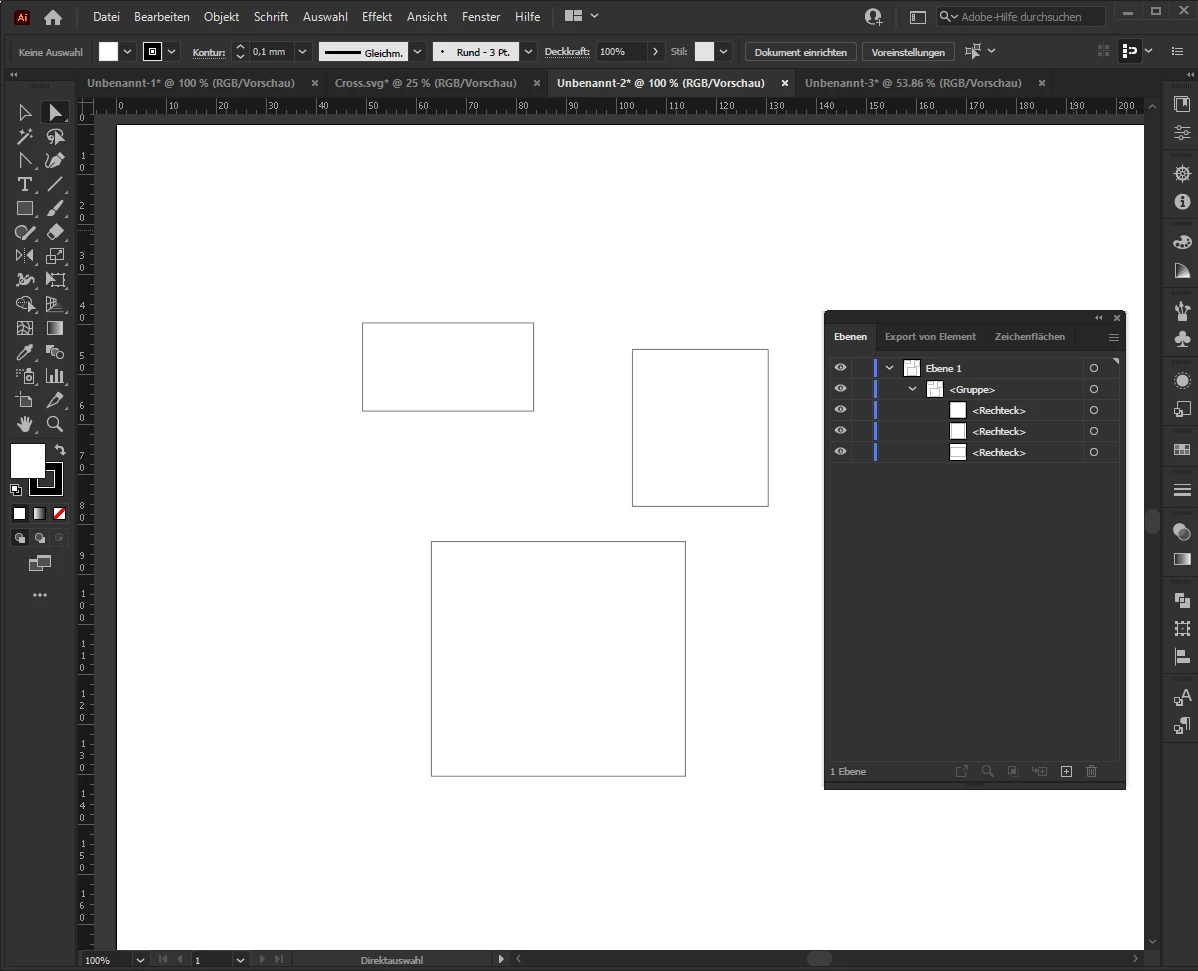
before:
after:


5 replies

pixxxelschubser
Community Expert
Community Expert
March 26, 2021

Ok.

A clear description is always an advantage.

😉

pixxxelschubser
Community Expert
Community Expert
March 23, 2021

@Charlie5C60 

Do you need further assistance?


If you gave feedback it would be very helpful.

New Participant
March 26, 2021

Hello, yes it was very helpful thankyou. However it did not achieve what I wanted it too :(. I think this is because I worded it poorly! I apologise for that. I am going to write a clear version and get a better understanding myself and get back to you if thats ok? 

pixxxelschubser
Community Expert
pixxxelschubserCommunity ExpertCorrect answer
Community Expert
March 18, 2021

Your description does not match your screenshot.

Neither the amount, whether the distance between the guides!


But I played a little:

requirements: opened document with your artwork - artwork is grouped


// guides_add_guides_around_grouped_artwork.jsx

// requirements: opened document with your grouped artwork

// creates 4 guides around your artwork (+ 2*distance 3,528mm)
// creates 2 guides on left and top of your artwork (+ 5*distance 3,528mm)

// regards: pixxxelschubser  18.März 2021
// https://community.adobe.com/t5/illustrator/a-script/td-p/11906968
// A script for creating guides

if ( app.documents.length > 0 && app.activeDocument.groupItems.length >0) {
    var distance = 10;
    var aDoc = app.activeDocument;
    var ab_0 = aDoc.artboards[0];
    var ab_lft = ab_0.artboardRect[0];
    var ab_top = ab_0.artboardRect[1];
    var ab_rgt = ab_0.artboardRect[2];
    var ab_btm = ab_0.artboardRect[3];
    
    var grp = aDoc.groupItems[0];
    var grp_bds = grp.visibleBounds;
    var bds_lft = grp_bds[0];
    var bds_top = grp_bds[1];
    var bds_rgt = grp_bds[2];
    var bds_btm = grp_bds[3];
    
    draw_guide (bds_lft-2*distance, ab_top, bds_lft-2*distance, ab_btm);
    draw_guide (bds_rgt+2*distance, ab_top, bds_rgt+2*distance, ab_btm);
    draw_guide (ab_lft, bds_top+2*distance, ab_rgt, bds_top+2*distance);
    draw_guide (ab_lft, bds_btm-2*distance, ab_rgt, bds_btm-2*distance);
    
    draw_guide (bds_lft-5*distance, ab_top, bds_lft-5*distance, ab_btm);
    draw_guide (ab_lft, bds_top+5*distance, ab_rgt, bds_top+5*distance);
}

function draw_guide (x1, y1, x2, y2) {
    var _lft = x1;
    var _top = y1;
    var _rgt = x2;
    var _btm = y2;
    var line = aDoc.pathItems.add();
    line.setEntirePath( Array( Array(_lft, _top), Array(_rgt, _btm) ) );
    line.guides = true;
}


before:

after:



pixxxelschubser
Community Expert
Community Expert
March 18, 2021

Ok.


Sure, you can create guides.

But do you really need the guides? Because of you can trim your artboard without to having guides.


Furthermore: It is possible to group your artwork? That would probably make the math a lot easier.

New Participant
March 18, 2021

Hello, thanks for the reply. Yeah I know I wish I didnt have to ! but i am creating over 500 dimension drawings and the guides keep it consitent throughout. and yes of course the way I create the art work is with basic shapes that are all grouped together.  Do you have any ideas of making this whole process quicker ? e.g adding lines, adding mesurments for a whole document? The example is only one part of what im creating and this will be a part of a larger piece. 

Thank you so much 

pixxxelschubser
Community Expert
Community Expert
March 18, 2021

Yes this is possible.


… that creates a guide two times 3.528mm from a shape / drawing …


That means "around the shape"?


… that finds the widest point …


The left or the right one?


Can you show us please a screenshot from the final drawing with guides (before you trim the artboard) ?

Just need help creating this script? Please show, what you already have.

Or do you need someone to write the script for you?

New Participant
March 18, 2021

Thank you for the reply! Yes you are right create guides around the shape with a 3.528mm. 

The widest point from left, right , top and bottom. if that make sense? and yes I have no experience of scripting or creating one at all. 

below I have attached an example image of the artwork before cutting artboard and exsporting for web legacy. the aim for me is to automate more of the process like adding dimensions - arrows -spacing -exsporting etc.

thanks 

charlie 


[ attachment inserted as inline image by moderator ]

