


Participant
April 1, 2012
Answered

Accidentally put illustrator in "line/outline" mode, how do I get out of it?

  • April 1, 2012
  • 2 replies
  • 31852 views

Hello, i have (via accidental keypress) put illustrator in a mode where I can only see the outlines of shapes and images, as shown in this picture:
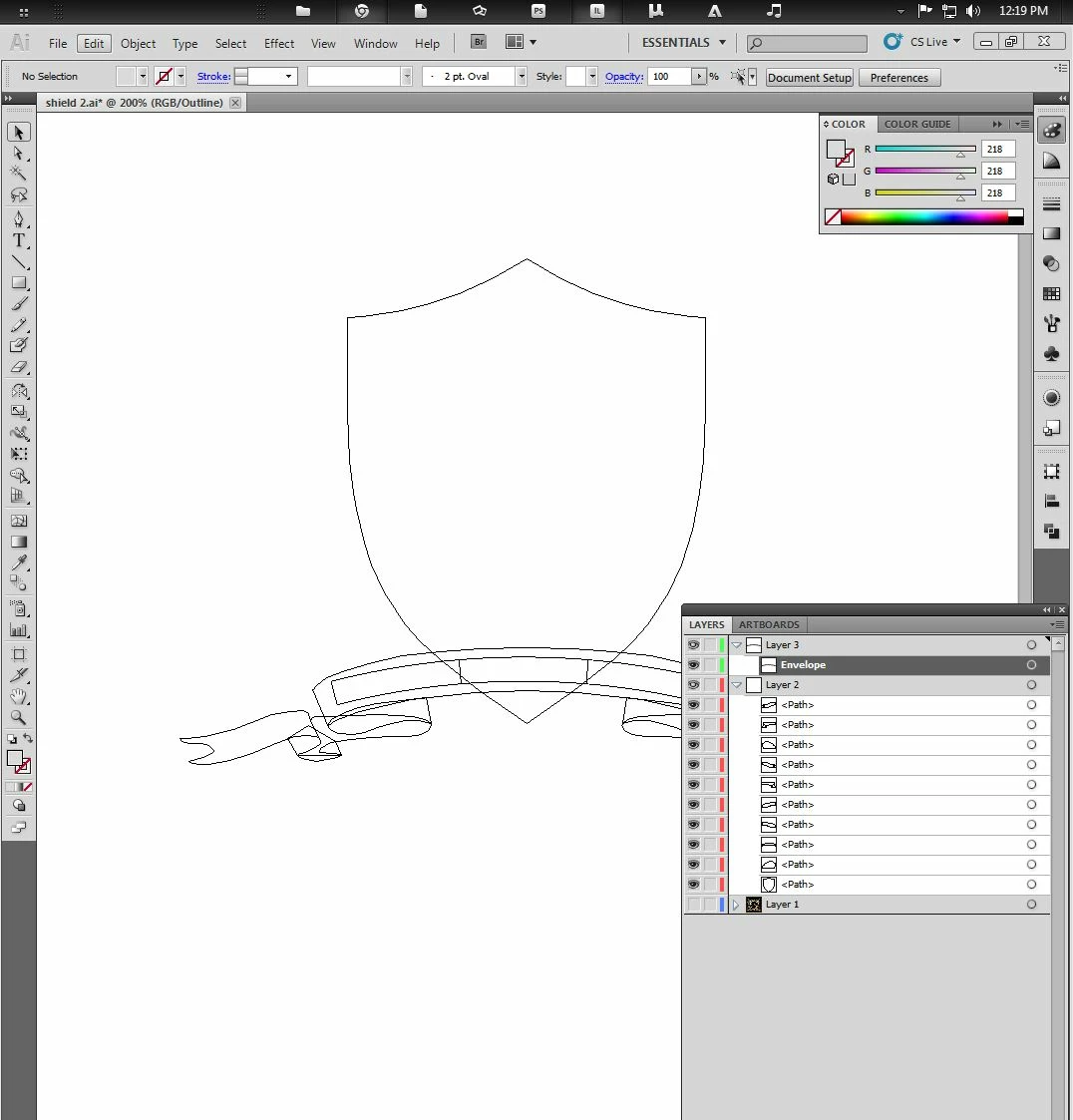
How do I get out of this mode? Cheers

This topic has been closed for replies.
Correct answer Jacob Bugge

Paint,

Ctrl/Cmd+Y

2 replies

Jacob Bugge
Community Expert
Community Expert
April 1, 2012

Just to follow up, Paint, you can see many of the other keystroke traps in the View dropdown menu.

They are a bit tricky because they show what you get when you tick/hit the keystrokes, not what you have.

Actually, Ctrl/Cmd+G, grouping, may be the most likely accidental instance because it is completely surrounded by other Ctrl/Cmd keystrokes, and it may go unnoticed.

Steve Fairbairn
Inspiring
April 1, 2012

Actually, Ctrl/Cmd+G, grouping, may be the most likely accidental instance because it is completely surrounded by other Ctrl/Cmd keystrokes, and it may go unnoticed.

Which is a good reason for making your own keystrokes.

For example "everybody knows" that Ctrl/Cmd+U means Ungroup which is why I have demoted smart guides to Cmd+Shift+G on my machine.

In my opinion it is better to keep simple 2-button commands for the things you do most often. Things that are less often used may be allocated 3-button comands.

Jacob Bugge
Community Expert
Jacob BuggeCommunity ExpertCorrect answer
Community Expert
April 1, 2012

Paint,

Ctrl/Cmd+Y