


Astonishing_Captain5DD6
Known Participant
March 2, 2023
Answered

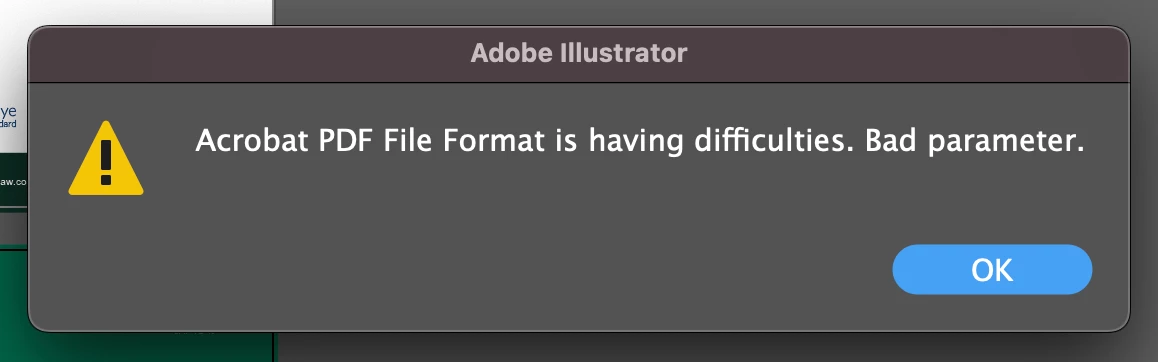
Acrobat PDF File Format is having difficulties. Bad parameter.

  • March 2, 2023
  • 20 replies
  • 46330 views

Does anyone know why Adobe illustrator is suddenly giving me this message on files... preventing my saving them...? ANyone else had this recently? It has only happend since yesaterday....

 

Correct answer Srishti Bali

Hi all,


Thank you for your patience! We have tried to fix this issue in our Pre-release build 27.4. Please go to the Pre-release section of Creative Cloud, install the 27.4 version, and share your observations with us.


If you haven't subscribed to the Pre-release program yet, click here to subscribe. 


Regards,

Srishti

20 replies

New Participant
March 14, 2023

Hey Adobe, time to fix this issue!  All of a sudden I can't write PDFs making it rather difficult to submit finalized print projects to clients!  Nothing has changed in my workfrlow vs. any previous projects and symptoms are exactly like described by others.


Kevin Stohlmeyer
Community Expert
March 14, 2023

Hi @Round_Earther check the post from @Jason28801687x83l - Our team found that the problem lies in text that should be converted to outlines or in corrupt clipping masks. 


Ton Frederiks
Community Expert
March 14, 2023

But according to reports on Uservoice it can also be caused by Opacit masks.

Known Participant
March 14, 2023

In an attempt to help Adobe tech solve this issue I am including a file that gives this PDF error. The file came from a client so I don't know exactly what version of illustrator it was created in, but I am positive it wasn't the latest. Interestingly, and quite odd, is the fact that the mask on each element is located off the page and does not interact at all with the element. (Don't ask me why.) If I move the mask towards the artwork so there is actually a masking effect, the file is now able to save as PDF. Also, if any one of the two elements is hidden, the PDF file can save. Show both elements, and the PDF is NOT able to save. Feel free to examine the file as i have simplified and removed any elements of copyright.

Known Participant
March 14, 2023
New Participant
March 14, 2023

Hi @Astonishing_Captain5DD6 

I am on a team of illustrators and we are all having this problem. Our pipline needs a pdf version for the next in line and Illustrator is unable to make a pdf. Our team found that the problem lies in text that should be converted to outlines or in corrupt clipping masks. Mine was in masks, so I'll focus my diagnostic steps there. Here goes:


You will do these steps one at a time to see which mask is corrupt.

1. Locate where you used your mask(s). 

2. Release the mask and try saving as to see if it will save without error.

3. If it saves you then know where yoour corrupt mask is and remake the mask from scratch (delete old mask).

4. If you get the error message, go on to the next mask and repeat the troubleshooting process. 


I was on a very complex illustration. I was lucky I found the corrupt mask on the third one and then it allowed me to save with the pdf box checked and all. Good luck.

Known Participant
March 14, 2023

I dont disagree with your comment in terms of tracking down whats causing the problem as both masks and outlining fonts have already been mensioned but I do question the reference to a 'corrupt' mask being at fault as these issues have only become an issue on recent versions of illustrator and these alleged 'corrupt' masks were perfectly good on earlier vesrion of illustrator.  I have also found that some masks are now not being exported correcly as a PDF file and that I am seeing display issues on them, when exported on ealier versions of Illsutrator they display correcly.


No matter what is said I beleieve that the recent versions of Illustrator have a bug and its not our files at fault.


New Participant
March 14, 2023

I can agree with that too. I'm not qualified otherwise to help with the actual problem. I can only share what worked in lieu of real help from Adobe. Sometimes you just need something to work so you can complete your job. I hope for all of us Adobe sorts it out.

Ton Frederiks
Community Expert
March 13, 2023
New Participant
March 14, 2023

listo!

Inspiring
March 11, 2023

Having same problem. I've also got objects using masks. Unfortunately, I can't disable them because Illustrator is now frozen, displaying the error but not letting me click out of it. Looks like I'll need to completely bail out of AI and lose my work. I blame myself for not waiting 6 months before updating.

Known Participant
March 11, 2023

Normally you can mitigate the problem by unchecking the "Create PDF Compatible file" on the save dialogue. If not it's a matter of finding the offending item. I have done this by temporarily deleting layers and saving to see if I get the error message. As soon as I have identified the layer I can then look at what's on that layer that may be causing the problem, usually a mask but I did find that one font was the issue and it disappeared when I outlined it.

Known Participant
March 9, 2023

Hi. Thanks to LittleBigFrank I've been able to narrow the problem a bit further.

I am on an Intel Mac Pro, Ventura 13.2.1, Illustrator 27.3.1. I am having the same exact issue as the others and it is indeed a problem with Masks. I don't have to delete anything. If I just hide the object that has the mask, Illustrator will save the pdf file. Unhide it and I get the Bad parameter error.

Known Participant
March 9, 2023

Another Update: I can't seem to duplicate this error with new files. Looks like only files created pre-27.3.1 are affected.

Known Participant
March 9, 2023

I am also having issues on backdated versions of illustrator, this is on a fresh install  system, Windows 11. Literally only thing that was installed on the PC and it's fails which does indicate it's not a system problem or software conflict.


I can save the files with the PDF dialogue turned off but I am getting strange results on saving PDF files that as you rightly point out relate to a masked object. The fault is intermittent which is annoying as it's difficult to pinpoint a cause.


Your point on only happening on files created before that latest version is interesting and something to consider, thanks for highlighting it.

Astonishing_Captain5DD6
Known Participant
March 7, 2023

Thanks guys, looks like going back a version is the way to go for the time being...

LittleBigFrank
New Participant
March 9, 2023

Hy ! I had the same problem and after searchs and tests, I found a beginning of solution.

I use masks on my illustration and when I try to save it, doesn't work, just like you. I remove masks, work again my illustration and when I try to save it, IT WORKS !!!
So may be mask or other illustrator effects are the source of the problem...
Hope it will be fix with the next upgrade
sorry for my english, I'm a better designer than a linguist 🙂

New Participant
March 9, 2023

Oh well, but what If I have quite large source file I can not get rid of all of them - I need export pdf version for web same as print from this document... 


Anyone have similar issue and solution which worked? 

Astonishing_Captain5DD6
Known Participant
March 6, 2023

Anyone got any solutions for this yet?
It's driving me nuts.
Most of my files are fine but some just won't save even as Ai let alone PDFs...

Kevin Stohlmeyer
Community Expert
March 6, 2023

Hi @Astonishing_Captain5DD6 you didnt reply to the last post. What happens if you save as using a preset (example PDF X1-a) and do not modify?

Astonishing_Captain5DD6
Known Participant
March 6, 2023

Sorry, it happens if i'm just saving an Ai file as an Ai file now.
If I uncheck the "Create PDF Compatible file" at the time of saving it works... but then that doesn't really help me as I need to save it as a PDF too.

New Participant
March 3, 2023

Me too! I am on new mac with newst OS and newest version of AI. I updated AI today and after doing that this same thing happened when trying to save existing files as either AI or PDF.  I restarted, reset prefs etc. I downgraded back one version of AI and it works fine, so its the newet version that is causing it on my mac.

Astonishing_Captain5DD6
Known Participant
March 3, 2023

Aaah so this could be a bug with the latest version...?

Kevin Stohlmeyer
Community Expert
March 3, 2023

Hi @Astonishing_Captain5DD6 @dennisboltphcs can you both check to see if Illustrator is listed under Apple System Prefs/Security and Privacy/Full Disk Access?

Monika Gause
Community Expert
March 2, 2023

Does this happen saving or when importing them?

What kind of PDF is it? Which application created it?

Which version and system are you on?

What has changed from before this happened?

Astonishing_Captain5DD6
Known Participant
March 2, 2023

I'm on macOS Ventura 13.2.1 
Illustrator 2023 27.3.1

Problem happens when trying to save some illustrator files as a PDF from the Ai version of the file.
Problem also happens when trying to just save the Ai file and I have the "Create PDF Compatible file" checked.

File saves ok when box is unchecked...


Nothing has seemingly change since yesterday, when everything was working fine.
Unless updates have automatically happened in the background...

I was saving Ai files as PDFs fine yesterday.

Monika Gause
Community Expert
March 2, 2023

I have just tried it (just in case) and it worked for me. But I'm also still on Monterey.

What's inside your file? And if there are fonts, then which ones? Any special color management settings?

Where do you save your files?