


Participant
March 6, 2019
Answered

Adobe CS5.5 "Place" Workaround to Open Newer Version Not Working

  • March 6, 2019
  • 1 reply
  • 280 views

I am using Adobe CS5.5 illustrator on my Mac (running macOS High Sierra v10.13.6), and have been able to open new Illustrator versions of files by using the "place" workaround just fine, but today, it randomly stopped working. 

Now, when I try to open a newer version generated .EPS or .AI file via the "place" workaround, I get this:
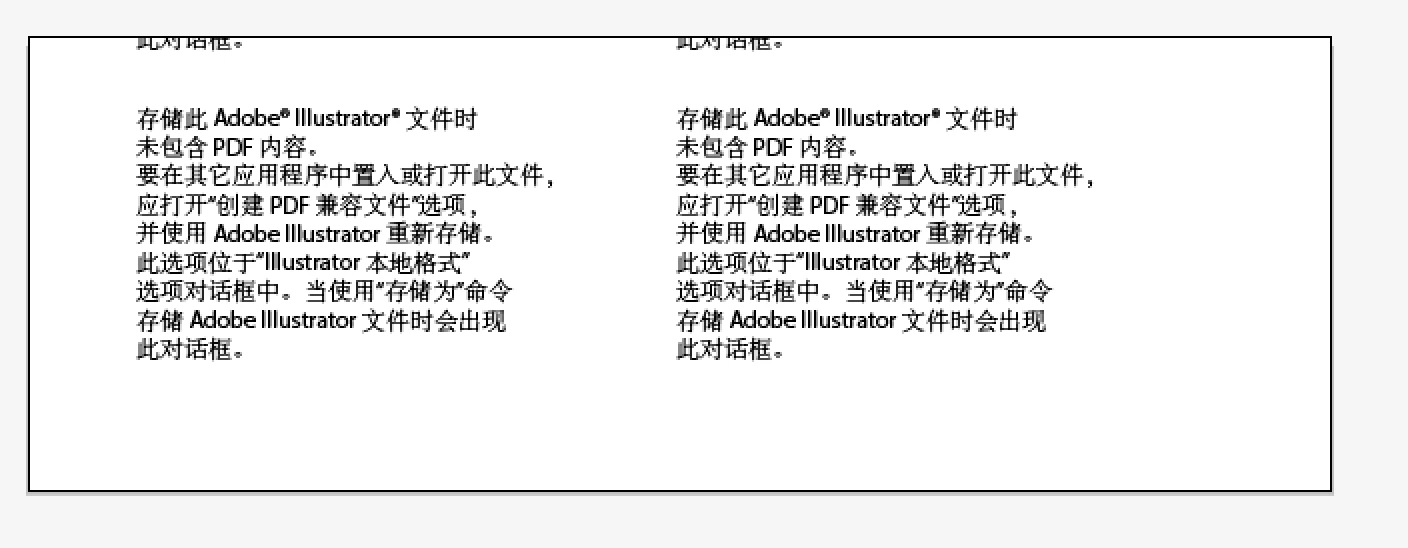
No matter what I try, I cannot get the image to appear (it's a logo that I'm trying to place.)  The even weirder thing is, when I'm looking at the file in my Mac's Finder window, in the preview frame I see the same thing, I can't even see the logo.

I have tried this with multiple newer version .EPS and .AI files, and am getting the same result.  I was literally able to work around this yesterday, and today I can't. It's almost like they flipped the switch today that allowed the "place" workaround to keep working.

What happened, and what can I do about it?

    This topic has been closed for replies.
    Correct answer Monika Gause

    Only thing you can do is either use files that have been saved with a PDF inside.

    Or use a proper version to open your files.

    Please watch this about Illustrator files: https://youtu.be/IpDh8Y7q8yE

    1 reply

    Jacob Bugge
    Community Expert
    Community Expert
    March 6, 2019

    Juliana,

    Did you, or whoever, save the newer version documents with Create PDF Compatible File ticked?

    That is what can be placed.

    Participant
    March 6, 2019

    In this particular instance, I don't know because I'm using a logo downloaded from Seek Logo; I do have the company's permission to use the logo for the project, but that's where they told me to get it from.

    But I also tried this with multiple logos from other companies, just to see if there was an issue with this one, and all the others did it too.

    Monika Gause
    Community Expert
    Monika GauseCommunity ExpertCorrect answer
    Community Expert
    March 6, 2019

    Only thing you can do is either use files that have been saved with a PDF inside.

    Or use a proper version to open your files.

    Please watch this about Illustrator files: https://youtu.be/IpDh8Y7q8yE