Exit
  • Global community
    • Language:
      • Deutsch
      • English
      • Español
      • Français
      • Português
  • 日本語コミュニティ
  • 한국 커뮤니티
0

Adobe Illustrator 2021 v25.1 not typing a double-quotation mark

Community Beginner ,
Jun 14, 2021 Jun 14, 2021

In Adobe illustrator 2021 v25.1 when i wan to type a double-quotation mark the app doesn't type a double-quotation mark it gives 2 arrows instead as shown in the pictures below, i tried different fonts but nothing worked, any fixes? 
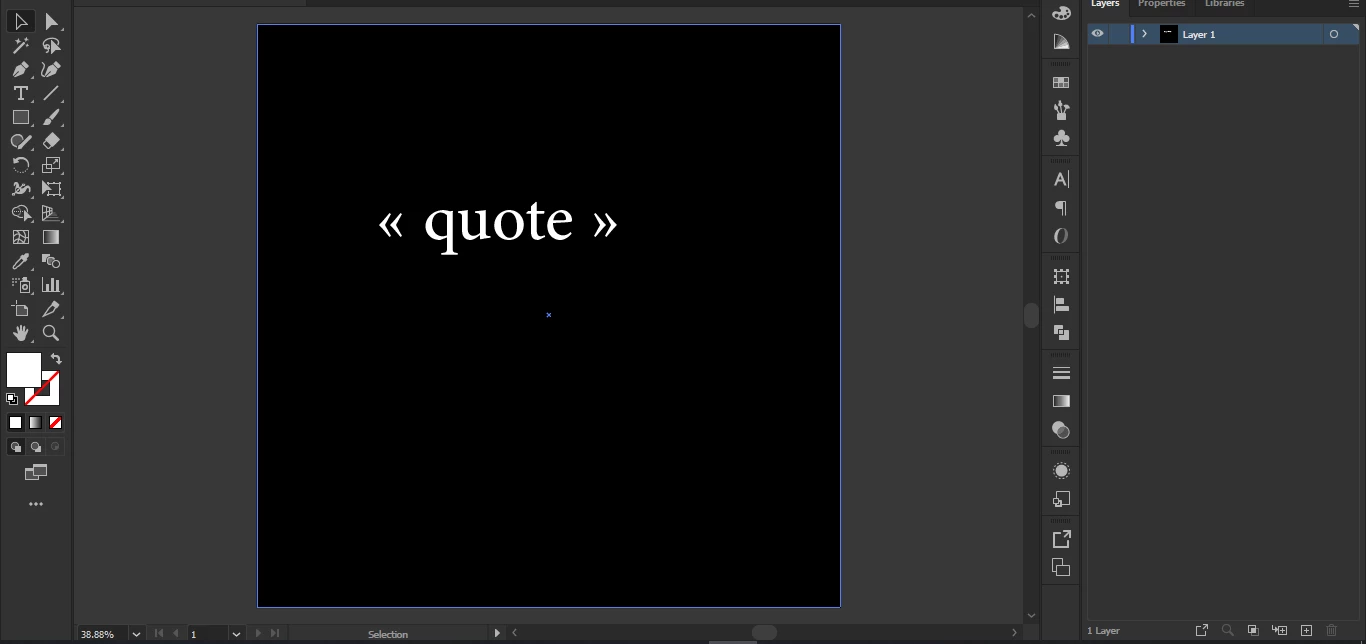
Abed5C77_0-1623704005669.png


TOPICS
Bug , Draw and design , Third party plugins , Tools , Type
3.7K
Translate
Report
Community guidelines
Be kind and respectful, give credit to the original source of content, and search for duplicates before posting. Learn more
community guidelines

correct answers 2 Correct answers

Advocate , Jun 15, 2021 Jun 15, 2021

Salut Abed,

Pour des guillemest doubles " " " " "

Décochez la case "Use typographer's Quotes"


Translate
New Here , Oct 14, 2022 Oct 14, 2022

Every thing is okay just change your language to your second language (like: Arabic) then sett double and single quotes same like your sceen short . 


Translate
Adobe
Community Expert ,
Jun 14, 2021 Jun 14, 2021

Those *are* quotation marks. Just not in your language.


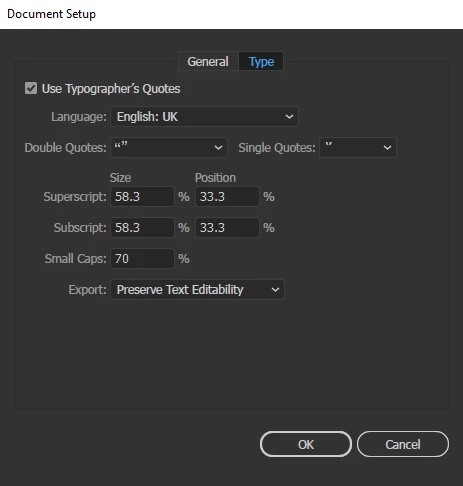
In the document setup you can set up which quotation marks Illustrator uses when you type inches.

Translate
Report
Community guidelines
Be kind and respectful, give credit to the original source of content, and search for duplicates before posting. Learn more
community guidelines
Community Beginner ,
Jun 14, 2021 Jun 14, 2021

Thank you Monika, but unfortunately that didn't work.

Translate
Report
Community guidelines
Be kind and respectful, give credit to the original source of content, and search for duplicates before posting. Learn more
community guidelines
Community Expert ,
Jun 14, 2021 Jun 14, 2021

Can you please show those settings?

Translate
Report
Community guidelines
Be kind and respectful, give credit to the original source of content, and search for duplicates before posting. Learn more
community guidelines
Community Beginner ,
Jun 14, 2021 Jun 14, 2021

Abed5C77_0-1623706042296.png


Translate
Report
Community guidelines
Be kind and respectful, give credit to the original source of content, and search for duplicates before posting. Learn more
community guidelines
Community Expert ,
Jun 14, 2021 Jun 14, 2021

And how do you enter text?


Translate
Report
Community guidelines
Be kind and respectful, give credit to the original source of content, and search for duplicates before posting. Learn more
community guidelines
Community Beginner ,
Jun 14, 2021 Jun 14, 2021

by the text tool (T)

Translate
Report
Community guidelines
Be kind and respectful, give credit to the original source of content, and search for duplicates before posting. Learn more
community guidelines
Community Expert ,
Jun 15, 2021 Jun 15, 2021

Then it should work.


Or do you perhaps have something installed in your system, that changes keyboard input?

Translate
Report
Community guidelines
Be kind and respectful, give credit to the original source of content, and search for duplicates before posting. Learn more
community guidelines
Advocate ,
Jun 15, 2021 Jun 15, 2021

Salut Abed,

Pour des guillemest doubles " " " " "

Décochez la case "Use typographer's Quotes"


Translate
Report
Community guidelines
Be kind and respectful, give credit to the original source of content, and search for duplicates before posting. Learn more
community guidelines
New Here ,
Oct 14, 2022 Oct 14, 2022

Every thing is okay just change your language to your second language (like: Arabic) then sett double and single quotes same like your sceen short . 


Translate
Report
Community guidelines
Be kind and respectful, give credit to the original source of content, and search for duplicates before posting. Learn more
community guidelines
New Here ,
Jan 29, 2023 Jan 29, 2023
LATEST

Great answer Monika, i've just logged in especially to say thanks

Translate
Report
Community guidelines
Be kind and respectful, give credit to the original source of content, and search for duplicates before posting. Learn more
community guidelines