I'm pleased to inform you that the issue you mentioned was resolved in v27.9, and the current version of Adobe Illustrator, which is version 28.0, also has this option. I recommend updating to the latest version. If you encounter any other issues or have further questions, please don't hesitate to ask.
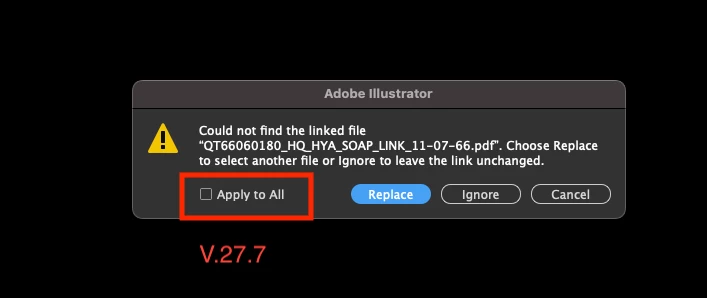
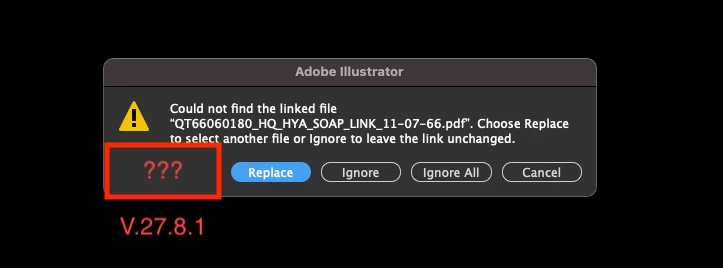
The issue was TEMPORARILY FIXED, but now in Illustrator 28.5 the issue has returned. The "Apply to All" checkbox is missing AGAIN. It only gives the option to replace ONE AT A TIME, to ignore, or to ignore all.
Yes, experiencing the exact same issue here. I have a template set up that I routinely use for the same size of card, but the design changes. Up until this newest release, all I had to do was open the template, it would pop up with the message saying the linked file couldn't be found, I could just select the new design I wanted to run 16-up or 20-up on the page, click "Apply to all" and like magic, Illustrator would automatically fill all of those slots. Now I have to MANUALLY click "replace" and then go through a bunch of clicks, x16, to get my template filled.
Could it be that you have several links selected in v27.7 and only one link selected in 27.8.1 ? Apply to all will most likely not show if there is only one link selected or to be updated.



 AdChoices