


Answered
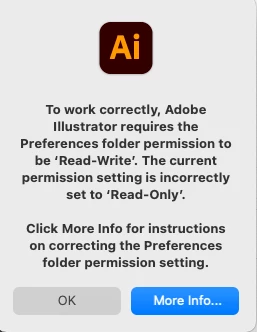
Adobe Illustrator requires Preferececes folder to be "Read-Write" in order to open...but it is!!!!
Just downloaded/installed Illustrator. Trying to open it and getting the error message from above ("Preferences folder needs to be "read-write" but currently is "read-only"). Followed all the steps from Adobe's help page to manually set the all the listed folders to be 'read-write'. They now all are (including a few more that I set to that for good measure...). I've restarted the computer several times, checked and double checked that the permissions stayed that way. I've done everything the help page says to do but it still won't open!! (Running most current version of OS Big Sur.)
 AdChoices