





Ai Command Palette
If you have worked with apps like Figma, Alfred, or VS Code you know how great the “command palette” is… Well, I wanted that same functionality in Adobe Illustrator so here's what I've come up with.
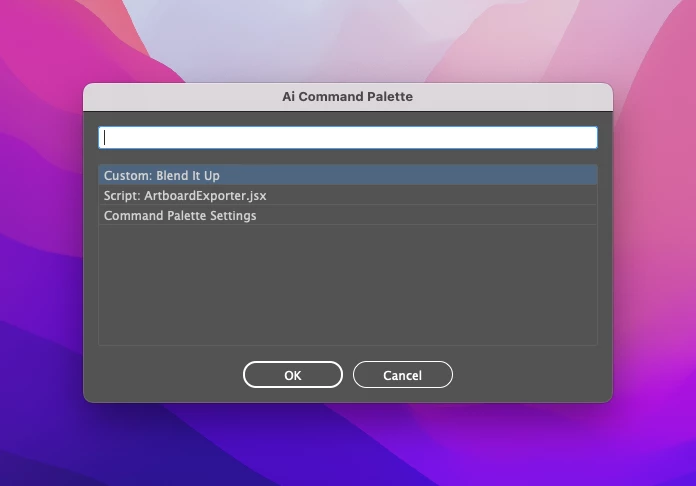
What Can It Do:
- most any Illustrator Menu command
- any actions from your Actions Palette
- scripts from anywhere on your filesystem
- AND you can build custom commands that chain other commands together! 🤯
Installation:
I recommend installing this action into your scripts folder, then tying it to a keyboard shortcut using something like Keyboard Maestro (Mac), BetterTouchTool (Mac), or AutoHotkey (Windows).
ℹ️ I like to use the keyboard shortcut Command-Shift-P since it is somewhat mnemonic for "palette".
Notes:
⚠️ Using this command palette requires some basic knowledge of Illustrator. The script doesn't know which commands can or can't be run at the time of execution so tread carefully. Most every action this script executes can be undone by choosing Edit > Undo (from the Edit menu at the top of your screen), or by pressing Command-Z (Mac) or Control+Z (Windows).
⚠️ MENU COMMANDS: I am aware that not all of the included built-in menu commands work. There are a little over 500 included in this script so I'm not interested in testing them all. If you find one that doesn't work, please file an issue in this repository (learn how here).
Credits:
- Shalako Lee for the list of built-in menu commands and their respective executeMenuCommand() commands.
- sttk3 for the awesome bit of code that gets all of the currently installed Action Sets and Actions.
- Peter Kahrel and his amazing ScriptUI for Dummies book.
- Sergey Osokin for the clever openURL() function.
It's far from perfect, but it's cool (at least to me). So, please check it out, take it for a spin, try to break it, and let me know what you think.
GitHub Download Link: https://github.com/joshbduncan/AiCommandPalette
YouTube Demo Video: https://www.youtube.com/watch?v=Jhh_Dvfs0ro
 AdChoices