


Known Participant
April 2, 2019
Answered

.ai file save in .svg - changing colours

  • April 2, 2019
  • 1 reply
  • 8766 views

Hello. I'm in trouble.

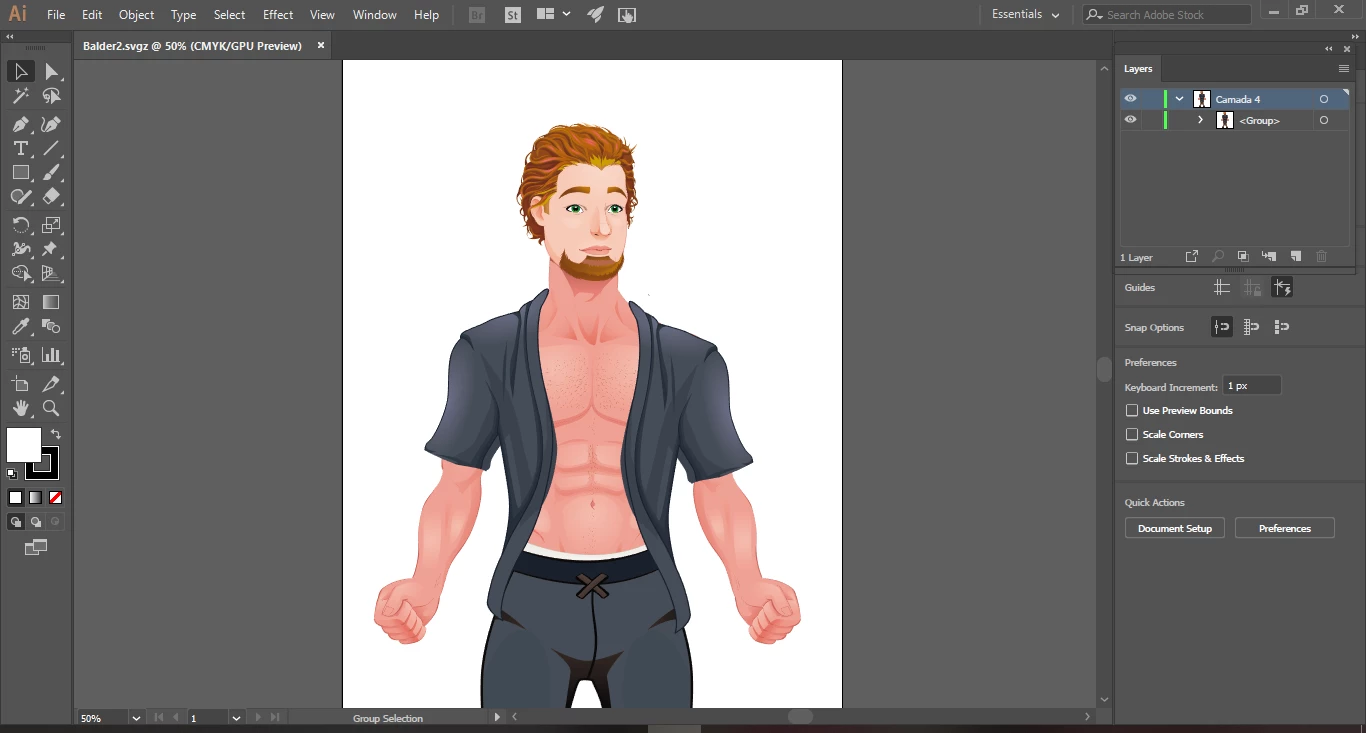
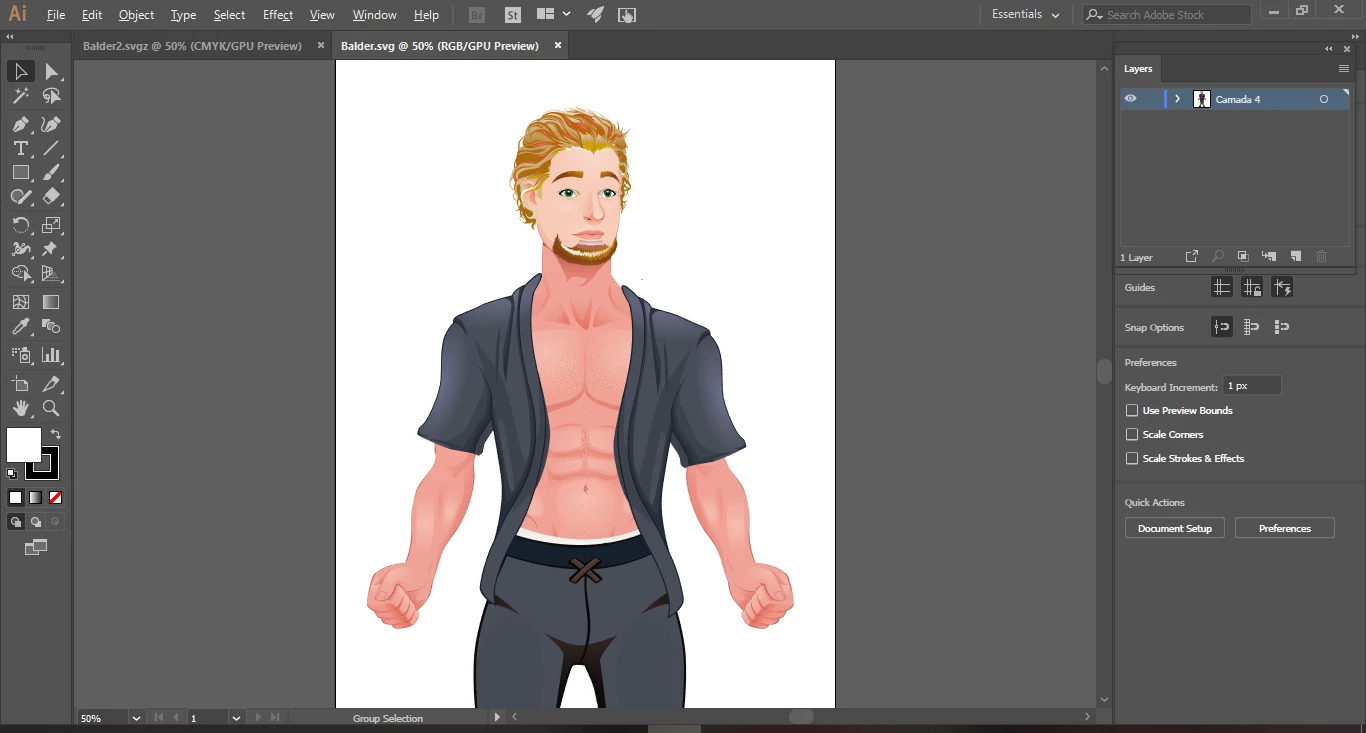
I have some .ai vectors but when I save it in .svg the colours of the images changes. Anyone knows how to fix it? Samples above.

MY ORIGINAL .AI
MY SAVED .SVG
Best regards,

Irina Sopas

This topic has been closed for replies.
Correct answer Monika Gause

Yes.

You need to convert that Ai file to RGB (it's best to work with an sRGB color profile) and then check all the colors and adjust them where needed.

1 reply

Monika Gause
Community Expert
April 2, 2019

You were drawing in a CMYK file. SVG doesn't support that and converted automaitcally.

On top of that: SVG is the deliverable format. Always save your work file as AI.

Known Participant
April 2, 2019

First thanks for the answear.

I have all in .ai but I need .svg to upload to my website. So if I work with RGB file I won't have trouble with the colours?

Best regards,

Irina

Known Participant
April 3, 2019

You're very welcome.

And have a nice week too.


i'MMM back hahaha.

I changed the document mode to rgb and the colors to rgb but the image stills changing the colors in svg.

However I only see that the colors are changed after I upload to my website.

Inside the illustrator the images now are appearing with the original colors. So I don't know what colors edit and change. Can you help me?

MY WEBSITE

MY ILLUSTRATOR

Kisses