


AI SVG graphics not dynamic (strokes are not written in code once SVG exported to other systems)
Hi guys,
So basically i'm on here and hoping someone who knows a fair bit about:
1. SVG files, and making them with AI
2. Web design
The issue i'm having is:
When the icon/images I make on AI and exported and uploaded to my website, and then edited using Elementor, I am having the issue that the strokes don't register as a SVG property, but more like a PNG/JPEG where the colour is fixed. I can scale no problem, however I cannot change the colours using the Elementor tools.
I know for sure it is the strokes, and filled bodies are dynamic, and do change colour when say - setting a different colour for icons globally. This is annoying the developement stage of my website as I can't adjust and change things easily, I have to manually edit the icons and change the colour, save and reupload everyone and it's driving me insane. 0 workflow.
I draw a lot of my images with a drawing pad, so everything comes up as a stroke. I have 0 interest in following a long winded proess to make 2 stroke outlines and filling inbetween, then removing the strokes. I might aswell just download Photoshop as I think the paths tool on PS works fine without this strange stroke issue. I'm tempted to go down this route as it seems more efficient to design and make changes to the icons anyway.
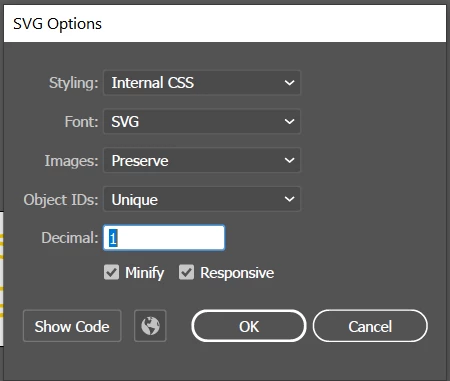
Here are the settings I am saving my SVGs as, and yes of course, I have set all the colours to 00000, and the document in RGB mode. Any ideas of how to solve this would be awesome. Potentially this could just be an elementor issue, as I have seen one other person have this issue on youtube. Thanks!
 AdChoices