For all the features you're seeking, you need to install the Middle Eastern version of Adobe Illustrator. You can keep your existing copy of Illustrator which is "International English" for example and have yet another copy of Illustrator that supports Arabic, alternatively, you may remove existing copy of Illustrator from your machine then download a fresh copy with Arabic support.
Kindly follow the below steps to have two copies of Illustrator on your machine…
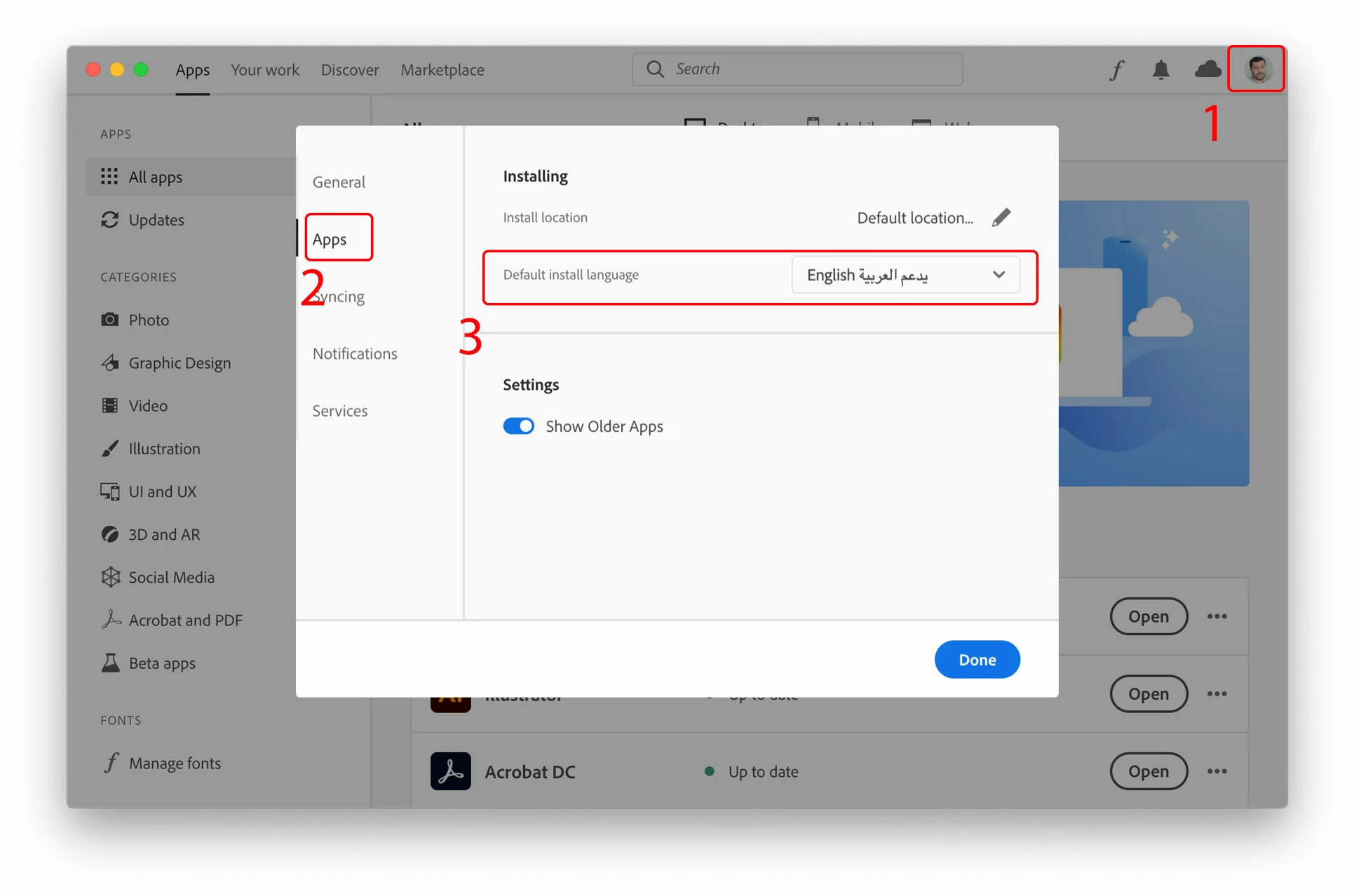
- Click on the “Account” icon found on the top-right corner of the Creative Cloud desktop application and choose “Preferences”
- In the newly opened Preferences dialogue window, click on “Apps” on the left pane
- Scroll down to the bottom of the window, from the “Default install Language” drop menu choose English يدعم العربية in order to have Arabic support in Adobe applications, then click the “Done” button.
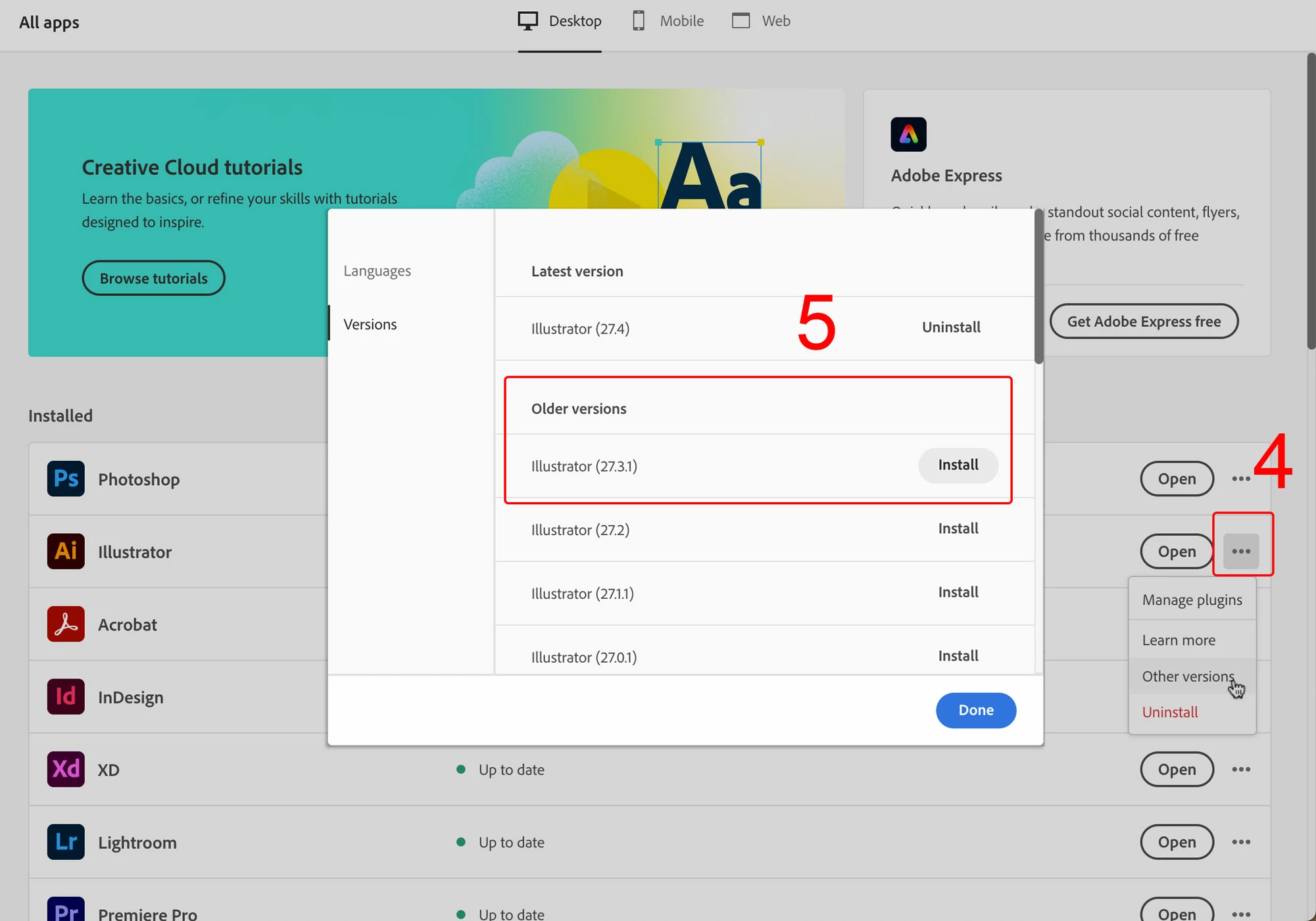
4. Click on the three ellipses on the far right to Illustrator, then select "Other versions"
5. Choose to install an older Illustrator version
This way you will end up with two versions of Adobe Illustrator on your machine, one of which provides maximum Arabic support.



 AdChoices