New Participant
June 28, 2025
Answered

Anyone else having issues with the ExtUngroup script (Sergey Osokin)?

  • June 28, 2025
  • 3 replies
  • 425 views

Hi! I think this script is amazing (thanks Sergey Osokin), but I'm having a small issue. ExtUngroup.jsx

When I check "Release Clipping Masks" and "Remove Mask Shapes" without checking "Ungroup All", the script still ungroups everything.


I'm not good with code, but I already tried to find a solution using Gemini and ChatGPT — they made over 50 attempts but couldn't fix it.

Is it possible for the script to release the clipping masks and remove the mask shapes without affecting the group structure?


You can watch the video demonstrating the issue at the following link:
 https://imgur.com/a/RXUy9Ji


Thanks in advance!
Correct answer m1b

Hi all, you have this well and truly sorted, but I've had a need for a long time for a similar script with some specific functionality: the ability to choose the "depth" of the ungrouping. So this thread gave me the impetus to write it


It's called Deep Ungrouper. You can find it on my github repo or you can download it directly.


Let me know what you think.

- Mark


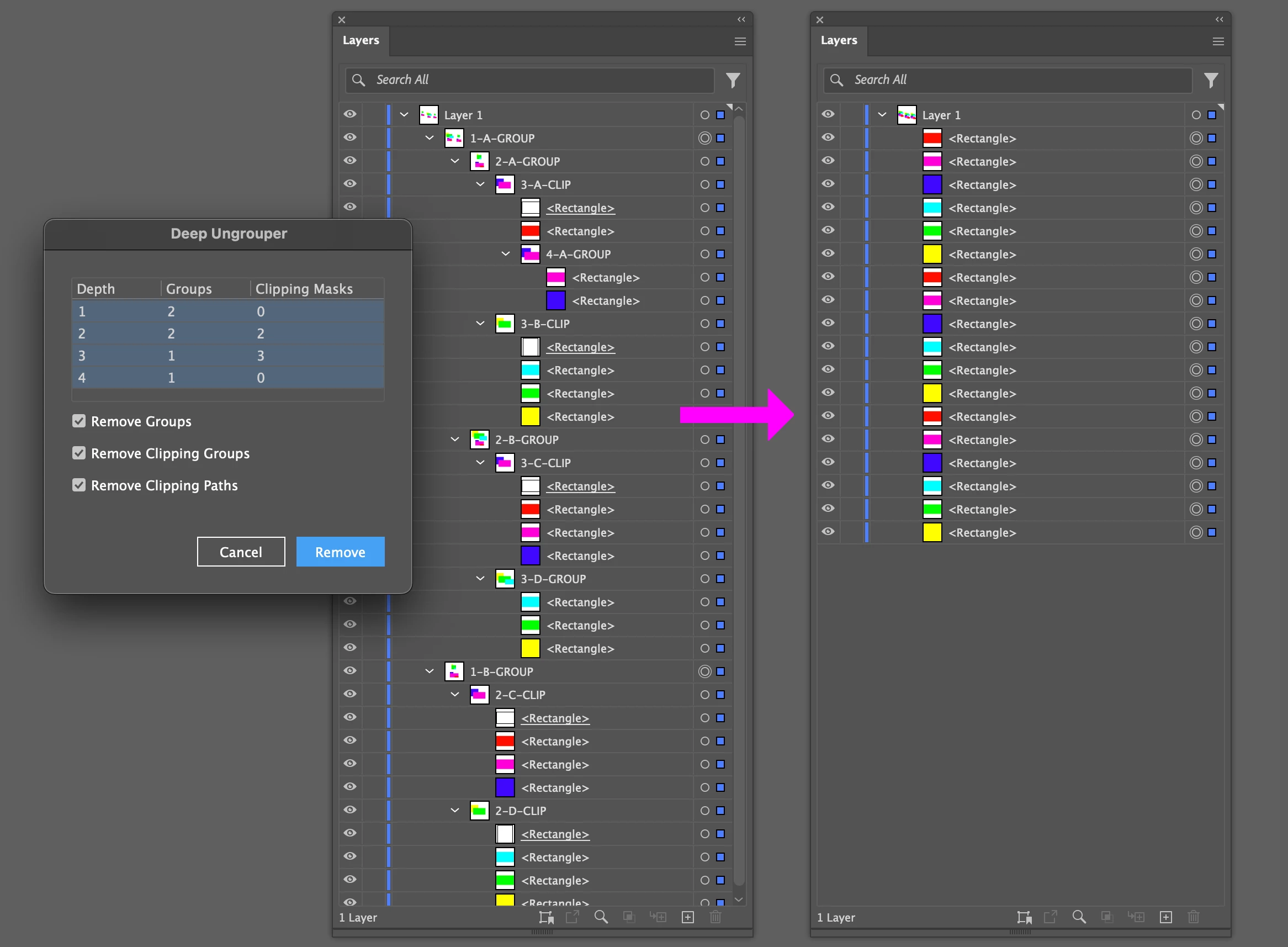
Removing all groups and clipping masks at all depths:


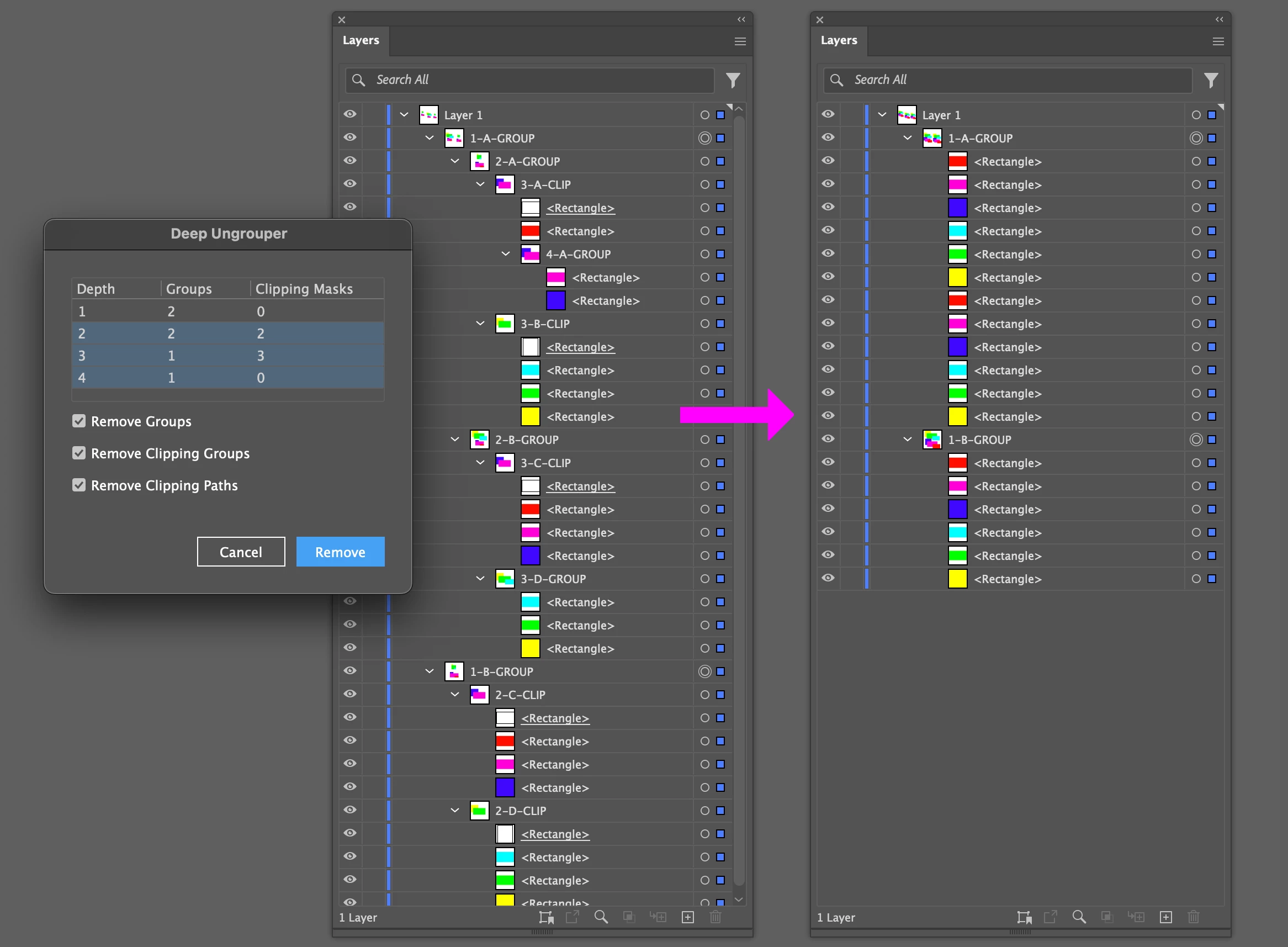
Removing all groups and clipping masks except the top level groups:


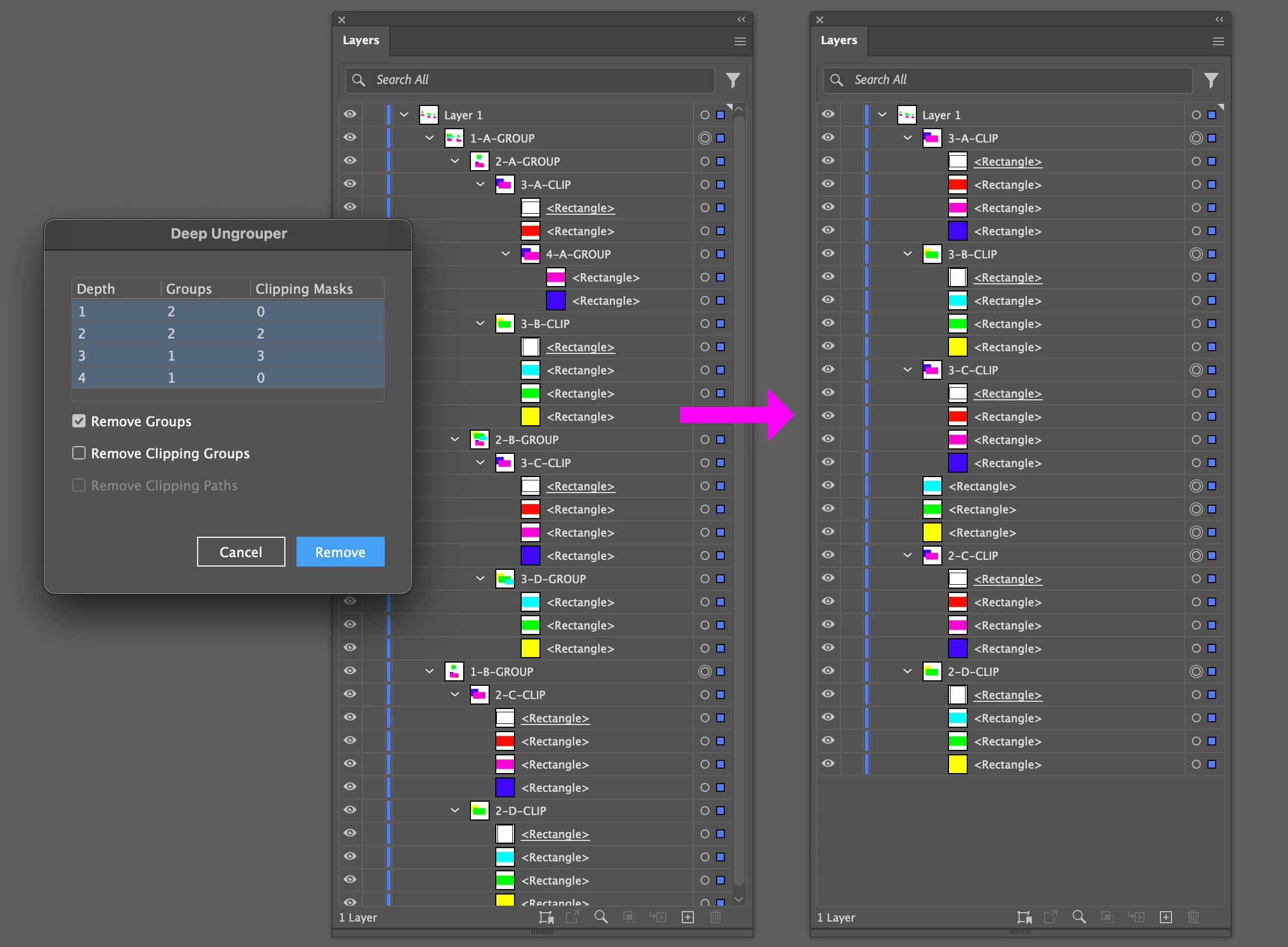
Removing *only* groups at all depths:


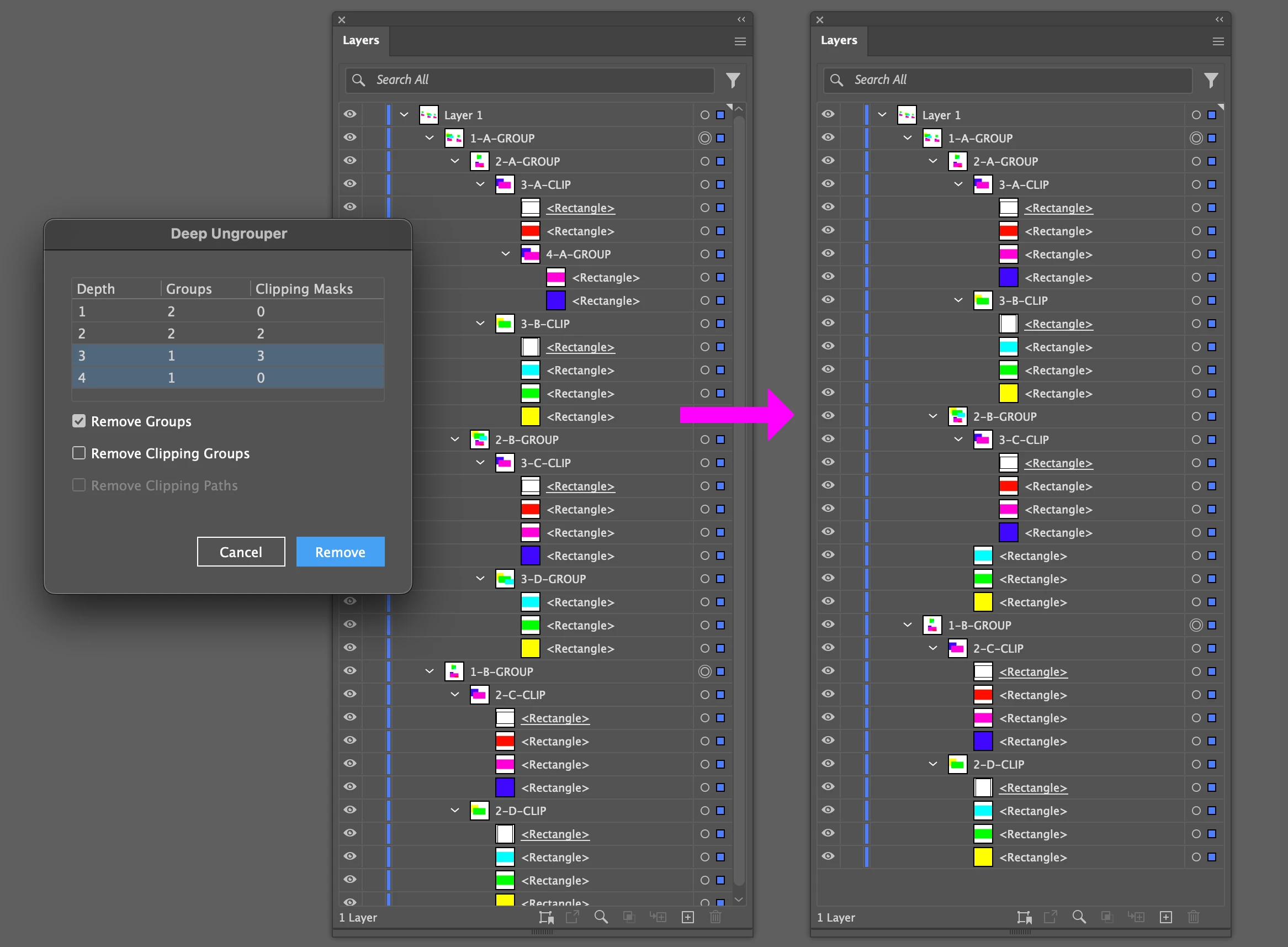
Removing groups at depths 3 and 4:


3 replies

m1b
m1bCorrect answer
Community Expert
June 29, 2025

Hi all, you have this well and truly sorted, but I've had a need for a long time for a similar script with some specific functionality: the ability to choose the "depth" of the ungrouping. So this thread gave me the impetus to write it


It's called Deep Ungrouper. You can find it on my github repo or you can download it directly.


Let me know what you think.

- Mark


Removing all groups and clipping masks at all depths:


Removing all groups and clipping masks except the top level groups:


Removing *only* groups at all depths:


Removing groups at depths 3 and 4:


New Participant
June 29, 2025

I've already tested it. This script is going to help me a lot. I work as a graphic designer at a digital printing company in Spain, serving clients from Portugal, and most of the time the vector files are a real mess. The vast majority are created in Canvas or in other ways that leave the file full of unnecessary clipping masks. That's why I really need something that allows me to organize everything better so I can edit it later if necessary.
Thank you very much!

m1b
Community Expert
June 29, 2025

Good to hear! I will definitely find it useful for similar situations.


Let me know if you find any bugs—I haven't tested it much so there's bound to be some.

Sergey Osokin
Inspiring
June 28, 2025

Try this script by Kenneth Webb. Carlos Canto in 2020 republished the code
https://community.adobe.com/t5/illustrator-discussions/remove-clipping-mask/m-p/11459304#M245807

New Participant
June 29, 2025

Thank you, Sergey! And congratulations on your amazing work.

m1b
Community Expert
June 28, 2025

Hi @Egon Aszmann I had a quick look at Sergei's script and—as it is written currently—doesn't actually do what you want. It can be modified to do it though.


@Sergey Osokin perhaps you would like to address this? Let me know if you don't have time.

- Mark