

Answered
Arabic text "%" issue
Dear All,
I have faced the arabic text "%" symbol issue at 28.4 version. But the 25.4.8 version worked fine. Screenshot attached for your easy understanding. Please check and advise.


Dear All,
I have faced the arabic text "%" symbol issue at 28.4 version. But the 25.4.8 version worked fine. Screenshot attached for your easy understanding. Please check and advise.
You mentioned option not available in my illustrator. Please advise.
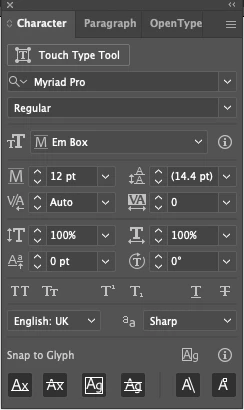
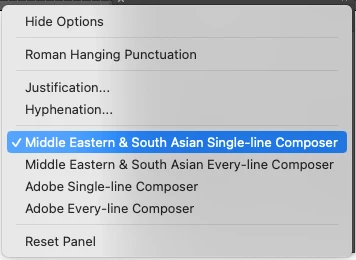
The option(s) I mentioned is available in the Middle Eastern version of Illustrator as I mentioned above. If you're interested, you can download and install that particular version to access more RTL controls.
Here are the steps which you may take in order to have another copy of Illustrator on your machine…
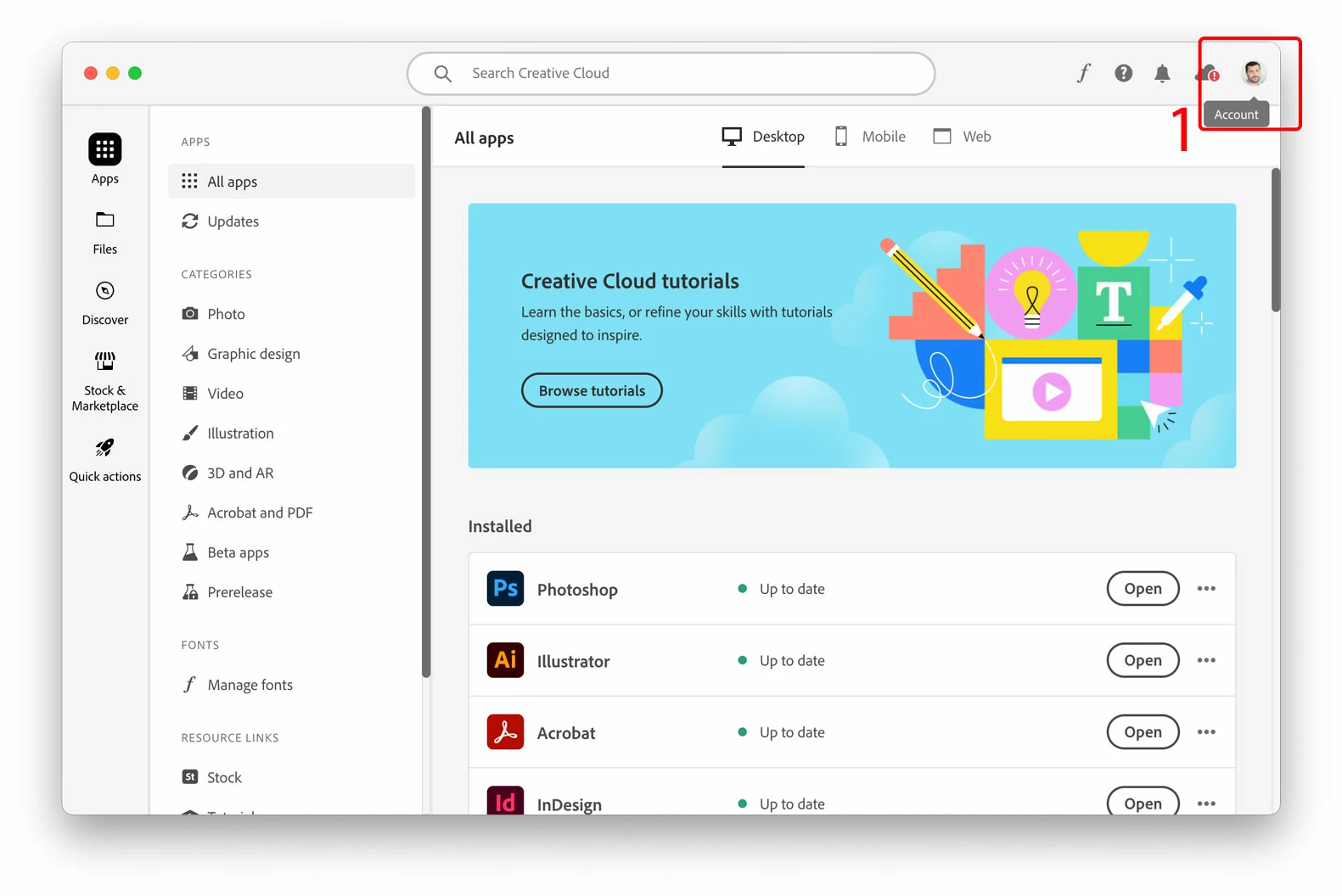
1. In your Adobe Creative Cloud application, access your account found on the top-right corner.
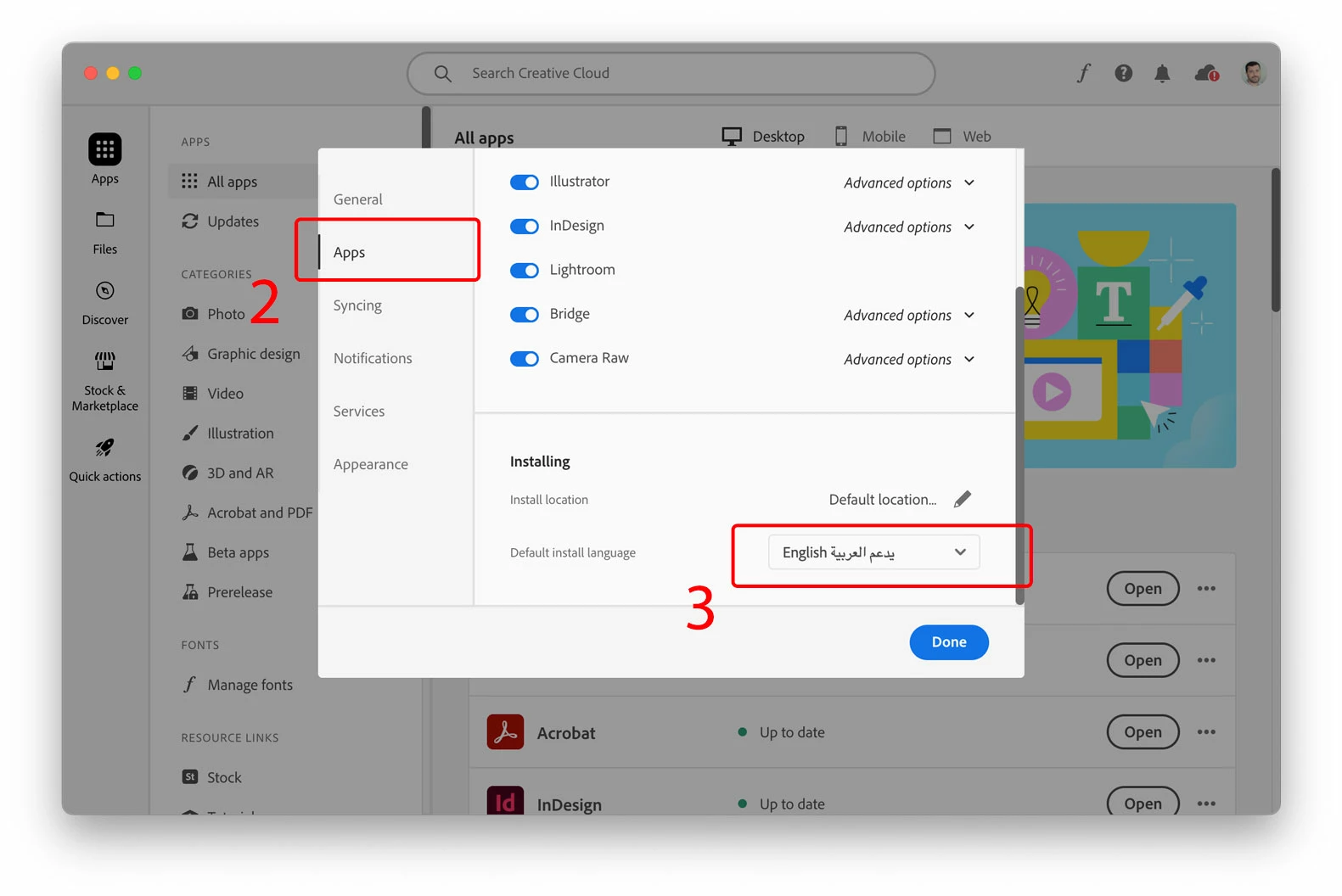
2. In the pop-up window (your account) click the "Apps" option on the left pane
3. Choose "English يدعم العربية" in order to download a copy of Illustrator with more Arabic support options. Click "Done" button.
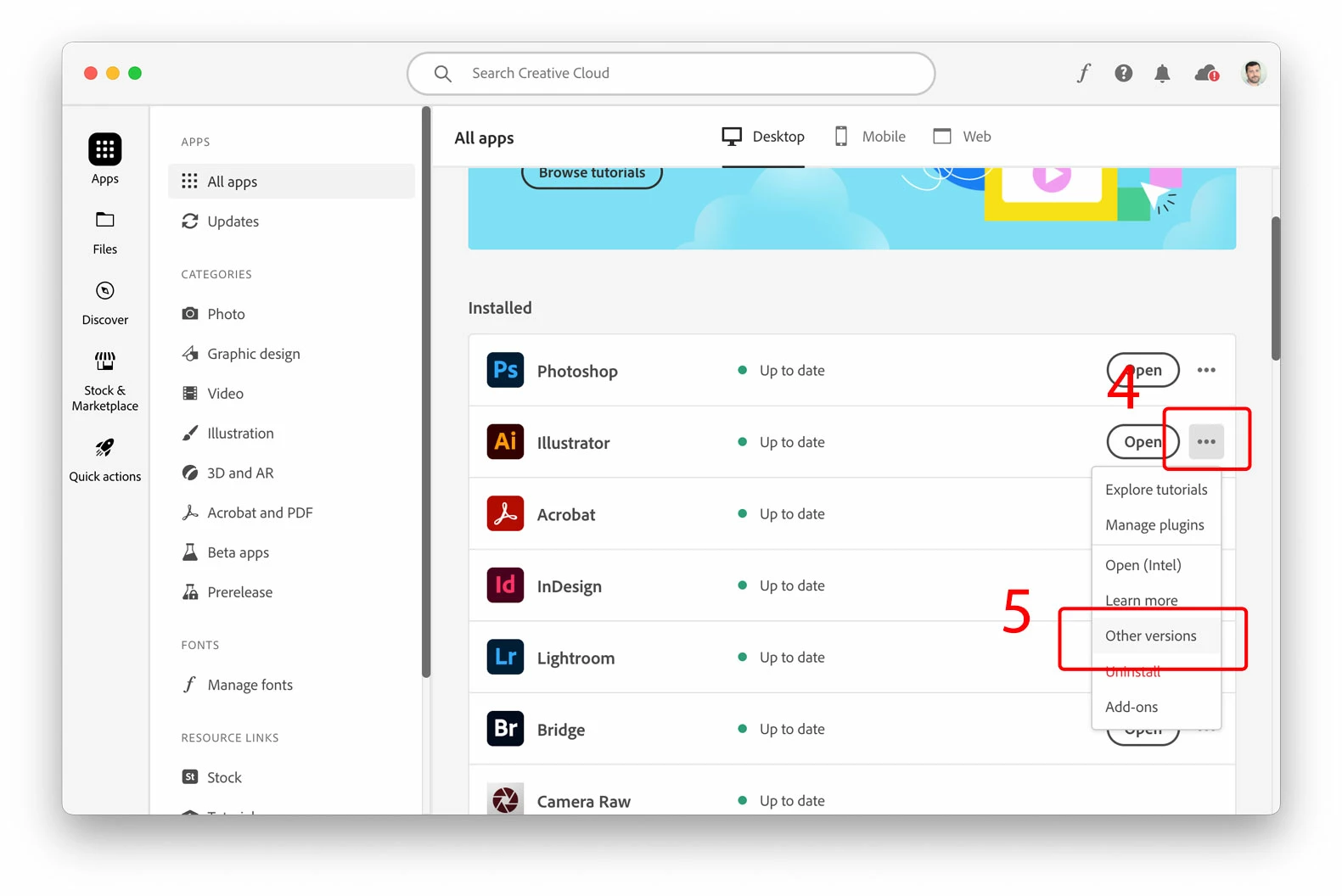
4. Click on the three elipses, from the drop-list
5. Choose any of the older versions available. Note, you cannot install the same version which exists already on your machine, that's why you need to choose even a little older copy from the list.
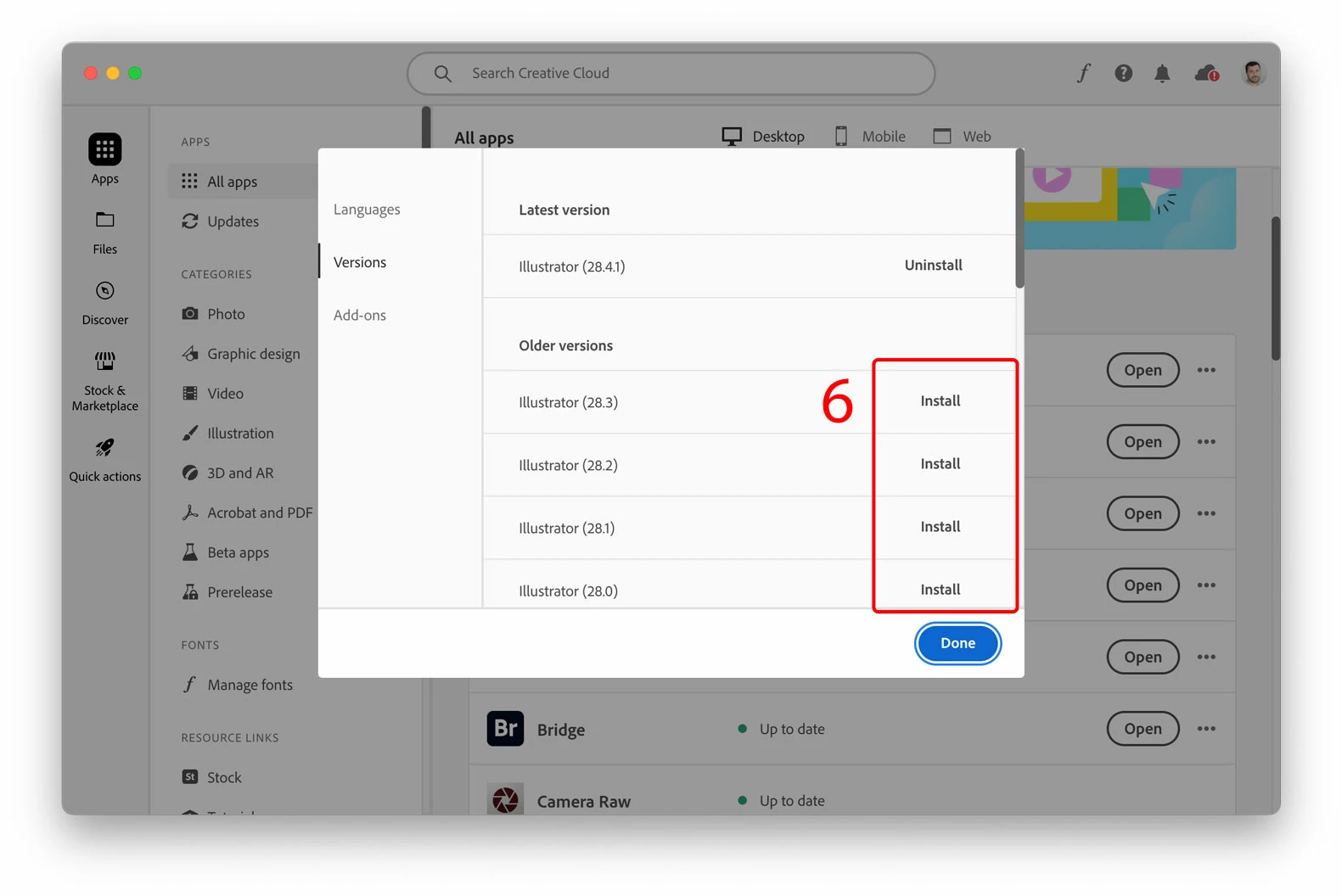
6. Click "Install" for the version you've selected.
Already have an account? Login
Enter your E-mail address. We'll send you an e-mail with instructions to reset your password.
 AdChoices