



Blacked out menus and slow performance issues on Illustrator 2020 on Windows 10
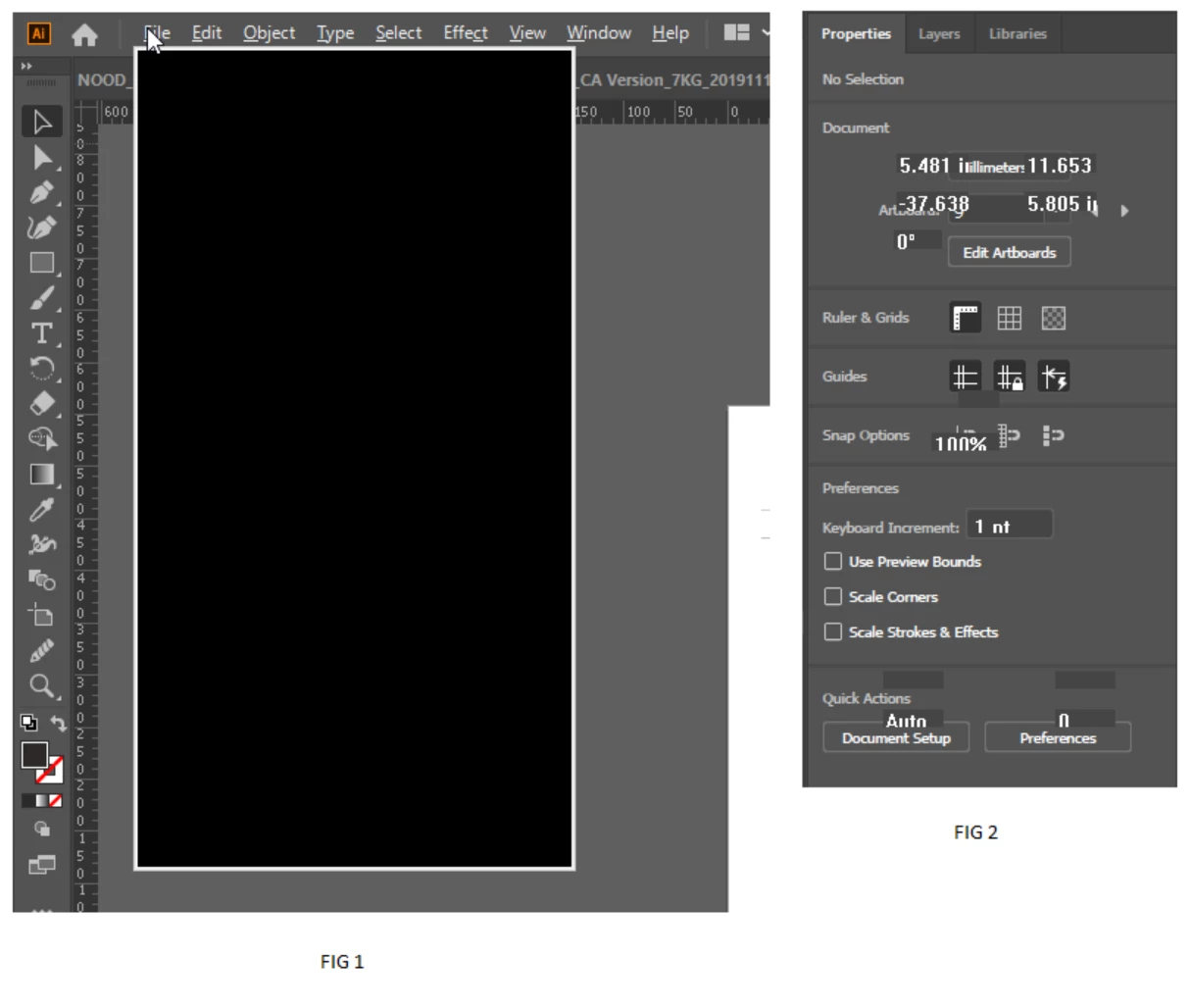
Issue: After a period of time (happens probably once a day within an eight hour period) I will notice the menu text distort (see Fig. 2) and illustrator begin to become sluggish. All menus (dropdowns) will appear black (see Fig. 1) and will populate with options when I scroll the mouse cursor over them.
However, all inner menu popups (Save as dialog box etc) will not appear, leaving me unable to export, save as or other dialog box required options.
After a short period of time, or attempts to save documents - illustrator will crash. Hugely annoying/recurring problem that has resulted in many documents losing progress/being lost altogether.
I am running the latest version of illustrator (24.0.2) on Windows 10 Pro
Hardware:
HP Z2 Tower G4 Workstation
- Intel Core i7-8700
- 32gb Ram
This is not a targeted problem, this error also occurs on my colleagues identical hardware (as above) as well as on an HP omen laptop running identical software.
I am not running any third party plugins or software - Illustrator is setup as is out of the box. Some other forums touch on this issue but no definitive solution.
{Renamed by MOD}
 AdChoices