


corrine lm83335542
New Participant
May 2, 2021
Answered

Blue Outlining on Paths

  • May 2, 2021
  • 3 replies
  • 4226 views

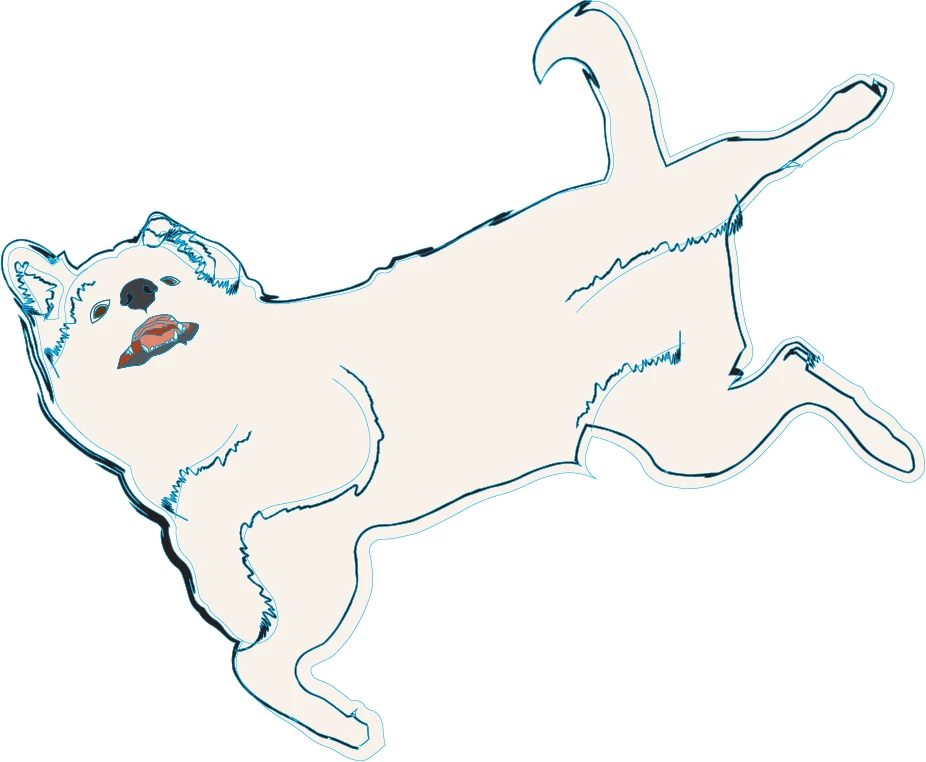
I cannot, for the life of me, figure out how to get rid of these blue outlines.  They are not the stroke color!  They look like they are indicating a selection of some kind, but they export with the image!  WT heck!  Can anyone help?!?
This topic has been closed for replies.
Correct answer Ton Frederiks

Your layer item has a fill/stroke icon shown at the top of your appearance panel.

Click the layer item there and see the appearance (which you can remove from the appearance panel menu).

3 replies

Ton Frederiks
Community Expert
May 3, 2021

Good to hear that helped.

Mike_Gondek10189183
Community Expert
May 2, 2021

Guessing that someone else created this artwork for you, since you are asking these questions.


If you deselect all and they do not show then your layer is assigned a cyan color.

If you deselect all and they still show, then you may have 2 strokes on a path, one cyan and the other black distorted and an artbrush.


corrine lm83335542
New Participant
May 2, 2021

Actually, I did create it myself, but I am teaching myself, so there are surely weird gaps in my knowledge.  But there are definitely not two strokes and none of the layers involved shows a cyan color. 


corrine lm83335542
New Participant
May 2, 2021

@Ton Frederiks got it for me, but thanks so much for your help!  I really appreciate it! 

Ton Frederiks
Community Expert
May 2, 2021

Can you show View > Outline , select something and show the Appearance panel?

corrine lm83335542
New Participant
May 2, 2021


It's not showing anything I wouldn't expect...


Ton Frederiks
Ton FrederiksCorrect answer
Community Expert
May 2, 2021

Your layer item has a fill/stroke icon shown at the top of your appearance panel.

Click the layer item there and see the appearance (which you can remove from the appearance panel menu).