bessie_y
Participant
June 27, 2024
Answered

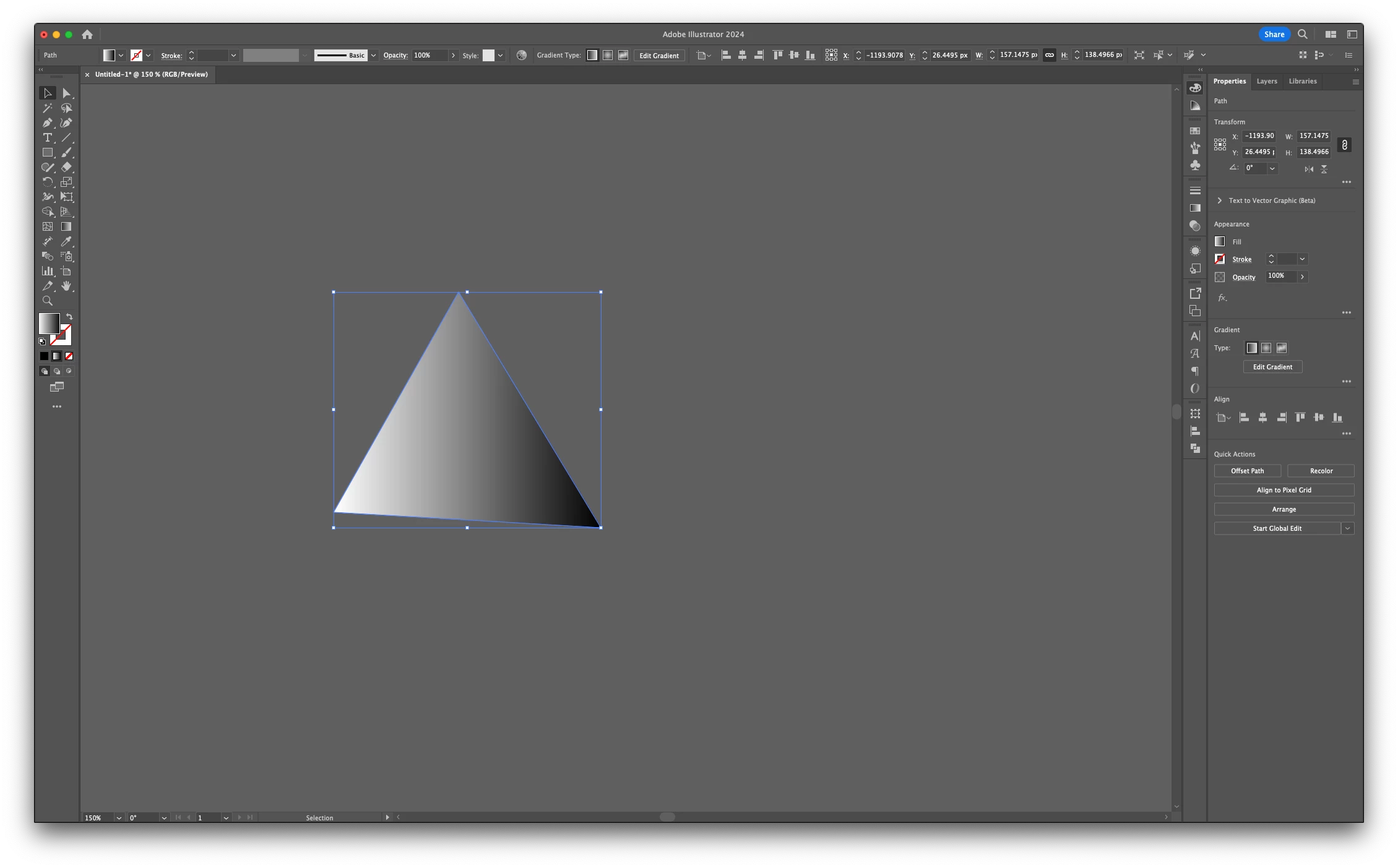
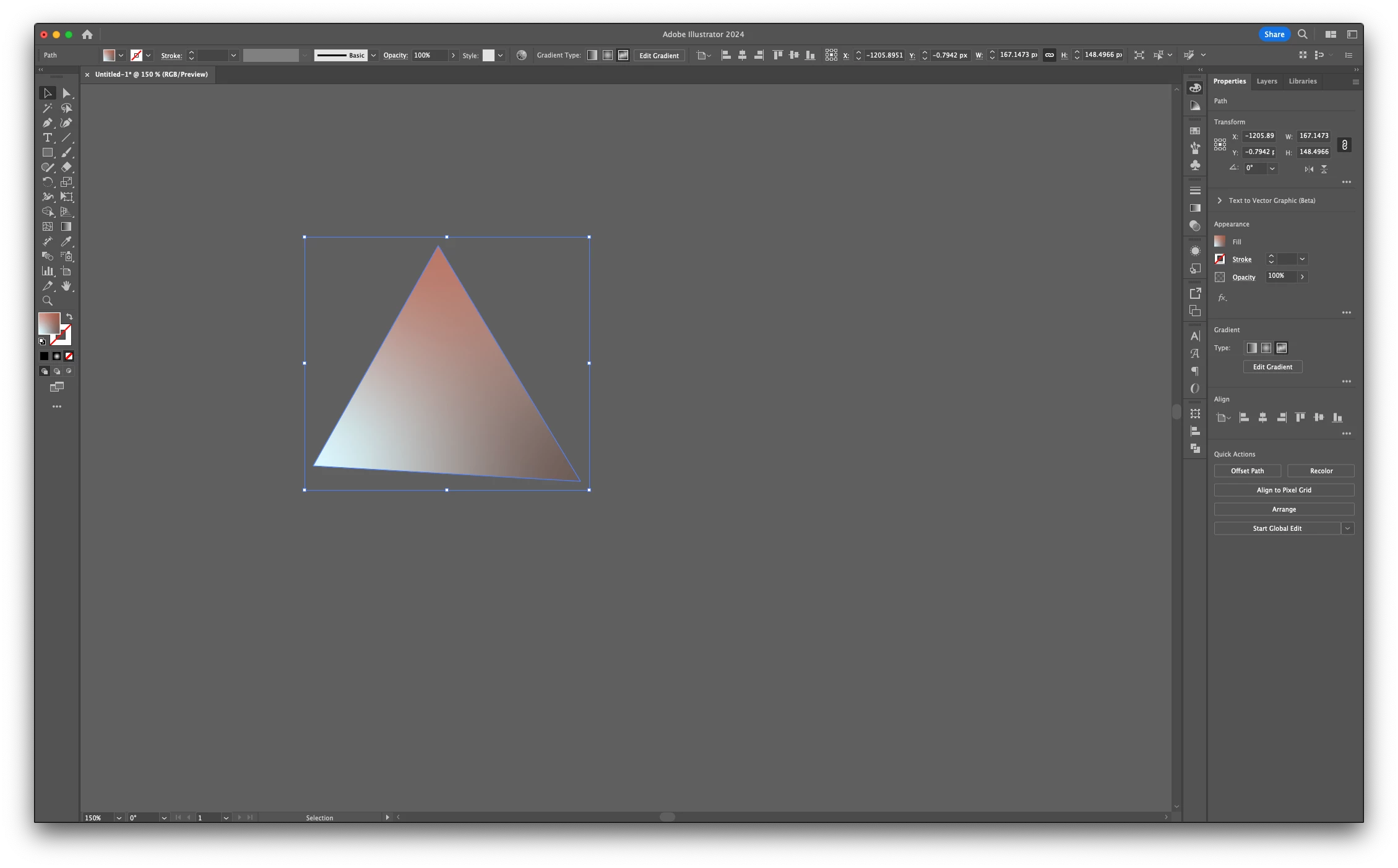
Bounding box is bigger when i use free transform gradient

  • June 27, 2024
  • 3 replies
  • 837 views

Help.

When I use the Free Transform Gradient, the bounding box got bigger. It makes it hard for me to align the shape in my artboard. It doesn't happen when i use a different type of gradient tool. 


When i tried to expand the shape, and it showed a rounded corner stroke. I am not sure how it happened, or how to turn that off. 
This topic has been closed for replies.
Correct answer Kurt Gold

Srishti,


you may see the enlarged bounding box at unrotated freeform-gradient objects while the "Use Preview Bounds" option is turned on in the general preferences or in the Align Palette menu.


In all Illustrator versions that provide freeform gradients, as far as I can see. Just a minor bug, but it occurs.


To verify, first make sure that the "Use Preview Bounds" option is turned on, draw a circle or some other shape and fill it with a freeform gradient, then select it with the Selection tool.

3 replies

Srishti Bali
Community Manager
Community Manager
June 28, 2024

Hi @bessie_y and Kurt Gold,


I tried but couldn't replicate this. Can you please confirm which version of Illustrator this is? 


Regards,

Srishti

Kurt Gold
Community Expert
Kurt GoldCommunity ExpertCorrect answer
Community Expert
June 28, 2024

Srishti,


you may see the enlarged bounding box at unrotated freeform-gradient objects while the "Use Preview Bounds" option is turned on in the general preferences or in the Align Palette menu.


In all Illustrator versions that provide freeform gradients, as far as I can see. Just a minor bug, but it occurs.


To verify, first make sure that the "Use Preview Bounds" option is turned on, draw a circle or some other shape and fill it with a freeform gradient, then select it with the Selection tool.

bessie_y
bessie_yAuthor
Participant
June 30, 2024

That's it!! 


My "Use Preview Bounds" was turned on. When i left it unchecked, it fixed the problem!! 


I got the latest version of adobe, so maybe this is some sort of bug? 

Kurt Gold
Community Expert
Community Expert
June 27, 2024

I can see the same behaviour. The bounding box is slightly larger than one may expect.


The probable reason is that beneath the surface Illustrator is already considering the dimensions of a so-called non-native art object (that is the object type that will be created when expanding the appearance or flattening the transparency of a freeform-gradient object).


You may call it a minor bug.

Monika Gause
Community Expert
Community Expert
June 27, 2024

Could you please select it and then open Window > Appearance and take a screenshot of both?