


Bug - or not?
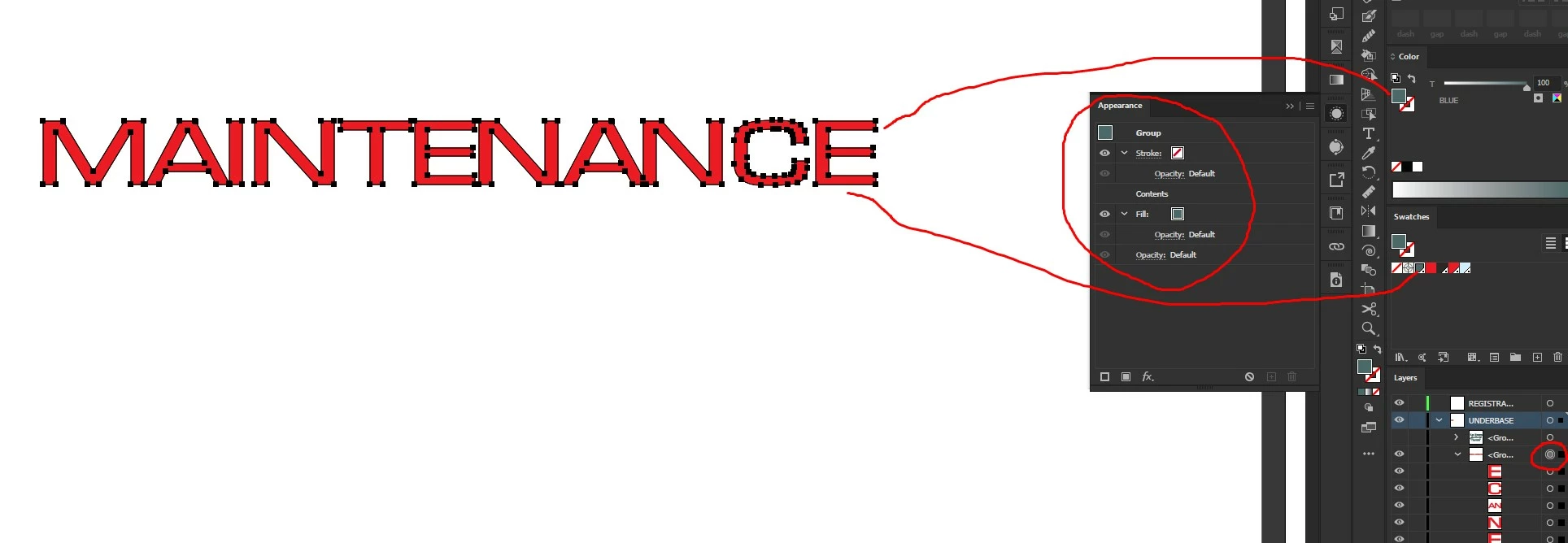
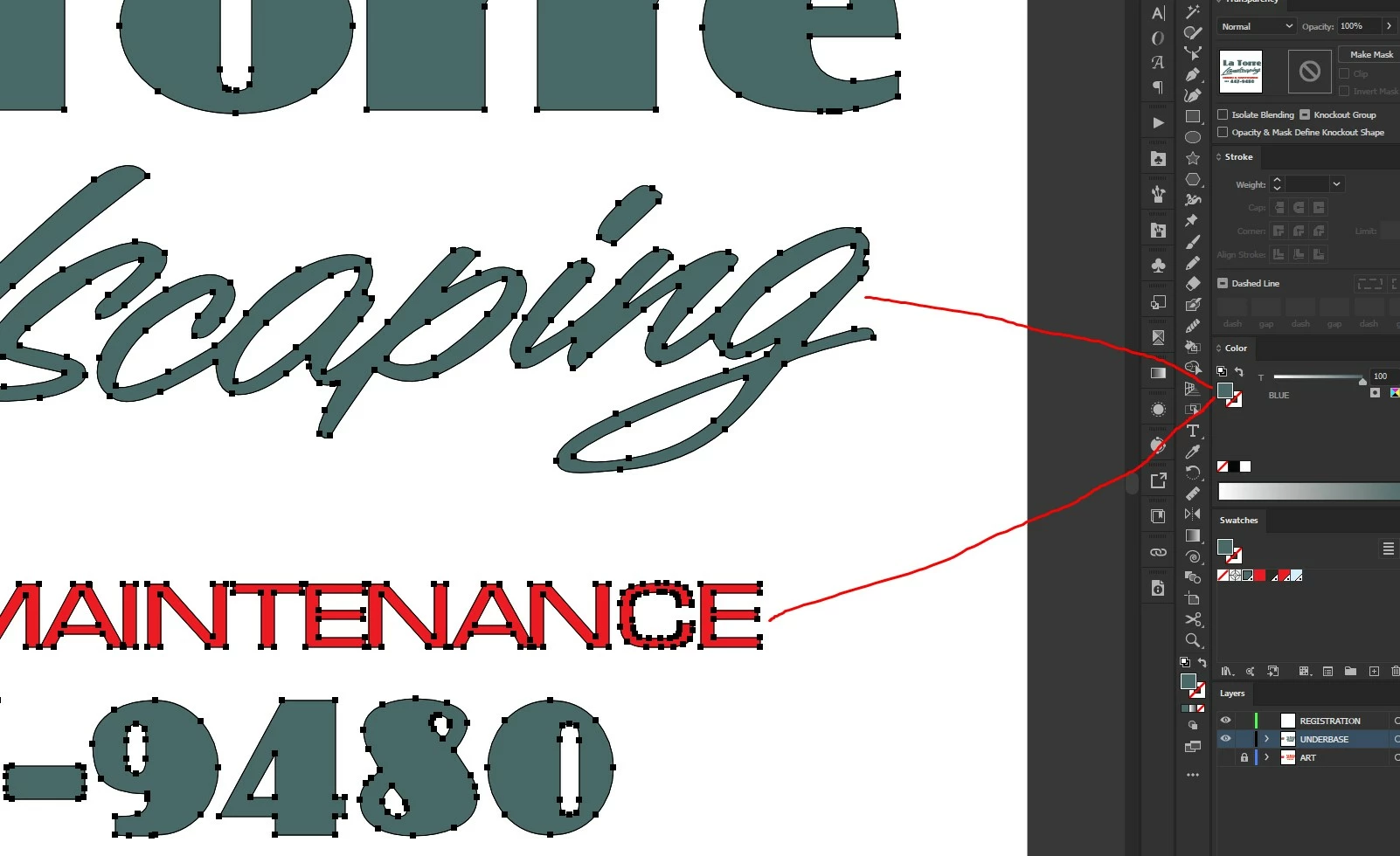
I'm actually getting overwhelmed with bugs at this point but maybe this one will shed some light on a problem that seems to relate to other bugs I'm experiencing. Here I have a pice of art which is red, yet the palette shows it as green. Also, you can see that if I select both green and red object together, the color palette shows all of it as green rather than a question mark. I can solve this problem but it shouldn't be this way. The word red word is grouped. If I select that word and ungroup, the palette instantly changes to the red swatch. This problem is similar to another problem I reported in the past where if I had two objects, one overprinted and the other not, selecting both would show a check mark in the attributes palette as if everything is uniformly overprinted. But it mattered which one I selected first! Depending on how I went about selecting them, it would show a check mark, or the little dash that says I have conflicting objects selected. Problems like these are are likely to cause costly mistakes because the software is not reflecting honestly what is happening in the art. A red object is reflecting as blue. Objects that are not overprinted showing up as overprinted, and lately, even more of this kind of problem is happening in Illustrator, but I don't have time to report all of this stuff. Right now, I'm supposed to be working but here I am talking about bugs.
[ title changed by moderator ]
 AdChoices