


Participant
February 28, 2020
Question

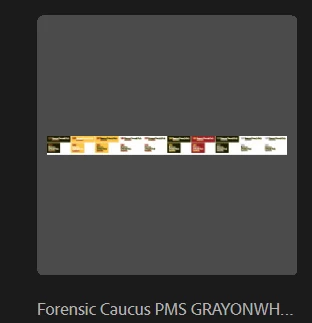
Can see multiple artboards in Thumbnail, but opens to one and can't see there are other in the file

  • February 28, 2020
  • 2 replies
  • 5534 views

I have a document I did not create for our logos and it looks like in the Thumnail it's a file with multiple artboards. Great. Less work for me to do. But when I open it up, it opens to just one artboard and I can't see any other artboards or hidden artboards in the file. I'd really not like to start from scratch and have 20 different files. 
 

2 replies

Ton Frederiks
Community Expert
Community Expert
February 28, 2020

That could explain it.

It is not the Illustrator file that you are opening (Illustrator can save an additional .ai file in an eps), but just the EPS. You will need to recreate the artboards and save as .ai

atomic graphics
Participant
November 15, 2022

hi! i came across this thread also wondering where are all the artboards from the preview? if they aren't in the file, why do they show up? (i am also opening the eps file in illustrator.) thanks!

Known Participant
February 20, 2023

And modifying (like moving an element and back again) and resaving these files again, would that work? A batch action could do that.


Yes, I made a little action that creates a shape and then deletes it again and and after saving the file has the correct thumbnail. I've been using this as a batch action and it works. But I do wonder why this extra step is necessary when it's something that could be solved with such a simple action script. When working with a lot of files it's a hassle to have to do that every time. Another thing: if you save the files on your Mac you will see a correct preview in the Finder, but send them to someone with a Windows PC and they won't see the correct thumbnail.  All reasons why I feel this should just be done when saving the file in the first place.

Ton Frederiks
Community Expert
Community Expert
February 28, 2020

Did you look in the Artboards panel to see if there is a large artboard behind the others?

Is it an Illustror document or a PDF that you opened?

akdeckeAuthor
Participant
February 28, 2020

Hi! It is an .eps file that I opened. It's a series of logos with various color versions. I opened one and when I see the thumbnail both in Windows and in the Illustrator recent files, it looks like it's about 20 total artboards, but it only ever opens to one singular artboard. The artboard panel only shows one artboard.