



Can't align stroke on text.
This used to be SO easy. All I want to do is align my stroke to the outside of my text, but Illustrator won't let me. So I go into my Appearance pallet to see what's going on. On my first attempt to align the stroke, I've applied the stroke and fill under the "Type" attribute. As you can see, aligning the stroke is a no go....
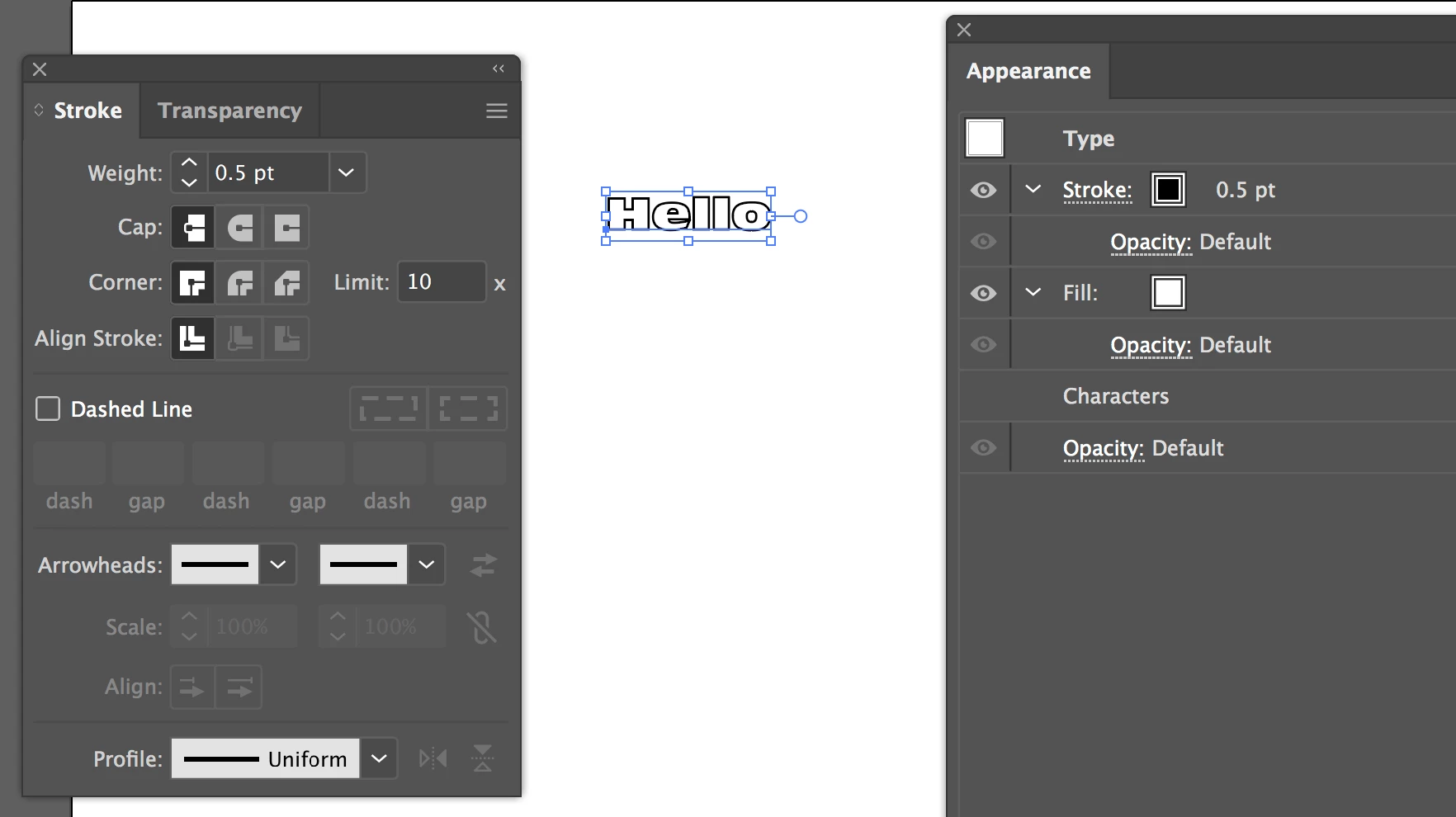
Since the align stroke is greyed out for "Type," I thought adding the fill and stroke to the "Characters" attribute instead would do the trick. It did not. It's not greyed out, like it was on "Type" but clicking on "Align to Outside" does nothing.
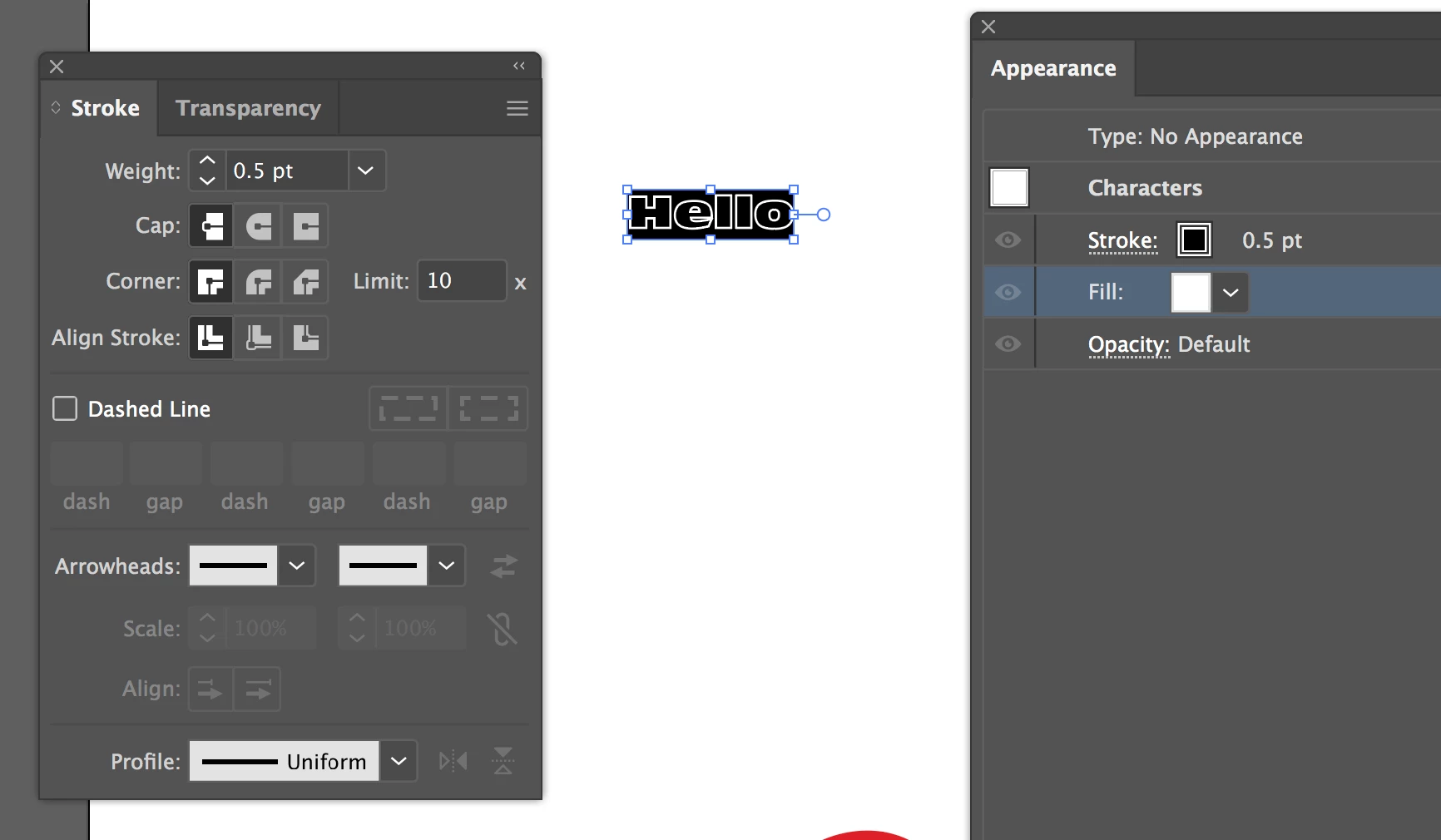
Can someone please help me here? I've tried Googling Type vs Characters in the Appearance panel for Illustrator, but since these terms have LONG been associated with OTHER Illustrator pallets, all I get are unrelated results. I've found nothing. So now, after over 10 years of using Illustrator, I no longer know how to do something simple like align strokes to text (or apply gradients to text for that matter). 
Thank you in advance for any answers, light you can shed, or tutorials that can help clear up my confusion.
 AdChoices