


Participating Frequently
September 15, 2025
Answered

Can't launch Illustrator MacOs Tahoe

  • September 15, 2025
  • 17 replies
  • 11455 views

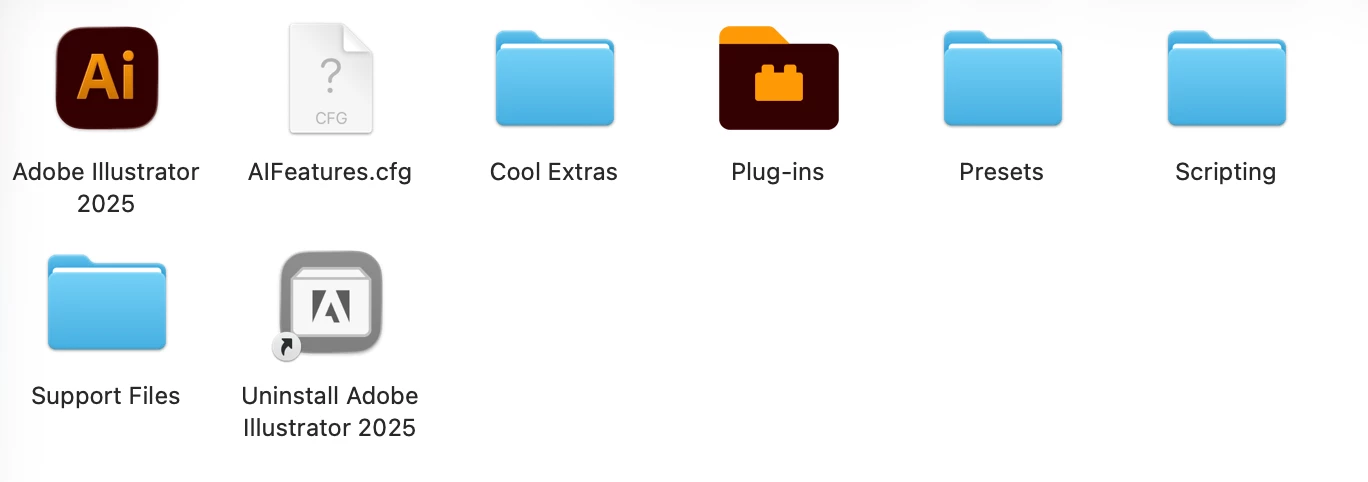
Hi, I've just updated to MacOs Tahoe 26. MacBook Air M2. I can't launch Illustrator. Reinstalling the app from Creative Cloud didn't work 😕😕 There's clearly some problem (the question mark thing). What can I do please? Thank you so much! 🙂
Correct answer ElevatedRoast

After days of waiting 10-15 mins for Illustrator to launch within Mac OS Tahoe, I uninstalled / reinstalled / tried earlier version, but the solution that worked was installinf the Wacom driver for Tahoe.  Thank you, everyone for getting together on this.

https://www.wacom.com/en-us/support/product-support/drivers

17 replies

Participating Frequently
September 17, 2025

Hello, @Abhishek Rao I am happy to report that I've been able to resolve the issue. 🥳

I spent many hours chatting with Adobe --> uninstalled and reinstalled Illustrator from the Creative Cloud app, choose to forget my preferences. And, most importantly, checked my Mac setting - apps launching on start and running on background automatically. In my case, it was incompatible (not ready for Tahoe) Wacom tablet driver running on background causing Illustrator to crash. I disabled it, removed and the issue, luckily, disappeared 🙏

I hope it helps other people to - try to disable all background apps and enable them one by one to discover if some of them prevents Illustrator to launch. Thank you so much for your kind help and advice 😊

New Participant
September 17, 2025

I disabled the Wacom driver and Illustrator started working again. I saw this tip here on the forum.

Participating Frequently
September 17, 2025

@ediouro_6587 Haha might be me, thank you 🙂 yes, it solves the problem + Wacom has just released updated drivers a after reinstallation, these work in symbiosis with Illustrator 👌🙂

New Participant
November 3, 2025

Amazing this is the fix i was looking for, thank you!

Abhishek Rao
Community Manager
Community Manager
September 17, 2025

Hi @Anna ?mejkalov�, 


Thanks so much for sharing your observations here. I've checked this with the product team and we've been testing Illustrator 29.8.1 and 30.0 on macOS 26 without being able to reproduce the issue in our environments. A few things you can try that have helped other users are resetting Illustrator's preferences(manually) and relaunching, checking if Photoshop or InDesign launch normally since they use a different home screen version, running Illustrator in Safe Mode to see if a background conflict is causing it. If the issue persists after trying these steps, please let us know your macOS system locale and the default install language set in your Creative Cloud desktop app, so we can narrow this down further.


Really appreciate your patience while we investigate. 

Abhishek

New Participant
September 17, 2025

Hi @Anna ?mejkalov�  i ran into the same issue, and thank goodness for your query.
I did run cleanup adobe suit and reinstalled illustrator and other apps, again. (as suggested by @creative explorer )
At first, it did not open quite well, but hey, it did open after some time! and it is working!

Don't try to open any previous file directly by double clicking. Rather, launch illustrator first and then go to File - open - select your file. Or, send your file to a friend running the older MacOS and ask them to save it as copy and send across.
Hope this helps. *crosses fingers*

Ton Frederiks
Community Expert
September 16, 2025

I would wait untill Tahoe is added to the systems supported by Illustrator.

https://helpx.adobe.com/illustrator/system-requirements.html

Participating Frequently
September 16, 2025

Oh, too late. My bad 😞 I guess I will just wait and pray for an update. Thank you for the info!

Monika Gause
Community Expert
September 16, 2025

Before updating the operating system it is generally recommended to carbon copy your harddisk, because at any time something can go wrong. Apple of course will not tell you that - instead they just present you the button to update.

And if you do that, then you can just revert to the previous state, because a compatible Illustrator version will most probably at least take until Adobe MAX (end of October).

creative explorer
Community Expert
September 16, 2025

@Anna ?mejkalov� I would click on Uninstall Adobe Illustor 2025. Then download Adobe Cleaner Tool from adobe's website,  to fix common issues, such as removing outdated Adobe software, cleaning corrupt files, and repairing host files for Adobe server connectivity. For good measure, you could double-check to see if the Preferences are removed form your MacBook. When I had my battery changed, and when I got it back, my preferences was 171 GB for some reason! Apple told me how, and right now it's 396kb! Library - Preferences (I kinda doubted Apple, so I made a copy of the Preferences folder just in case, and then selected all the stuff in the Preferences folder and deleted it all)

This is important and crucial, I restarted my MacBook, as restarting it means a nw set ofPreferences are created.

Now go back to Adobe.com and install Adobe illustrator again. This is also important and crucial, don't re-use the one you downloaded at first as this might be corrupted. Download a fresh one. Install it. 


m
Participating Frequently
September 16, 2025

Unfortunatelly, no success. 😔 It so strange! All other apps are fine. But thank you for trying to help me 🩷

New Participant
September 15, 2025

Today my computer updated to the latest version of macOS and Illustrator won’t open. I’ve already tried uninstalling and reinstalling the program several times, using the beta version, opening it with Rosetta, and nothing works.

New Participant
September 16, 2025

After the new update of MacOs, Illustrator doesn't work anymore.

New Participant
September 16, 2025

I'm having the same issue.