


Participating Frequently
September 15, 2025
Answered

Can't launch Illustrator MacOs Tahoe

  • September 15, 2025
  • 17 replies
  • 11442 views

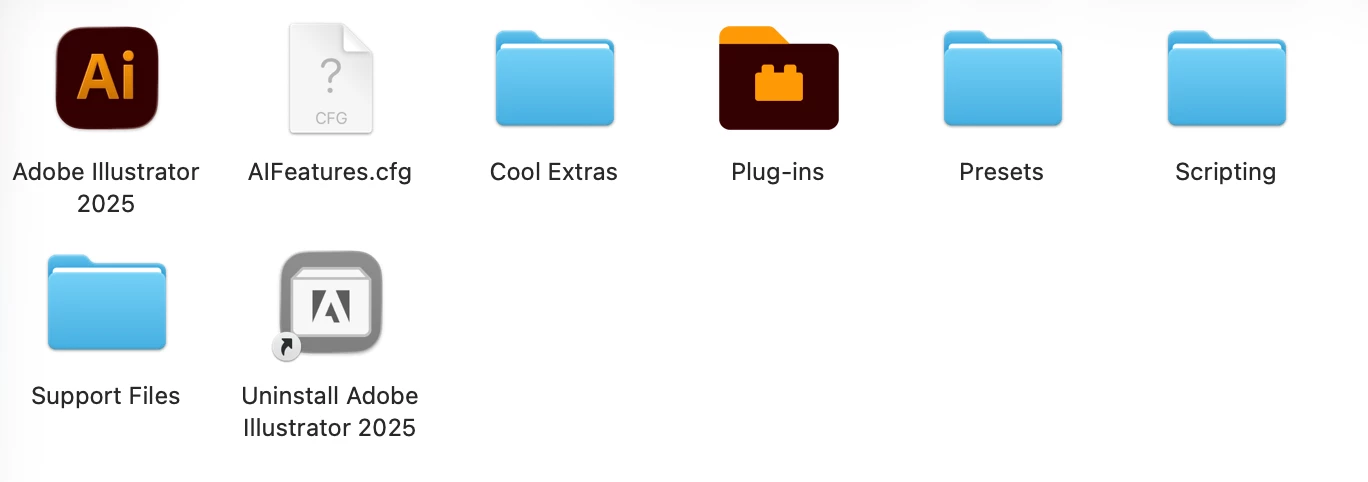
Hi, I've just updated to MacOs Tahoe 26. MacBook Air M2. I can't launch Illustrator. Reinstalling the app from Creative Cloud didn't work 😕😕 There's clearly some problem (the question mark thing). What can I do please? Thank you so much! 🙂
Correct answer ElevatedRoast

After days of waiting 10-15 mins for Illustrator to launch within Mac OS Tahoe, I uninstalled / reinstalled / tried earlier version, but the solution that worked was installinf the Wacom driver for Tahoe.  Thank you, everyone for getting together on this.

https://www.wacom.com/en-us/support/product-support/drivers

17 replies

New Participant
November 17, 2025

I don't have a wacom driver to install or uninstall, but Illustrator is just giving me this, and I have done everything they say with 'Permissions'  - same thing over and over...any ideas?


New Participant
November 11, 2025

Worked for me!

RC-Powerbus-v2
New Participant
October 20, 2025

Had a frozen MacMini M4, new and frashly installed with the needed software apps, read some of the comments. Trial and error: Checked transparencies in System ≥ Access ≥  Screen ≥ engage 'Deminish transparancy'. (Translation on the fly, work in another language)
Seemed to work!

New Participant
September 29, 2025

After I happily resolved my driver problem that stalled Illustrator, I learned something worse.


The Wacom drivers for Mac OS Tahoe do not support the Intuous PTH-651 tablet that I use.  Wacom support confirmed that I had to return to OS 15.x or buy a new Wacom 2025 edition -- it became my 3rd forced obsolete tablet, the other two were obsolete because cable input changed.  
Despite my feelings about Wacom in this, I bit the bullet and went with XENCELABS and could not be happier. It was 35% less, twice the resolution, comes with so much more than Wacom.  Even the tablet surface has more natural grit to it than the mirror-feeling I got from the Intuous for 8 years.

ElevatedRoastCorrect answer
New Participant
September 24, 2025

After days of waiting 10-15 mins for Illustrator to launch within Mac OS Tahoe, I uninstalled / reinstalled / tried earlier version, but the solution that worked was installinf the Wacom driver for Tahoe.  Thank you, everyone for getting together on this.

https://www.wacom.com/en-us/support/product-support/drivers

New Participant
September 23, 2025

How I wish I'd known this before I let Adobe support trample all over my fonts and plugins - grrrrrr

New Participant
September 22, 2025

Uninstalling the wacom driver did the trick for me aswell. Thx! 

New Participant
September 21, 2025

Since updating my MacBook Pro to macOS 26, I have a recurring problem with Adobe Illustrator. Every time I close Illustrator and try to reopen it, the app freezes on launch. The only way to make it work again is to completely restart my MacBook.


What I’ve already tried (without success):

  • Reinstalled Illustrator (5–6 times)

  • Reinstalled Creative Cloud

  • Tried older versions of Illustrator

  • Reinstalled macOS 26 from scratch


System details:

  • MacBook Pro (Apple M3 Max, 48 GB memory)

  • macOS 26.0 (Build 25A354)

  • Illustrator latest version (also tested older versions)


Is anyone else experiencing this? Could this be an Illustrator compatibility issue with macOS 26? Any suggestions would be greatly appreciated.


Thank you

Ton Frederiks
Community Expert
September 21, 2025

Some have reported that updating the Wacom drivers seemed to help.

New Participant
September 21, 2025

Thank you!!!

it helped!!! I can't believe this 

hopefully it will work tomorrow again 😀

New Participant
September 20, 2025

I recently upgraded my Mac to macOS Tahoe 26.0, and since the update, I have been unable to launch Adobe Illustrator. Each time I try to open the application, it immediately crashes and shows an error message saying it cannot identify the cause of the crash.

Could anyone please advise me on how to resolve this issue? Is there an available update or patch that ensures Illustrator’s compatibility with macOS Tahoe 26.0?

Ton Frederiks
Community Expert
September 20, 2025

Some have reported that updating the Wacom drivers solved their problem.

Participating Frequently
September 17, 2025

same here ----> this fixed it

I have wacom tablet driver installed.

Go to wacom download the newest drivers and install.

Then relaunch illustrator.

agus sin é!