

Copy link to clipboard
Copied
Hi, I updated AI. 2 days ago and I can't open it.
It says something about some plugins... but I haven´t done anything different.
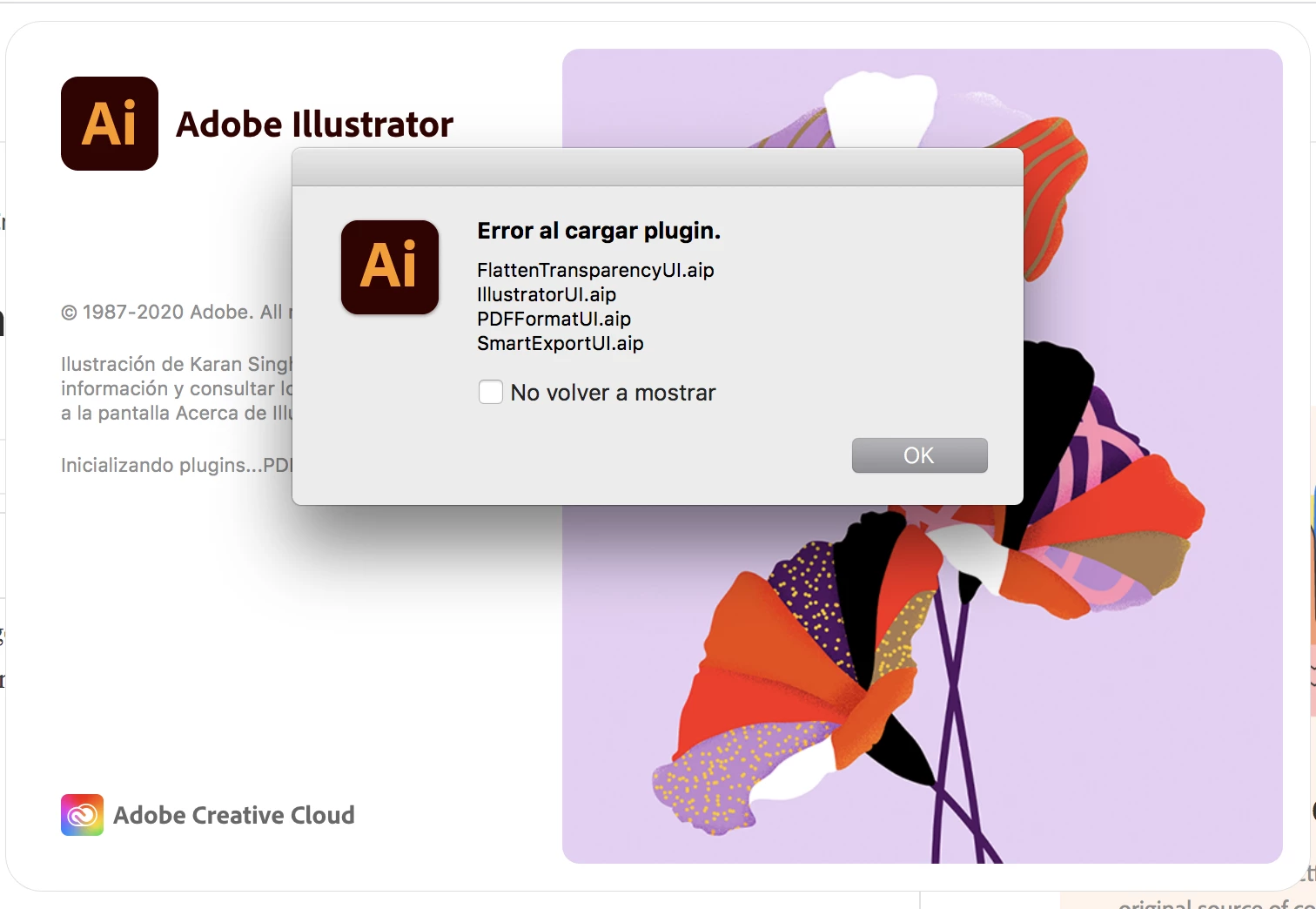
SOS!!!!

Hi there,
Sorry to hear about your experience. Would you mind sharing the version of the OS?
In addition to what Monika has suggested, I'd request you to follow steps given on this help article & let us know if it helps.
Regards,
Ashutosh
Copy link to clipboard
Copied
It can't load the plugins. Usually this happens when something has gone wrong when installing.
When was your last computer reboot?
Did you reset preferences when installing?
Copy link to clipboard
Copied
Hi, i just reboost it, and nothing....
I did not reset any preferences, I just did it thru creative cloud as usual.
Copy link to clipboard
Copied
In Creative Cloud resetting the preferences needs to be set as an option.
You can try if it helps by renaming the folder as described in here: https://helpx.adobe.com/illustrator/using/setting-preferences.html
Copy link to clipboard
Copied
我跟你一樣發生了類似的問題,Illustrator突然發生錯誤就再也無法開啟,不要說是要進去設定任何東西了,點開Illustrator icon他就跳嘅兩三下停止,完全沒反應,我真的要崩潰!
Copy link to clipboard
Copied
Did you already reboot the computer?
or reset the preferences?
Copy link to clipboard
Copied
是的!我已經都試過了任何方法
·使用AdobeCreativeCloudCleanerTool移除並重灌
·移除任何字型保留Apple原始字型
·Wacom軟體更新
·做這些動作都包含重新開機
我的電腦是Apple M2max/64G
後來有想到2023新版本是否跟新電腦不相容問題
昨天晚上卸載2023版本重新下載2022版本
就可以正常被使用了~~~~~獲得解救!
Copy link to clipboard
Copied
Copy link to clipboard
Copied
Hi there,
Sorry to hear about your experience. Would you mind sharing the version of the OS?
In addition to what Monika has suggested, I'd request you to follow steps given on this help article & let us know if it helps.
Regards,
Ashutosh
Copy link to clipboard
Copied
Hi there,
This guys advice was golden. Its what solved it for me after stumbling around in the dark for two days.
Get ready! An upgraded Adobe Community experience is coming in January.
Learn more