


Legend
February 3, 2021
Answered

Can't save file 'this file cannot be found' error

  • February 3, 2021
  • 52 replies
  • 119370 views

Hi There,


I've been working on a file for a cople of days that's on my desktop. Today I opened the file, made some edits and hit CMD + S and saw this error...
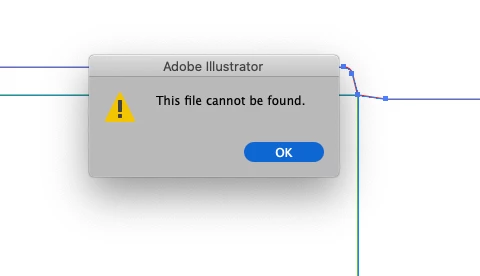
 

Things I've tried...

  1. Copying the art into a new document and saving
  2. Saving the new document to different disks (all local, no servers)
  3. Creating a blank document with nothing in it and saving


Bascially, I can't save anything - has anyone else seen this?

Cheers

Ben

Correct answer maryannr44378043

I had the same issue and instead of double clicking the document, I dragged it down to the Illustrator icon in my Dock and it opened up just fine. I hope I don't have that issue again though. 

52 replies

Participant
March 31, 2022

It would seem the solution to this lies with the location in which the file is saved. I found that I could save the same file to a memory stick or even another folder inside the folder in question. Weird but worked. Damn Adobe, sort our your coding....

R2S Marketing
Participant
February 5, 2022

Another workaround, I clicked on Share Document and saved it to the cloud. After it saved to the cloud the doc automatically saved and I was also able to save as afer this. 

Participant
February 1, 2022

I do not have multiple accounts to log out of like the "CORRECT ANSWER" seems to have as a fix.


What works for me: do not just hit save with the ai file extension selected in the pull-down menu,

Type out .ai manually in the file name (Save as) . Never have the error message if I do this.

Participant
January 21, 2022

I save as and with .eps, it works.

Then quit the program and start it again.

Open the .eps file you've just saved.

Save as and change it to be .ai.


Have a nice day.

Known Participant
January 17, 2022

I found that if I end all tasks under Adobe Illustrator in Task Manager and leave open only the task with the file that can't be saved  - then when I go back to Illy the file will save....

Participant
January 13, 2022

I had the same issue and still couldn't save even after trying the save as SVG trick. I found that in the save dialog box if unchecked the "use compression" I could get the file to save as normal. 

Participant
December 26, 2021

Save the file in EPS format, then restart Illustrator and reopen the file and save it in AI format


Participant
December 9, 2021

I had an issue with that recently even though I have the full Adobe Creative Cloud package, the solution I found that worked for me was saving the document on the cloud first, then proceeding to saving it on my laptop.

Hope this helps.

m00gwai
Participant
September 16, 2021

Had the same issue.  I was able to save as an .eps (safety measure before force quit).  Then I used the force quit, reopen, and was able to save normally again.  This was not a free account issue for me.  


Participant
September 7, 2021

Howdy!

I was having this problem too, but may have found a FIX!, though I don't know how or why it works. I change the document colour mode (RGB/CYMK) from whichever I am using then undo (so my file doesnt look whack) then save again and it works. Would love if someone who is having this problem could attempt this and verify.


Best,

e

Participant
September 10, 2021

This worked for me as well. I went to file, document color mode, and changed it to CMYK. I then switched it back to RGB and was able to save after doing this. 

Participant
July 16, 2023

Changing color mode totally fixed it. Weirdest thing...