brian_p_dts
Adobe Expert
July 12, 2024
Answered

Can we script the Find/Replace dialog, and not use aTextFrame.contents = ...?

  • July 12, 2024
  • 1 reply
  • 1226 views

Hi, 


I know typically to do find/replace operations on text in AI scripting, we iterate through a doc's textframes and find/replace contents. However, I am dealing with a document whose text frames are not actually TextFrames, but PluginItems. I'm not sure how these frames were generated (doc came from client's client). Essentially, I'd be OK if I could somehow record an action of F/R and export it out, and replace the Replace contents with dynamic content. Is that feasible?  As far as I can tell, the PluginItem has no contents property that I can change. 

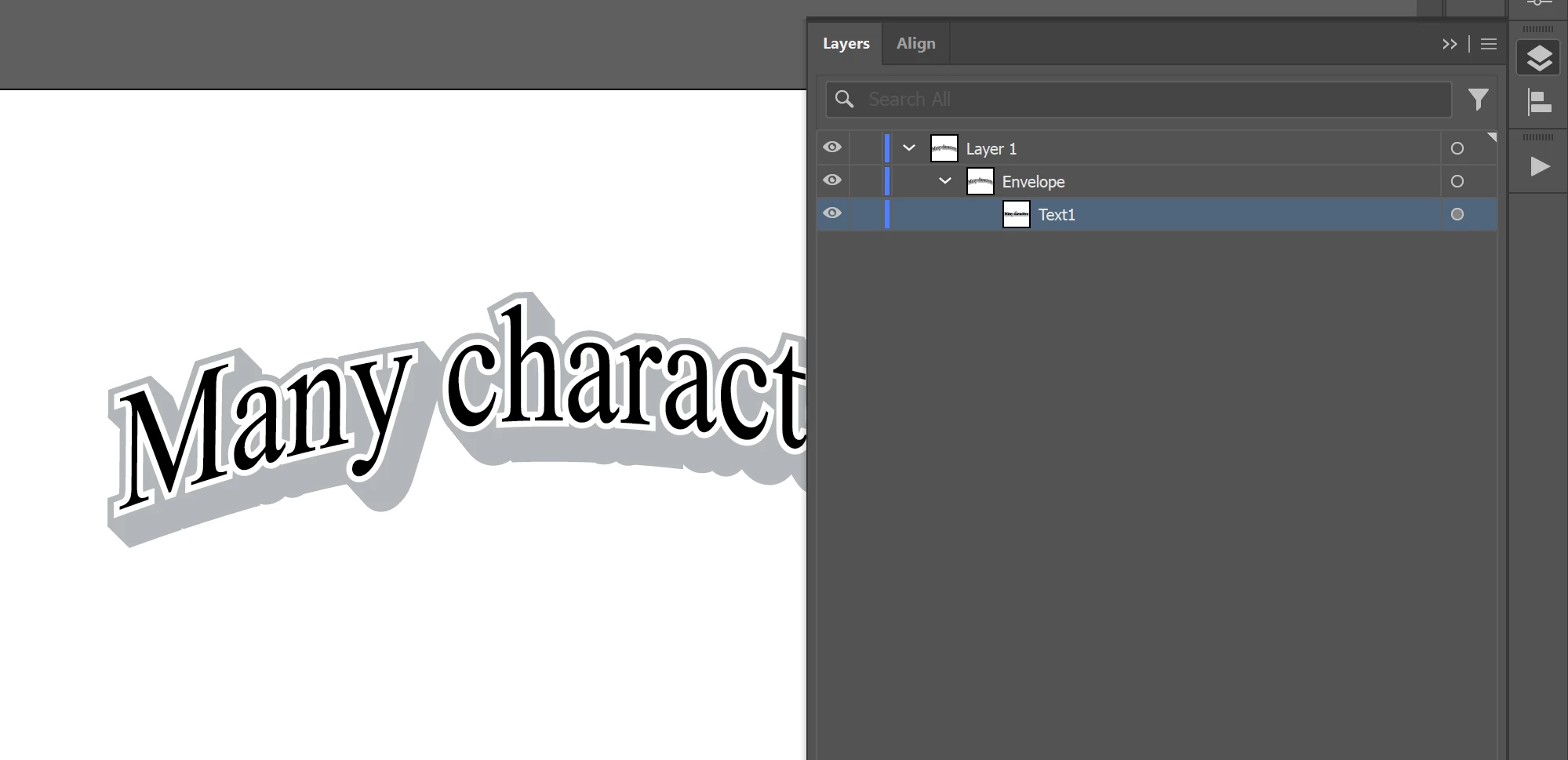
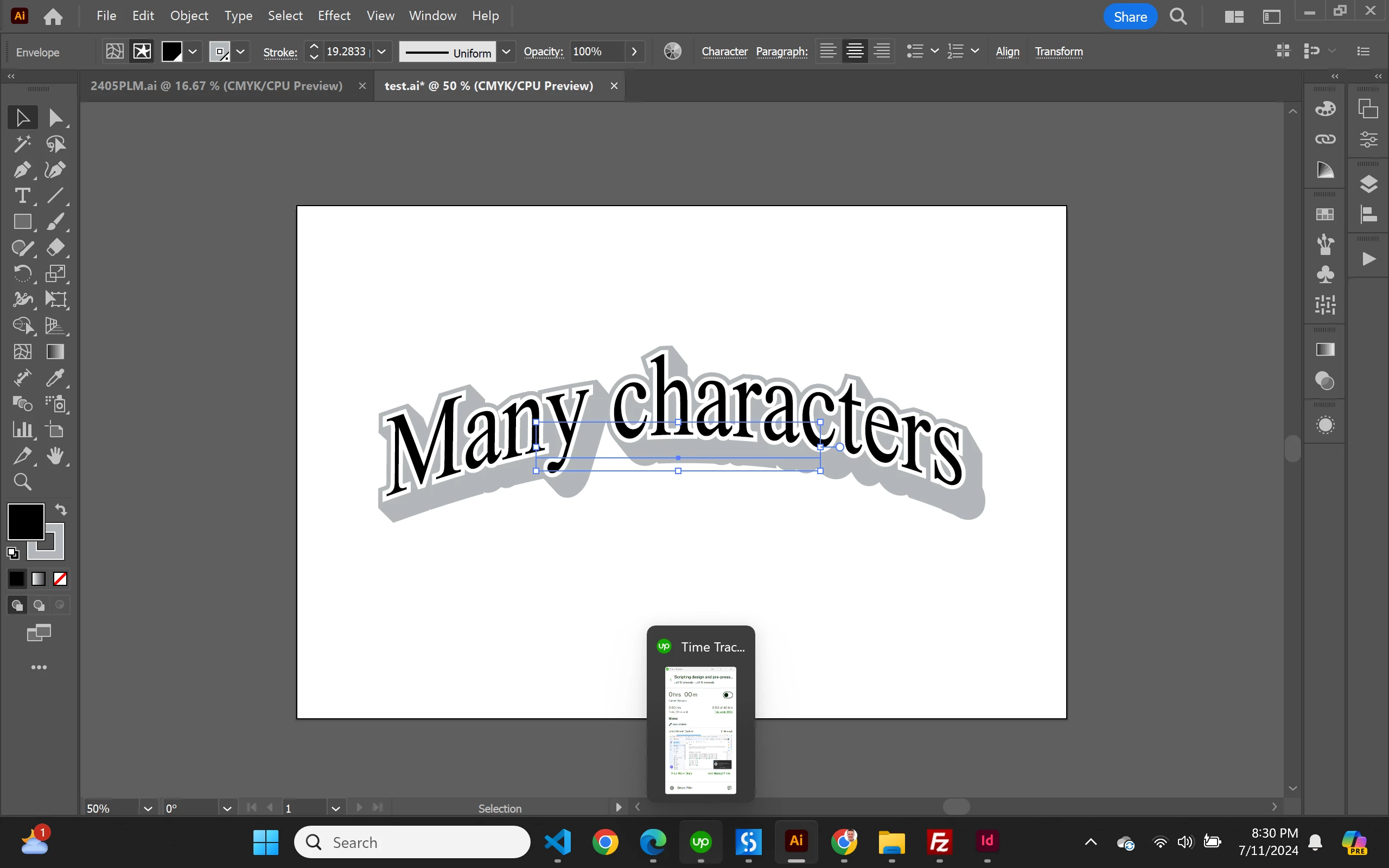
Alternatively, does anyone know how I can achieve the same outcome in the attached doc, which uses the plugin frame. Essentially, it functions like a curved area text, but stays at its defined bounds regardless of how many characters are input. TIA. Edit: Forum is not letting me post AI file, but I can send DB link privately. Attaching screenshots. Frame object is very small, but curved text goes well outside those bounds, but stays within those outerbounds regardless of how many characters are input. Looks like maybe it was created by a plugin called Envelope, as the item sits inside another item called Envelope. 


This topic has been closed for replies.
Correct answer CarlosCanto

Excellent! 🙂


By the way, I went to fix the mangled code in that post and couldn't help myself—I've added a function version that handles multiple text frames.

- Mark


Hi Mark, spot on!! you remembered correctly. Here's a snippet for editing envelope text via stories, there's no need to go into isolation or edit contents mode, or selecting envelopes


// edit envelope text contents
// carlos canto     7/13/24
// https://community.adobe.com/t5/illustrator-discussions/can-we-script-the-find-replace-dialog-and-not-use-atextframe-contents/m-p/14734217#M412798

// assuming Envelope is the top most item

var idoc = app.activeDocument;

var s = idoc.stories;

alert(s.length);

var deleteMe = false;

// it there are no other text frames but the envelope, the api reports zero stories, so add one temp frame
if (s.length == 0) {
    var tf = idoc.textFrames.add();
    tf.contents = "temp frame";
    deleteMe = true;
}

alert(s[0].textRange.contents);

s[0].textRange.contents = "New Text";

alert(s[0].textRange.contents);

if (deleteMe) tf.remove();


1 reply

m1b
Adobe Expert
July 12, 2024

Hi @brian_p_dts, those look like "envelopes" (which are "PluginItems" to the scripting API). If they are, you can use find/change if the envelope items are in "Edit Contents" mode. Choose menu Objects > Envelope Distort > Edit Contents or

app.executeMenuCommand('Edit Envelope Contents');

They aren't the easiest things to work with via scripting and attempting some things cause crashes.

- Mark

brian_p_dts
Adobe Expert
July 12, 2024

Thanks, Mark. 


Here's a routine I wrote. After running it the selecting the envelope, app.selection[0].contents does show "One", but the text did not change (see screenshot below).  The only one that did change is the regular text frame. Do I need to somehow "reset" the envelope contents? I tried playing around in the AI UI under the menu you listed, but I can't get "One" to show. 


var processTextFrames = function(doc, txt1, txt2, txt3) {
    var tfs = doc.textFrames;
    var i = tfs.length;
    while(i--) {
        if (tfs[i].contents == "Text1") {
            tfs[i].contents = txt1;
        }
        if (tfs[i].contents == "Text2") {
            tfs[i].contents = txt2;
        }
        if (tfs[i].contents == "Text3") {
            tfs[i].contents = txt3;
        }
    }
    var pis = doc.pluginItems;
    var j = pis.length;
    while(j--) {
        app.selection = null;
        if (pis[j].name == "Text1") {
            pis[j].selected = true;
            app.executeMenuCommand('Edit Envelope Contents');
            pis[j].contents = txt1;
        }
        if (pis[j].name == "Text2") {
            pis[j].selected = true;
            app.executeMenuCommand('Edit Envelope Contents');
            pis[j].contents = txt2;
        }
        if (pis[j].name == "Text3") {
            pis[j].selected = true;
            app.executeMenuCommand('Edit Envelope Contents');
            pis[j].contents = txt3;
        }
        
    }
}

processTextFrames(activeDocument, "One", "Two", "Three");


m1b
Adobe Expert
July 12, 2024

Hi Brian, I'm not sure, but I recall there was something hairy about working with envelope contents. This is my memory (can't find code right now): the idea is you access doc.stories, then find the parent text frame of each story and access it that way. It only works if the Envelope is in Edit Contents mode I think. Also if there are no "non-envelope" text frames in the document it will also fail, so you need to create a temporary one and remove it afterwards.


Also, maybe have a look at this solution. (I haven't tried it, but it might be the simplest.)

- Mark