


Cannot delete path between two anchor points?
I have tried absolutely everything I can think of. I am thinking that I accidently hit something and messed up my paths, but whatever the case for some reason my program is not allowing me to delete chunks out of my line. I am adding anchor points but when I use my direct selection tool it will always select the entire path and ignore all anchors. They don't even show up. When I select everything you can clearly see all the anchors marked, but I am not able to delete the lines between them.
It needs to be an exact cut at the intersection of my lines so I can't use the erasor tool and when I try to use scissors it won't let me cut where I want to. One weird thing too is, I can delete it just fine for lines runing left to right, but for lines runing up and down it won't let me.
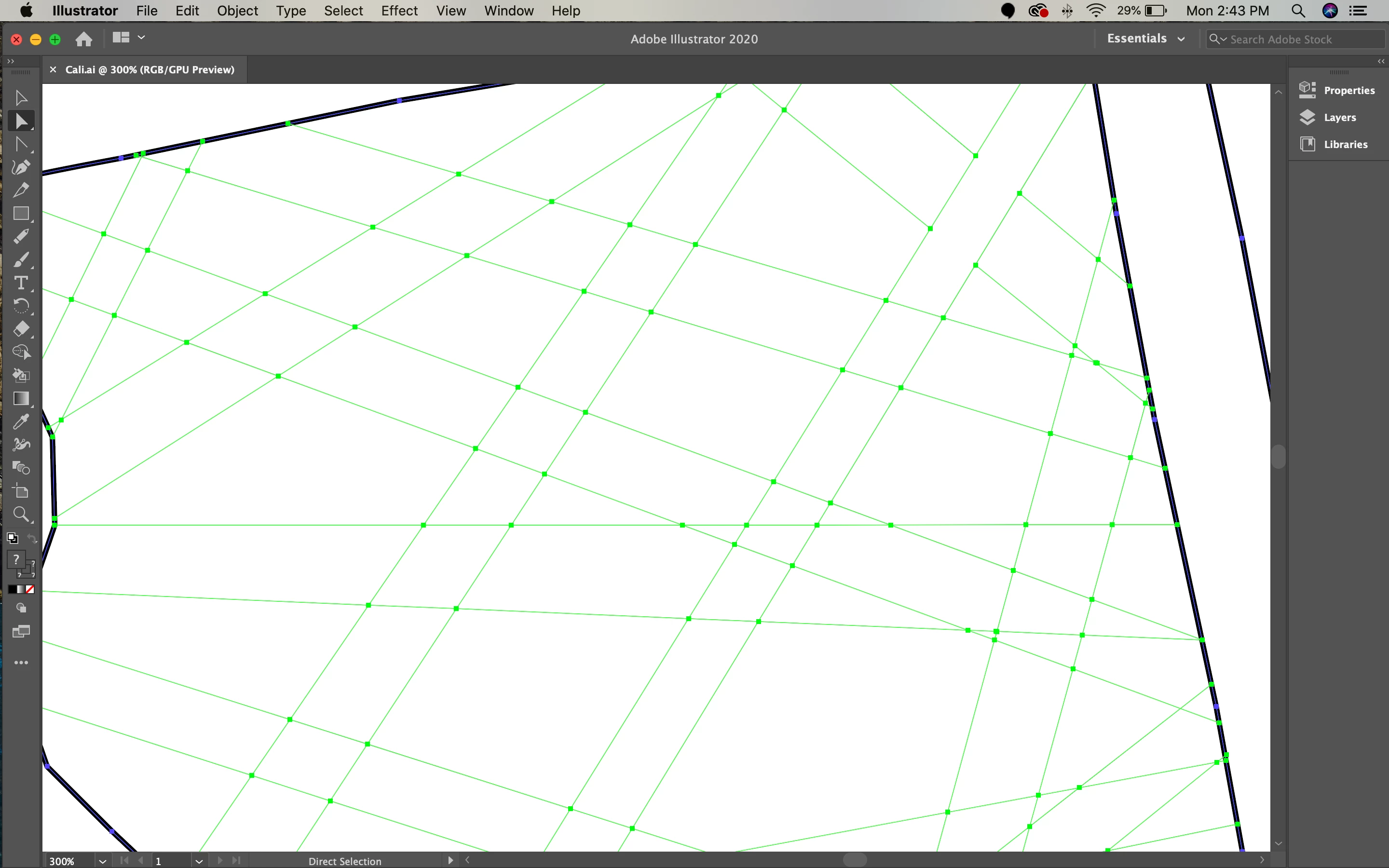
1. There are clear anchor points at all of the intersections. (Notice in the upper right hand corner I was able to clear those two lines no problem. When I went clear the lines underneath is when I ran into the issue.)
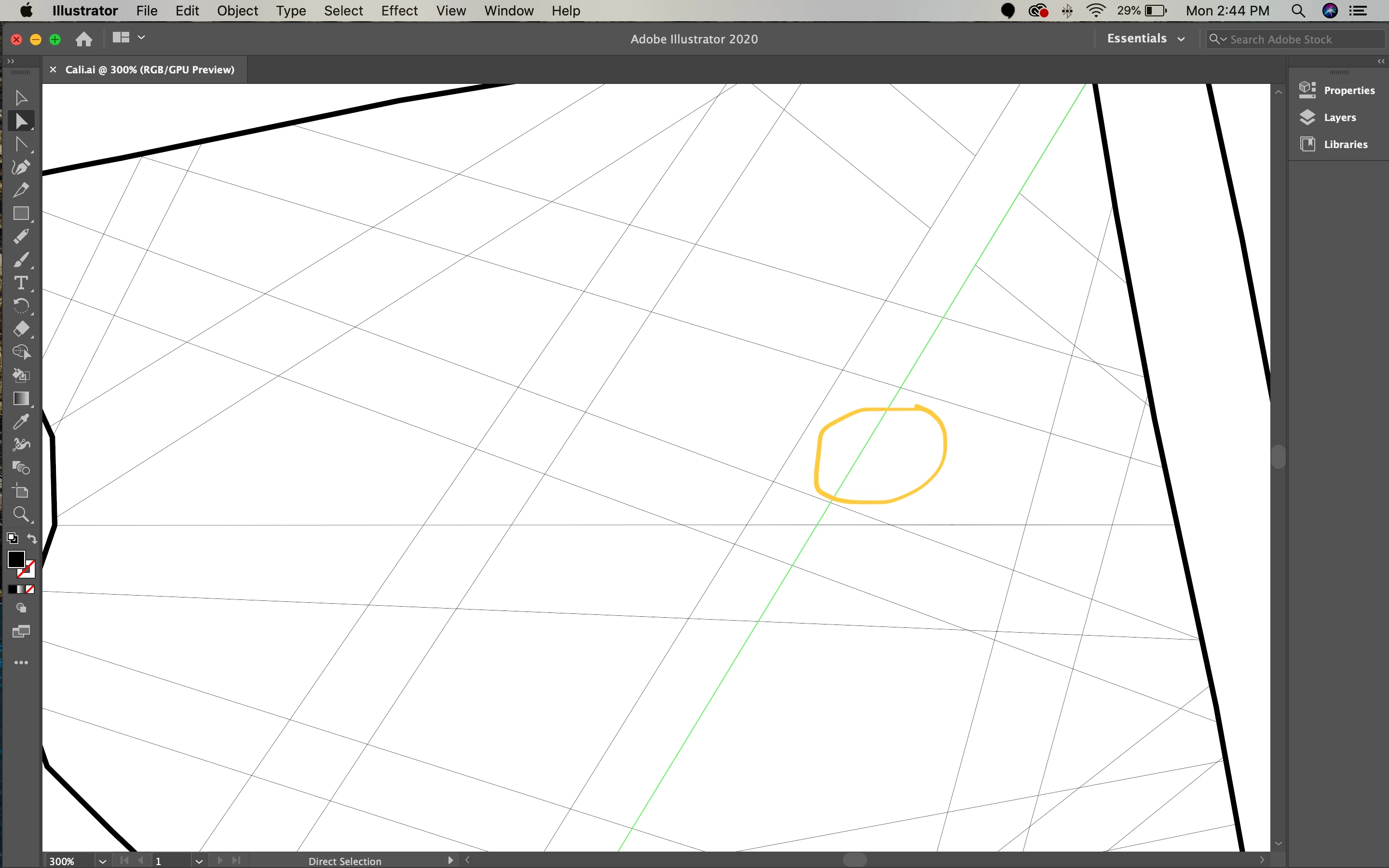
2. When I click on the section of the line I want to delete, instead of only clicking between the two anchor points, it selects the entire line and all of the points disappear. If I delete it will delete the whole line.
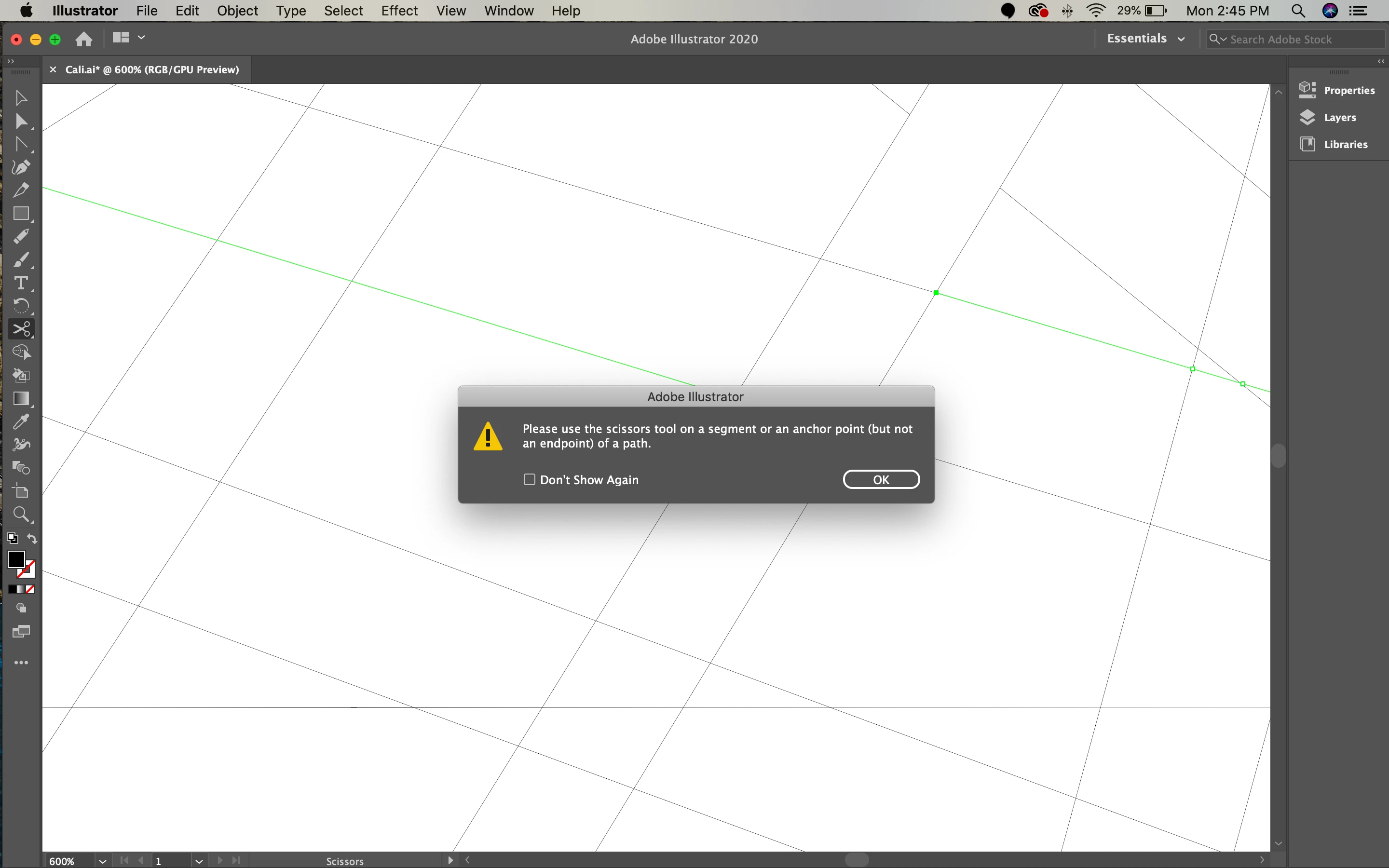
3. If I try to use the scissor tool on that section, the program will refuse to click on that specific chunk and instead try to delete the lines going left/right.
I am farely new to Illustrator so I apolize if I am not explaining it as well as I could. If anyone could offer my guidance, I'm sure the solution is simple it is just beyond my comprehesion right now. Thank you!
 AdChoices