Inspiring
June 23, 2017
Answered

Change Color of Area Around Artboard?

  • June 23, 2017
  • 2 replies
  • 15706 views

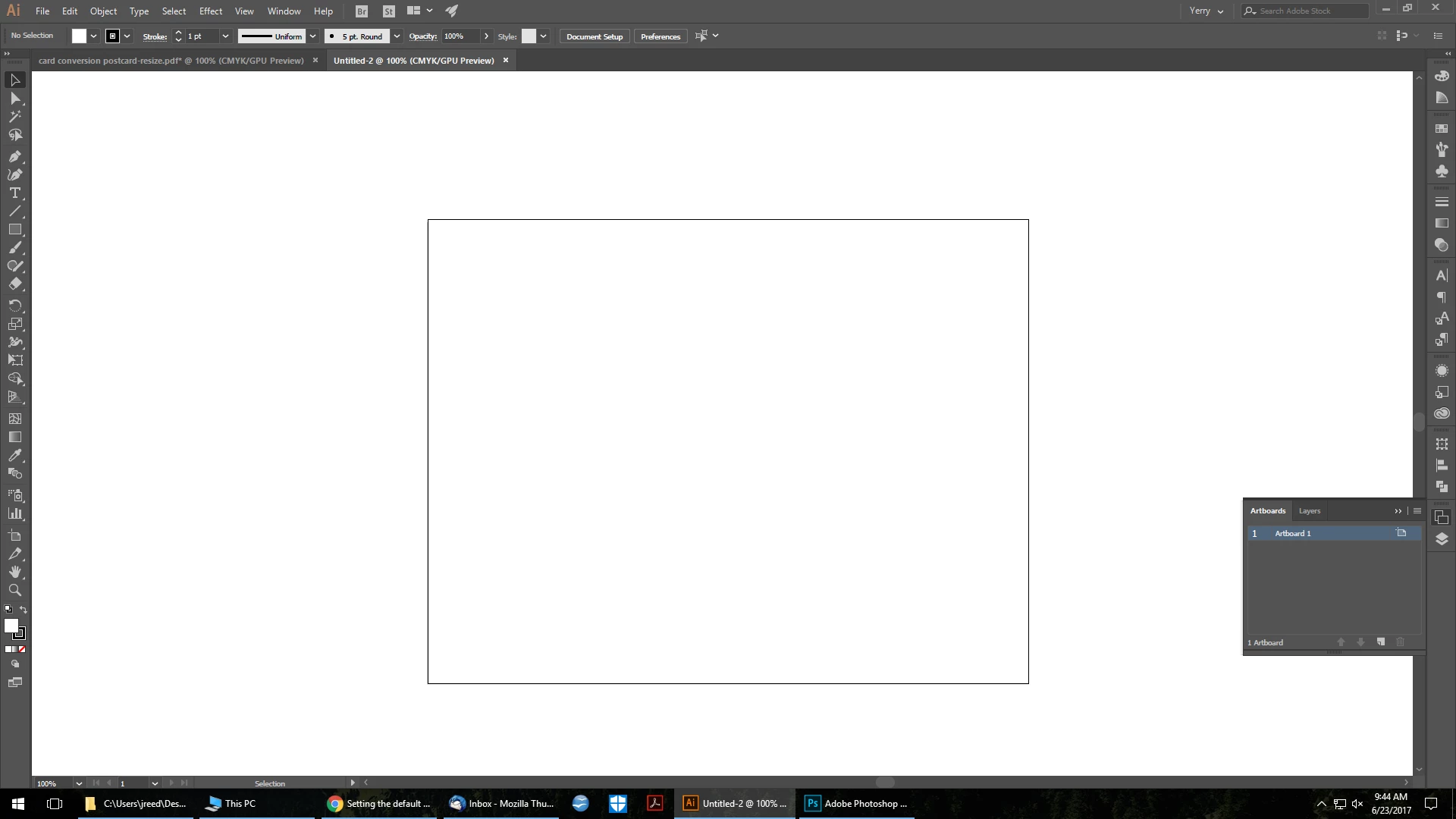
Somehow the area around my artboard changed colors to white and I don't know how to fix it. I would like to make it the default grey again, because the white hurts my eyes, and is too hard to see when I drag artwork outside of the artboard. I've already made sure Overprint Preview wasn't checked; I've also gone into Document Setup, User Interface settings, etc, and nothing has worked. I've attached a screenshot for reference.

Any suggestions?

Edit: I'm using Illustrator CC 2017.1.0
This topic has been closed for replies.
Correct answer Barb Binder

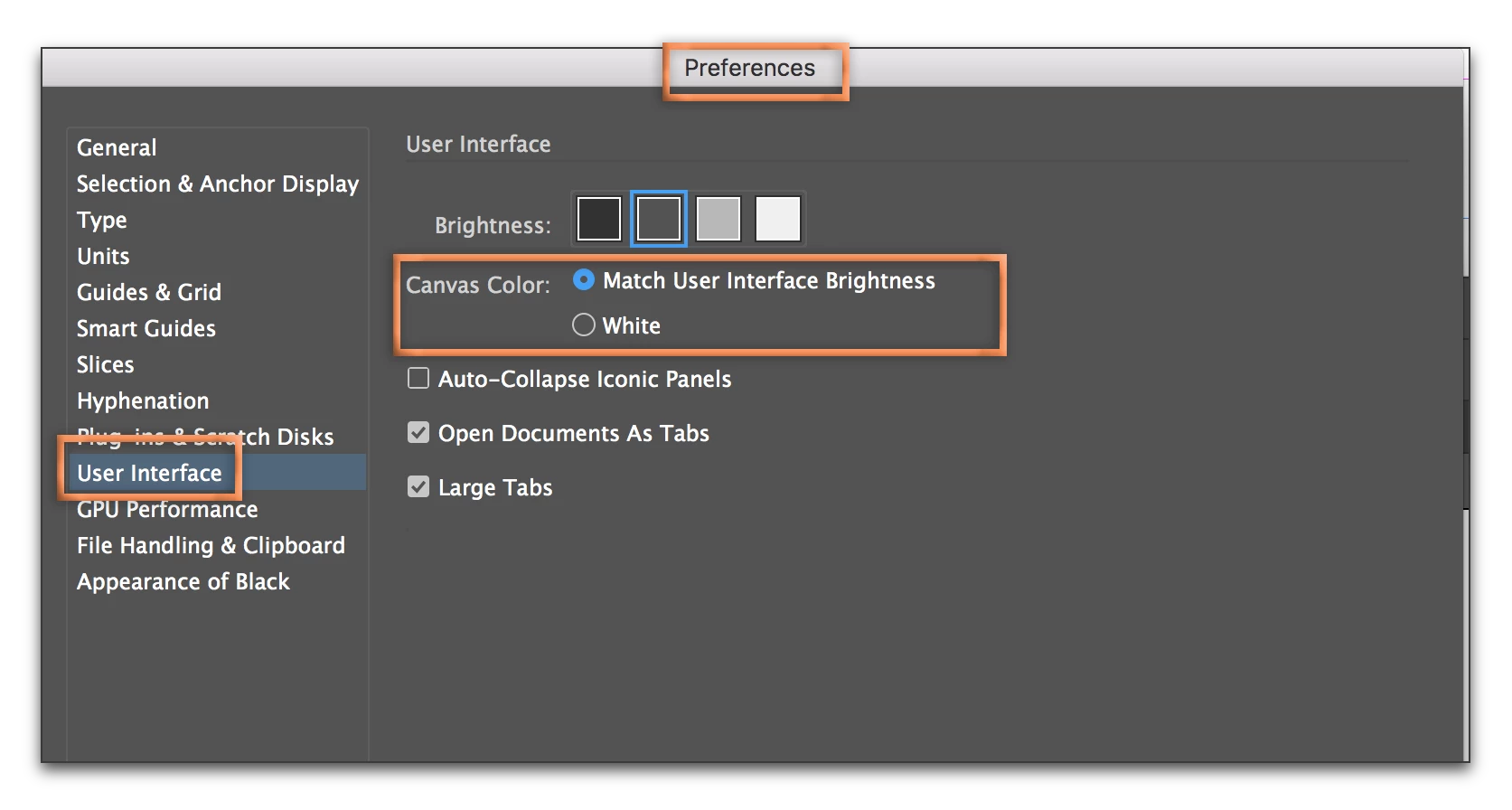
You can change the Canvas Color back to matching the interface in Preferences. You might also want to experiment with the Brightness options, above, to find the best combo for your eyes.

2 replies

Inspiring
June 23, 2017

Thanks again Barb! Happy weekend to you as well!

Barb Binder
Community Expert
Barb BinderCommunity ExpertCorrect answer
Community Expert
June 23, 2017

You can change the Canvas Color back to matching the interface in Preferences. You might also want to experiment with the Brightness options, above, to find the best combo for your eyes.

~Barb at Rocky Mountain Training
Inspiring
June 23, 2017

That's it, thank you! I could have sworn I looked in the User Interface settings and played with that option, but apparently not... Lol. I also don't know how white ended up being selected. I rarely mess around with those type of settings.

Barb Binder
Community Expert
Community Expert
June 23, 2017

Well, all that is behind you now... happy eyes, and happy weekend!

~Barb at Rocky Mountain Training