Alexandre Brandt
Inspiring
March 8, 2018
Answered

Change shapes of two circular shapes

  • March 8, 2018
  • 1 reply
  • 1902 views

I've got two shapes forming a circle.

The two colors represent percentages of fulness / emptiness.

I'd like to change the ratio full / empty by changing the shapes, making the full (dark gray) shape bigger.

Is there a way to do that without messing up the curve of the circle when using the Direct Selection Tool ?

    This topic has been closed for replies.
    Correct answer Doug A Roberts

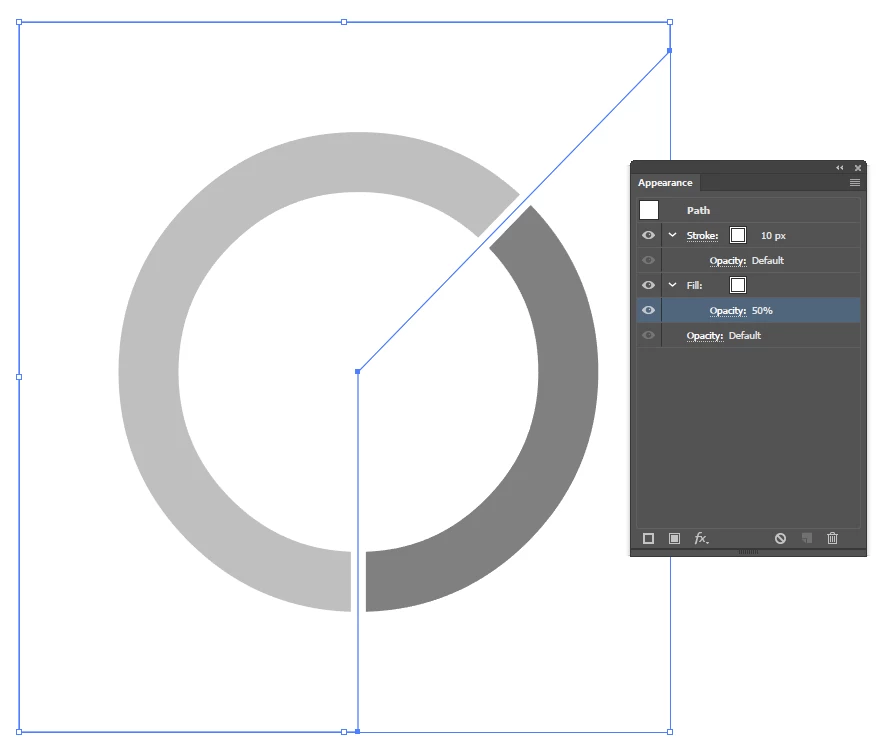
    from scratch, i'd probably have two shapes, something like this:

    give the circle a thick stroke and the outer shape (placed on top) a white stroke and fill, with the fill reduced to 50% or so. then if you want to change the percentage, move the 'arms' around.

    1 reply

    Monika Gause
    Community Expert
    Community Expert
    March 8, 2018

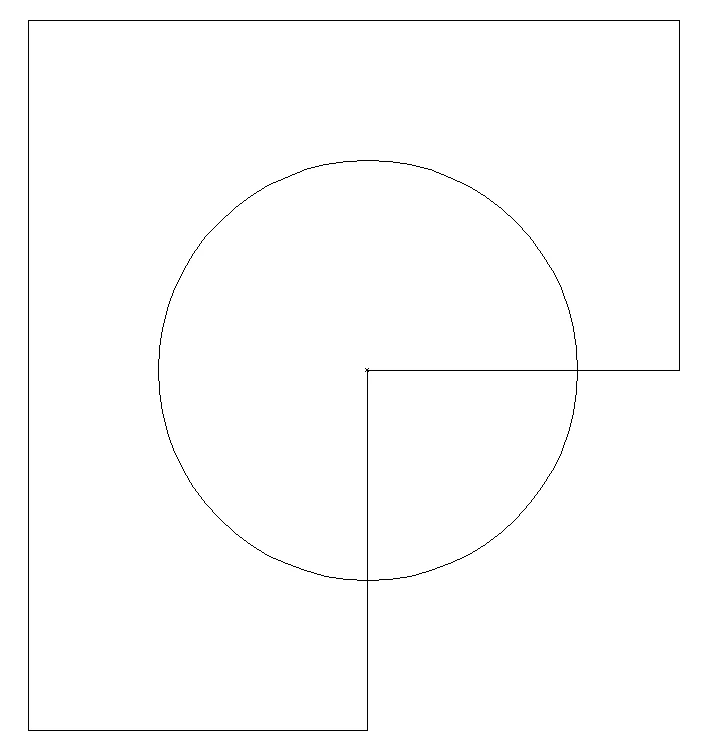
    Please show the outline view.

    But I suppose it's easier to build this new. It's pretty simple.

    Alexandre Brandt
    Inspiring
    March 8, 2018

    Here you go.

    Alexandre Brandt
    Inspiring
    March 9, 2018

    You have expanded the shape.


    Is there a way to remove that or do I need to re-do the shape ?

    And I just didn't go under object -> Expand... and there is no keyboard shortcut for it it seems.

    It looks like it decided to expand itself.