soundbox3
New Participant
March 13, 2018
Answered

Clean vector of distorted text

  • March 13, 2018
  • 1 reply
  • 887 views

Hi everyone, this may very well be a very easy question be answered, I've tried a few different methods and nothing seems as quick and easy as I think it may be..

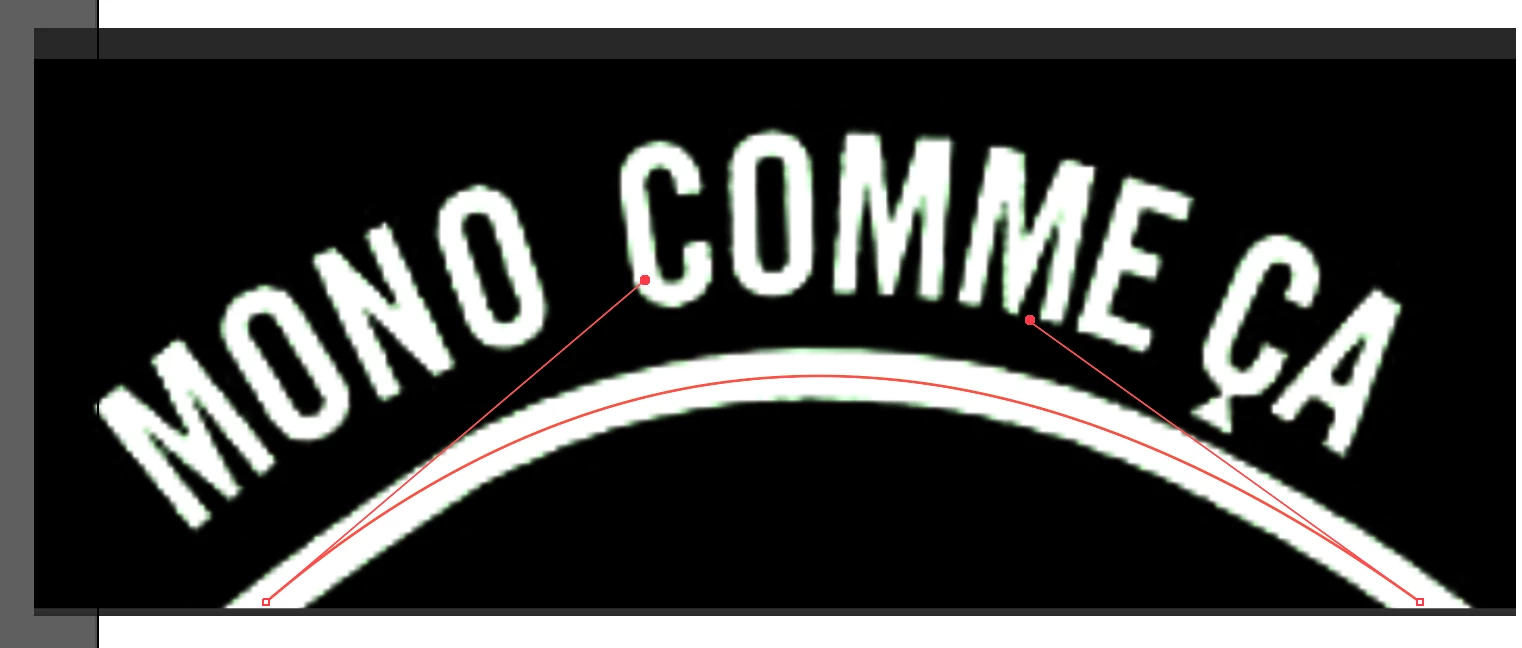
I want to get a clean vector of this text underneath but as you can see it is distorted.

I have tried:

- Image trace (This leaves me with bumpy paths)

- locating the original font (I cannot seem to recreate the exact curved effect which is used to organise the text)

- Using the pen tool to create the text form scratch (Again, the curved effect throws me off)

Any input much appreciated, sorry if it's a noob question!

    This topic has been closed for replies.
    Correct answer michelew83603738

    If you have the proper font (which I don't), you could bring the image in and using the line that is there as a guide, just create a path:

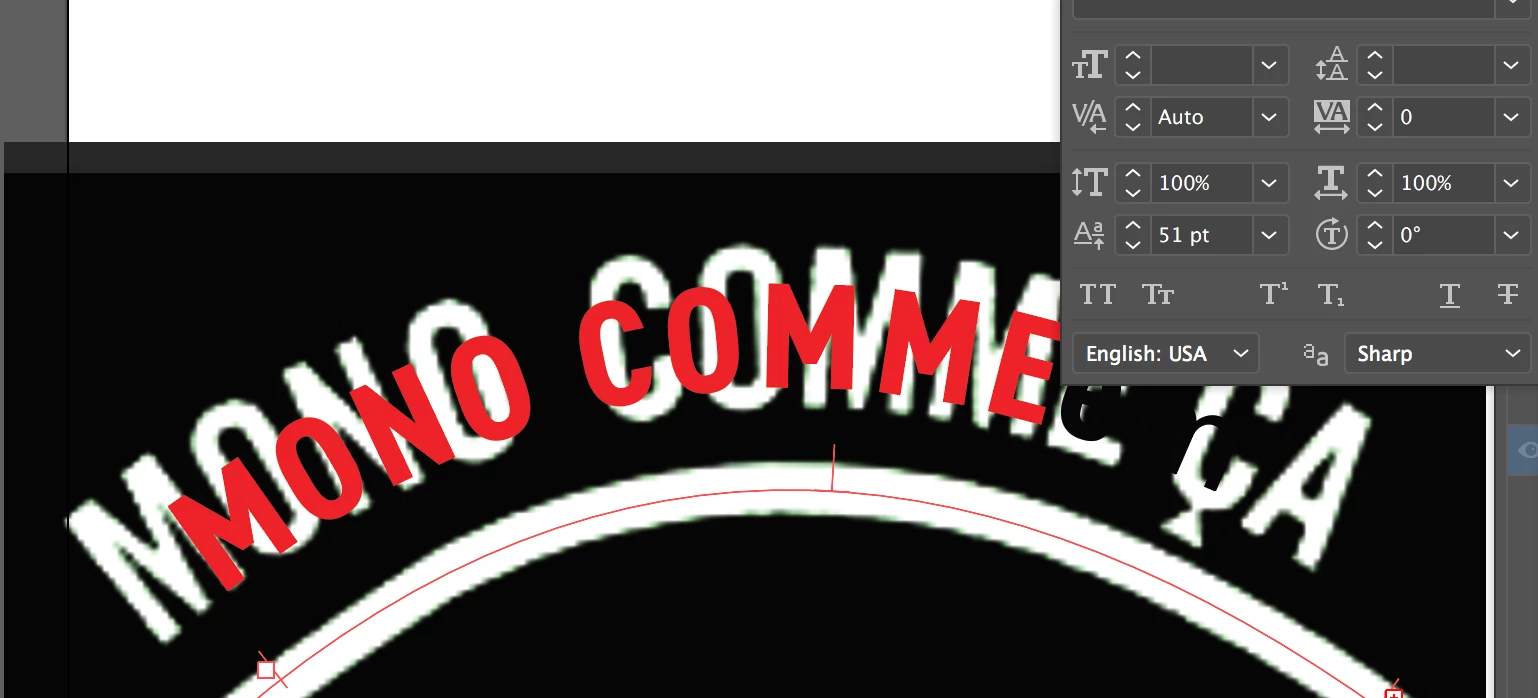
    then use the path as path to type on, then shift the base line of the type:

    You can see that in the last option of my type panel, I have shifted the baseline by 51 points to get it above the path that I created. With the correct font and size, this should work out.

    1 reply

    michelew83603738
    michelew83603738Correct answer
    Adobe Expert
    March 13, 2018

    If you have the proper font (which I don't), you could bring the image in and using the line that is there as a guide, just create a path:

    then use the path as path to type on, then shift the base line of the type:

    You can see that in the last option of my type panel, I have shifted the baseline by 51 points to get it above the path that I created. With the correct font and size, this should work out.

    soundbox3
    soundbox3Author
    New Participant
    March 13, 2018

    Thank you so much, perfectly simple explanation and I've learnt something very valuable!

    michelew83603738
    Adobe Expert
    March 14, 2018

    Glad to help.