


Inspiring
March 10, 2021
Answered

Colores en actualizacion 25.2.1

  • March 10, 2021
  • 6 replies
  • 10946 views

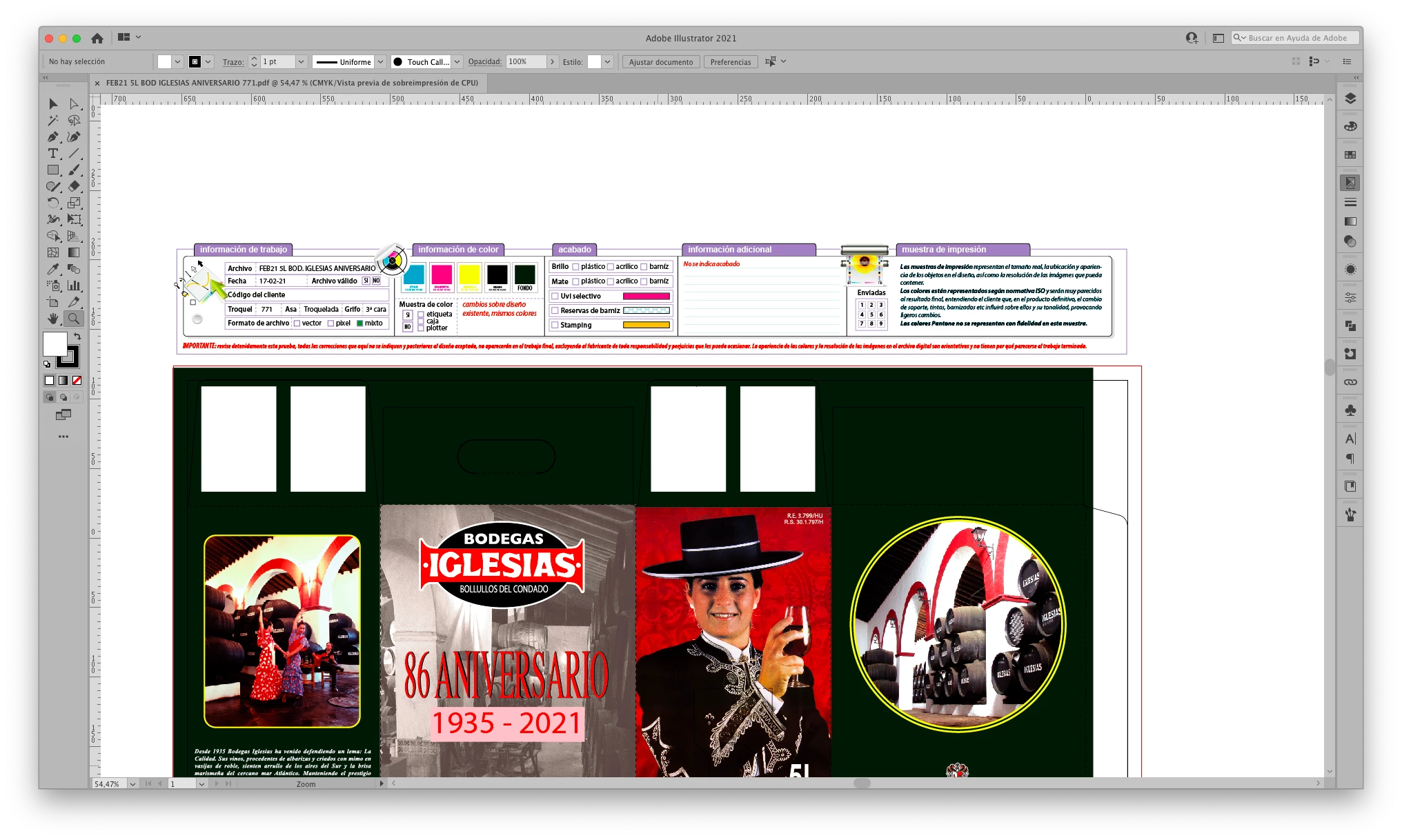
Hola, se acaba de actualizar Illustrator y sin previo aviso los colores se ven fluorescentes, no sé cómo corregir esto, pero me es imposible trabajar de esta forma.

La pestaña Ver-Ajuste de Prueba no me sale activa

Necesito una solución urgente
This topic has been closed for replies.
Correct answer Ashutosh_Mishra

Hi All,


Sorry to hear about your experience. Product team is working on this issue. I'd request you to upvote on this UserVoice post(https://illustrator.uservoice.com/forums/601447-illustrator-desktop-bugs/suggestions/42892902-illust...) & stay tuned for the updates.


Additionally, please try this workaround & let us know if it helps:

1. Lower Photoshop from 22.3 to 22.2.
2. Specify any color setting in Illustrator.

If you do the above
Even if you operate Photoshop while Illustrator is running, it will not emulate the settings by itself.


We appreciate your patience.


Regards,

Ashutosh

6 replies

Participating Frequently
April 25, 2021

Hola! Yo tengo el mismo problema que tu tienes en el illustrator con la última versión. Lo uso desde una iMac, pero no localizo el folder cache de illustrator que hay que borrarle su contenido. Agradecería tu apoyo. Saludos!

Ton Frederiks
Community Expert
Community Expert
April 25, 2021

Don't worry about the cache folder. It is solved by updating Photoshop to 22.3.1 and then setting the Color Settings as you want them.

Ashutosh_Mishra
Ashutosh_MishraCorrect answer
Inspiring
March 17, 2021

Hi All,


Sorry to hear about your experience. Product team is working on this issue. I'd request you to upvote on this UserVoice post(https://illustrator.uservoice.com/forums/601447-illustrator-desktop-bugs/suggestions/42892902-illust...) & stay tuned for the updates.


Additionally, please try this workaround & let us know if it helps:

1. Lower Photoshop from 22.3 to 22.2.
2. Specify any color setting in Illustrator.

If you do the above
Even if you operate Photoshop while Illustrator is running, it will not emulate the settings by itself.


We appreciate your patience.


Regards,

Ashutosh

Participant
March 17, 2021

I know I sound dumb. I've never had to specify a color setting just the document color mode. Not sure which color setting I should be using. I've played around with a few in color settings and custom with CMYK: convert to working space seems the best.  Any recommendations on where I can learn more about color settings for a basic user?

Participating Frequently
March 16, 2021

Me pasa lo mismo, lo han solucionado?


Inspiring
March 16, 2021

Sí, arriba tienes marcada la respuesta correcta, al principio del hilo. A mi me funcionó, hay otras personas que no les ha funcionado, si consigues volver a la 25.2.0 te desaparece el problema, el bug es en esta actualización.

Participating Frequently
March 16, 2021

Si, lo he conseguido, mil gracias

Ashutosh_Mishra
Inspiring
March 10, 2021

Hi there,


Sorry to hear about your experience. Please follow the instructions below:
1- Quit Adobe Illustrator and all the other Adobe apps.
2- Go to ~/Library/Caches/Adobe/Color and ~/Library/Preferences/Adobe/Color.
3- Remove the color caches files from the given locations.
4- Open Adobe Illustrator and go to Edit>color Settings and change the color settings to required colors space.


Let us know if it helps with your concern. Looking forward to your response.


Regards,

Ashutosh

Participant
November 12, 2024

¡Hola! A mí ilustración le pasó esto, a la izquierdo está la vista en Illustrator y a la derecha está un JPG que había exportado antes de actualizar Illustrator. Ahora cuando exporto la ilustración se ve igual de oscura que en la vista de Illustrator ¿me pueden ayudar a corregirlo? Por favor.

Community Manager
November 14, 2024

Solo exporte y puse ambas ventanas a la par, no se si a eso se refiere.

Sigo batallando con el mismo problema si puedes ayudarme te lo agradeceria.


Hello @Rocio309309668422,

I'm sorry to hear about the trouble you're having. Would you mind trying the suggestions shared in this community post (https://adobe.ly/4ezzNBT) to see if it helps?

Looking forward to hearing from you.


Anubhav

Ton Frederiks
Community Expert
Community Expert
March 10, 2021

Maybe someone comes up with a suggestion, but you may also try it here:

https://community.adobe.com/t5/color-management/bd-p/Color-Management?page=1&sort=latest_replies&filter=all

or contact Adobe support directly:

https://helpx.adobe.com/contact.html

Known Participant
March 10, 2021

Unfortunatley Adobe support is one BIG joke.

They have no idea what the talk about and no matter what your problem is, they ask to do the exact same things. Reset your profile, uninstall Illustrator and intall it again etc. ect. etc......

Inspiring
March 10, 2021

El bug consiste en que los ajustes de color se ponen automáticamente en Emular Adobe Illustrator 6.0, al corregir esto y poner mis ajustes a medida, el color vuelve a estar bien, pero cuando cambio a Photoshop, al volver a Illustrator de nuevo los ajustes cambian automáticamente a Emular Adobe Illustrator 6.0.

Es muy molesto.


Ton Frederiks
Community Expert
Community Expert
March 10, 2021

Try to use Adobe Bridge to synchronize the color settings.

Inspiring
March 10, 2021

Los he sincronizado con Adobe Bridge pero sigue el mismo problema, cuando paso de Photoshop a Illustrator, los ajustes de color cambian solos a Adobe Illustrator 6.0


😞