imohx97
Participating Frequently
August 23, 2022
Answered

colour issue when I copy and paste to another document they change the colour code

  • August 23, 2022
  • 1 reply
  • 1975 views

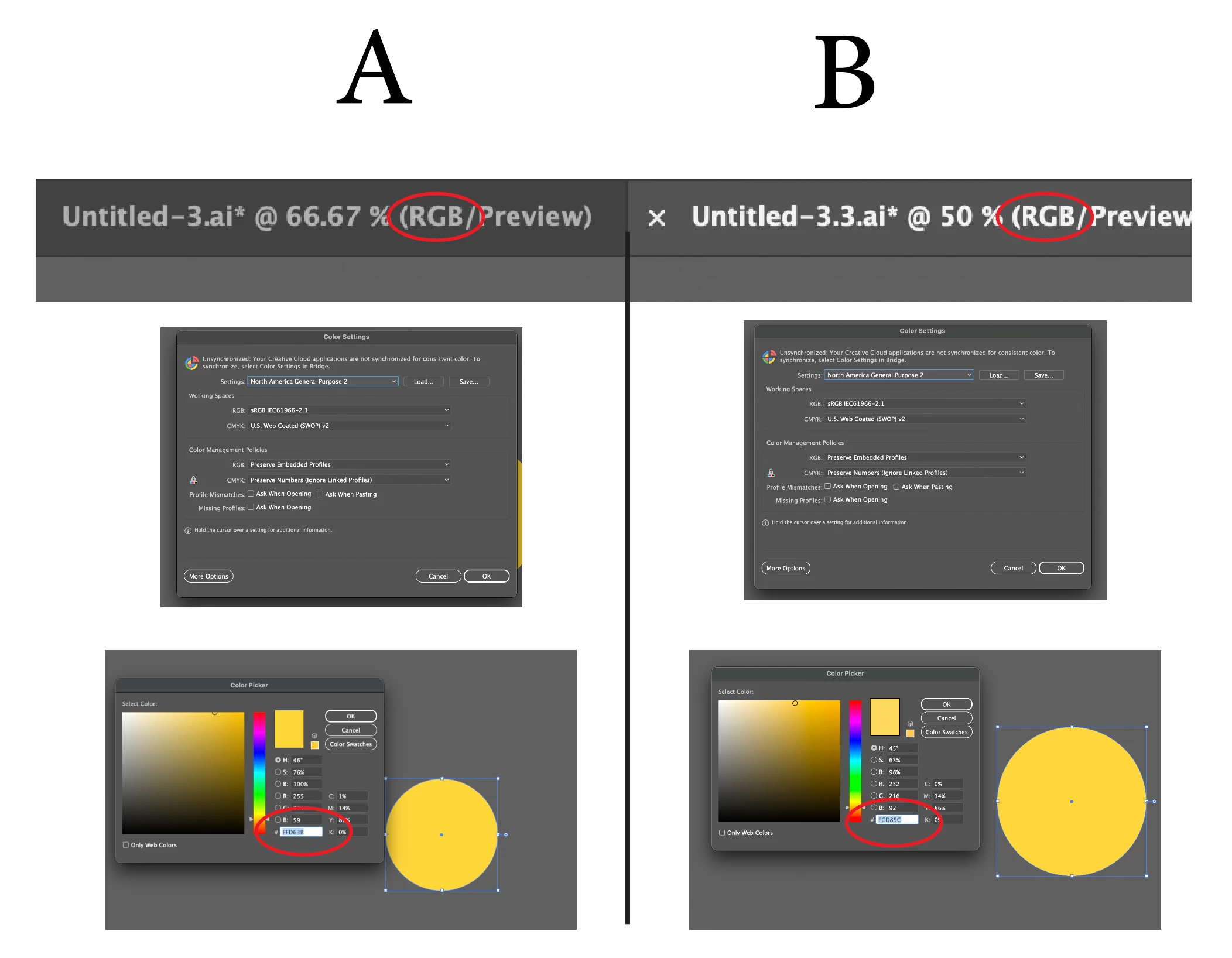
I have a colour issue when I copy and paste to another document they change the colour code it's both the same (RGB) not and it's both the same colour setting and profile, sometimes the app shows me a message, and I upload it.


Note, I use Macbook Pro M1pro and its new and the illustrator the last one 26.4.1 I have this issue on another PC it Windows 
This topic has been closed for replies.
Correct answer chrisg11235813

I'd recommend the sRGB option over Display.

To change this: once you have a file open in illustrator,

Edit>Assign Profile  then choose which colour profile you want (sRGB).


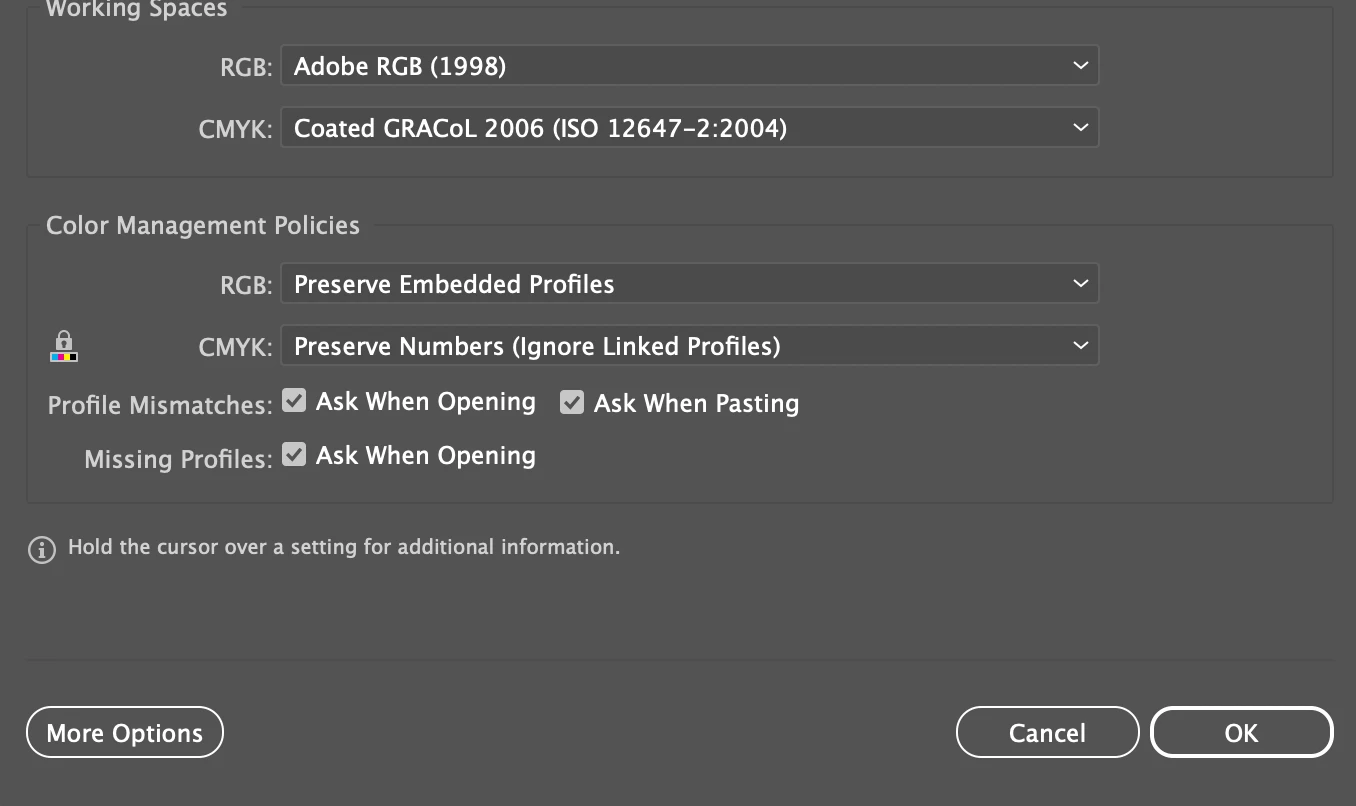
Also, I noticed that your image of "Color Settings" should have some options adjusted:

Check all the boxes for "Profile Mismatches" and for "Missing Profiles"

It will make illustrator ask you what to do when profiles don't match.


1 reply

chrisg11235813
Participating Frequently
August 23, 2022

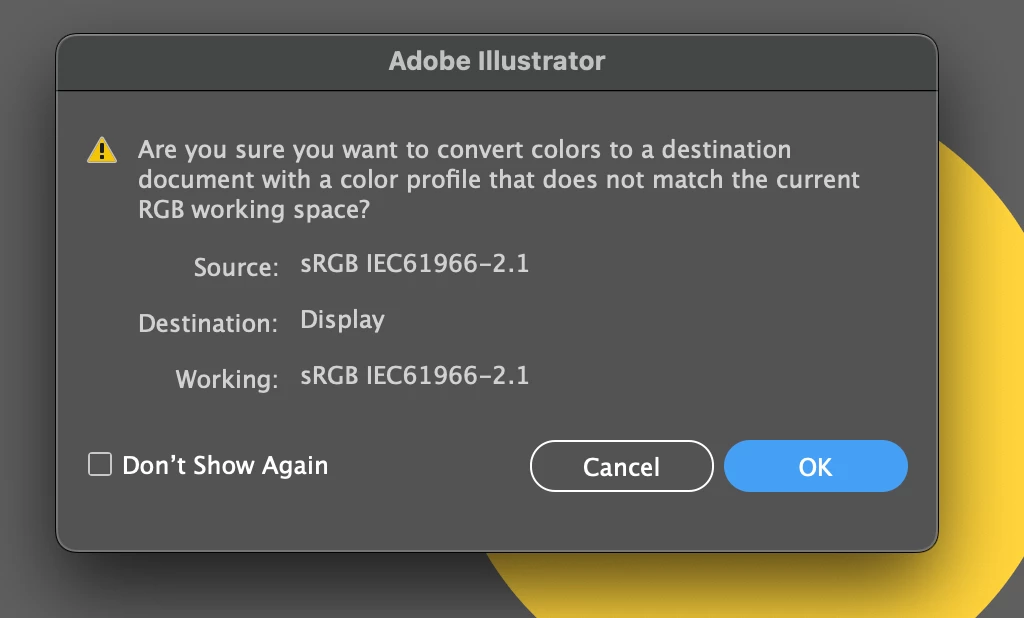
You need to make the document you are pasting into (Display) the same as the source document (sRGB). or vice versa

imohx97
imohx97Author
Participating Frequently
August 23, 2022

but Its same both (sRGB)

imohx97
imohx97Author
Participating Frequently
August 23, 2022

Yes,  it seems like "Display"  is your colour profile instead of "sRGB".


Try assigning sRGB to your document then paste into it.


how i can change it and what is the best "Display" or "sRGB IEC61966-2.1"?