


Colours change each time I open a file
Hi, I've been trying to sort this out for ages now and I just can't seem to find an issue.
So I am using Apple Mac 2019 with a good graphics card.
My Illustrator is up to date and the operating system is macOS Big Sur latest version.
I mostly (90%) work with RGB colours, but every time I open a previously set (or even new) RGB documents - the colours are washy/dirty. I manually every time go to View/Proof Setup/ and tick "Monitor RGB" and colours are as they should be.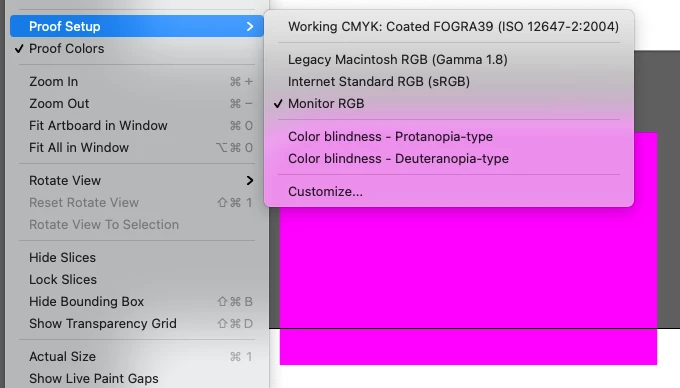
But I have to do it every time I open a document! As it automatically switches to "Working CMYK:coated FOGRA39...." Its the same document, I saved it in RGB, closed and opened it again.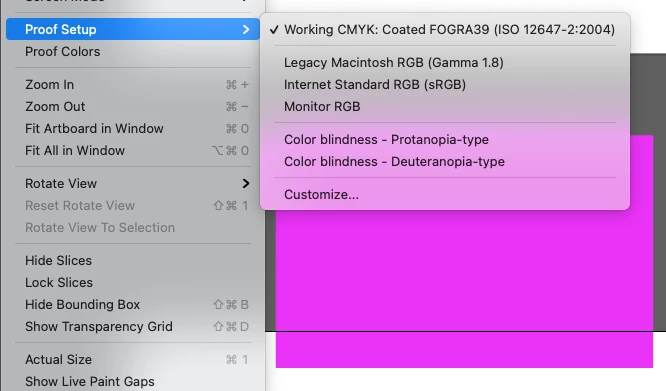
Here are my colour settings below:
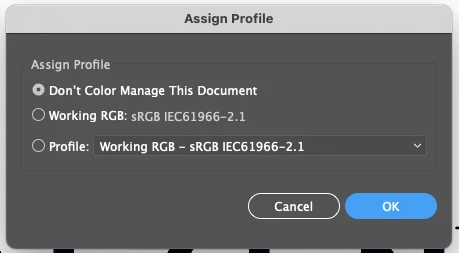
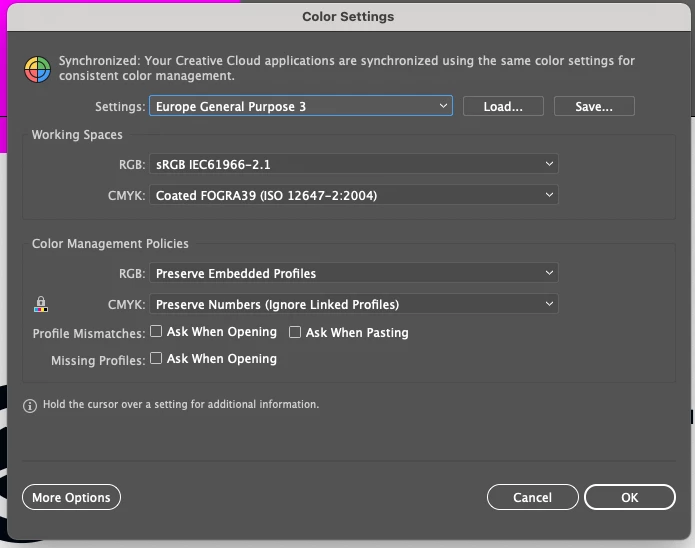
PLEASE PLEASE tell me there is something wrong and it has an easy fix and this has been frustrating.
Thank you in advance!!! ❤️
 AdChoices