


Inspiring
February 2, 2018
Answered

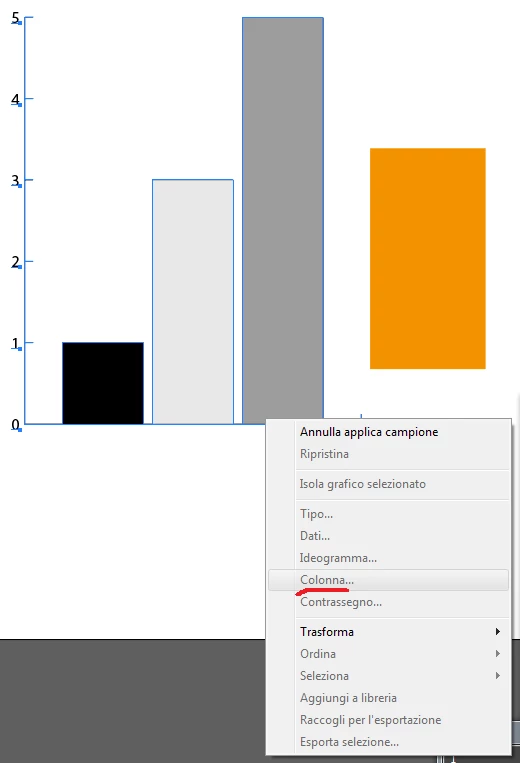
Column option grayed out, impossible to apply my vector designs within a graph

  • February 2, 2018
  • 1 reply
  • 1672 views

I created and I need to applying a graph column (in these case the orange rectangle but the option is always grayed out so basically I can't go ahead.

How can I fix it ? The orange rectangle is just a simple example, obviously I can change the fill to the other rectangles in this case to solve it, problem is I need to apply it to vector illustrations. And I didn't understand why is always grayed out because from there I can apply whatever vector illustration I need.

Thank you in advance.
    This topic has been closed for replies.
    Correct answer Monika Gause

    Did you already create the graph design from the rectangle?

    Is the data table input dialog closed?

    1 reply

    Monika Gause
    Community Expert
    Monika GauseCommunity ExpertCorrect answer
    Community Expert
    February 2, 2018

    Did you already create the graph design from the rectangle?

    Is the data table input dialog closed?

    slam629Author
    Inspiring
    February 2, 2018

    I didn't close it. Now it works. Thank you very much Monika Gause