Known Participant
February 9, 2018
Answered

Concentric irregular shapes with equal space between

  • February 9, 2018
  • 2 replies
  • 12669 views

Hello,

I know how to step and repeat and also use the blend tool for shapes, but I'm trying to create concentric irregular outlined shapes.

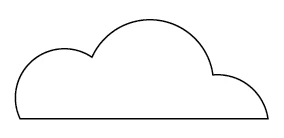
Picture a simple outline drawing of a cloud. I'd like the graphic to be made of multiple progressively smaller outline cloud shapes,

like concentric rings only cloud shape.

I do know the trick of making multiple copies and adding white or solid strokes so that the effect is what I'm going for,

but that's a really cumbersome graphic.

Thank you,

Jane
This topic has been closed for replies.
Correct answer barbara_a7746676

It would help those of us answering questions if you would show a picture of what you're aiming for.

Here's a couple of ideas.

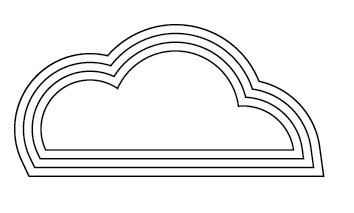
Draw the smaller cloud shape. Choose Object > Path > Offset Path.

Select the resulting offset path and Offset Path by the same amount as the first offset.

Keep repeating. You'll get something like this:

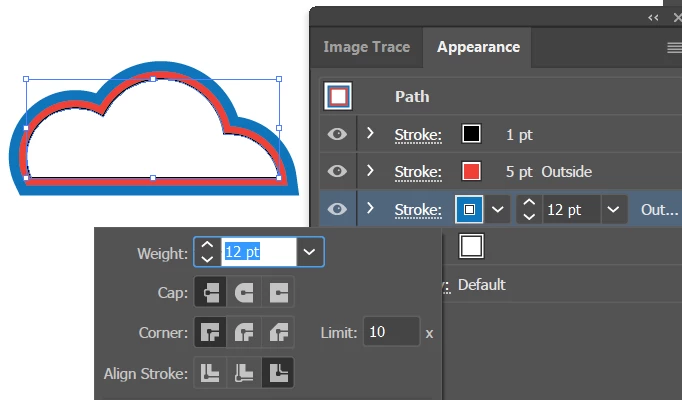
Another way would be to draw the cloud shape, and use the Appearance panel to add new strokes.

2 replies

janepellAuthor
Known Participant
February 9, 2018

Thanks Barbara. The offset path option was what I'm looking for! I think I used it ages ago.

barbara_a7746676
Braniac
March 27, 2018

You're welcome. Glad that did the trick.

barbara_a7746676
barbara_a7746676Correct answer
Braniac
February 9, 2018

It would help those of us answering questions if you would show a picture of what you're aiming for.

Here's a couple of ideas.

Draw the smaller cloud shape. Choose Object > Path > Offset Path.

Select the resulting offset path and Offset Path by the same amount as the first offset.

Keep repeating. You'll get something like this:

Another way would be to draw the cloud shape, and use the Appearance panel to add new strokes.

New Participant
July 14, 2022

This solution is a huge help for a similar challenge I'm facing, thanks! With my variation, I'm trying to create numerals that are comprised of concentric-filled lines. Instead of the concentric shapes simply repeating themselves, I'm trying to achieve an overlapping effect with some numeral shapes. As seen--in my very poorly constructed example--numerals 3, 4, 6, 8 & 9,  there is a combination of concentric shapes, but also a complex intersection with the middle path between the inside and outside paths of the shape. Can I still achive this using the offset path method... or any other suggestions? My trainwreck example was drawn freehand using line shapes instead of the pen tool, but I would love to be able to recreate these numeral shapes with perfectly spaced, concentric versions. Thanks in advance for any help!

Monika Gause
Braniac
July 14, 2022

So this is your finished result, no?

I'm not quite sure what your issue is, since that looks like you already have a solution.


If not, then what would be your starting point?