New Participant
May 10, 2024
Answered

Confused about color gradient

  • May 10, 2024
  • 1 reply
  • 953 views

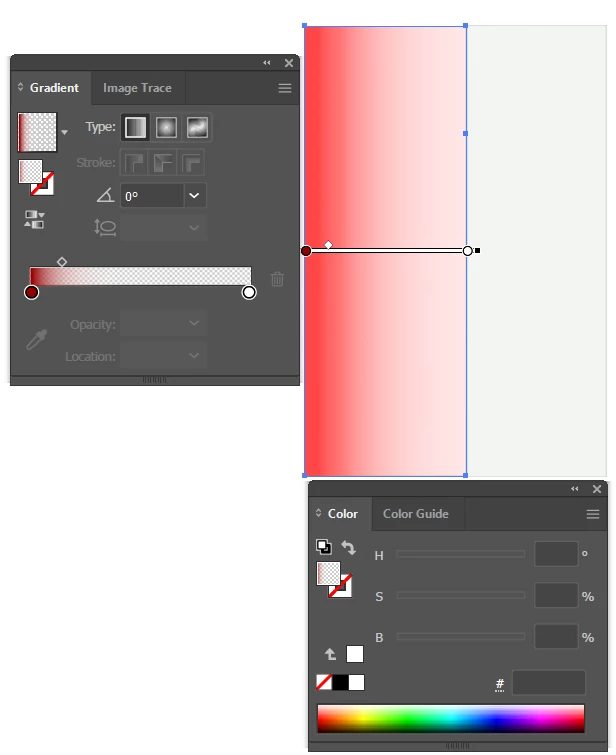
Hello - Im trying to make what I thought would be the simplest possible color gradient, but for some reason its not working. I have a rectangle, and I want it to go from the red that I select to blank white linearly. So I put two color stops, one with red, and the other with white, and the midpoint right in the middle. However, the gradient doesn't want to go full white. The closest I can get is to put the midpoint as far over as possible to the red, but even then there's always a red hue at the white end.


I wondered if my eyes were doing "eye things" and just blending the red color in, so I put a fully white rectangle next to it, and yes, there is a red hue that persists. I've attached a screenshot of the rectangles with the menu and edit gradient button pressed so its clear what's going on.


How do I get a simple linear gradient from red to white?


Thanks!


This topic has been closed for replies.
Correct answer Monika Gause

Thanks so much for looking! I really appreciate it!


Thank you for the file.

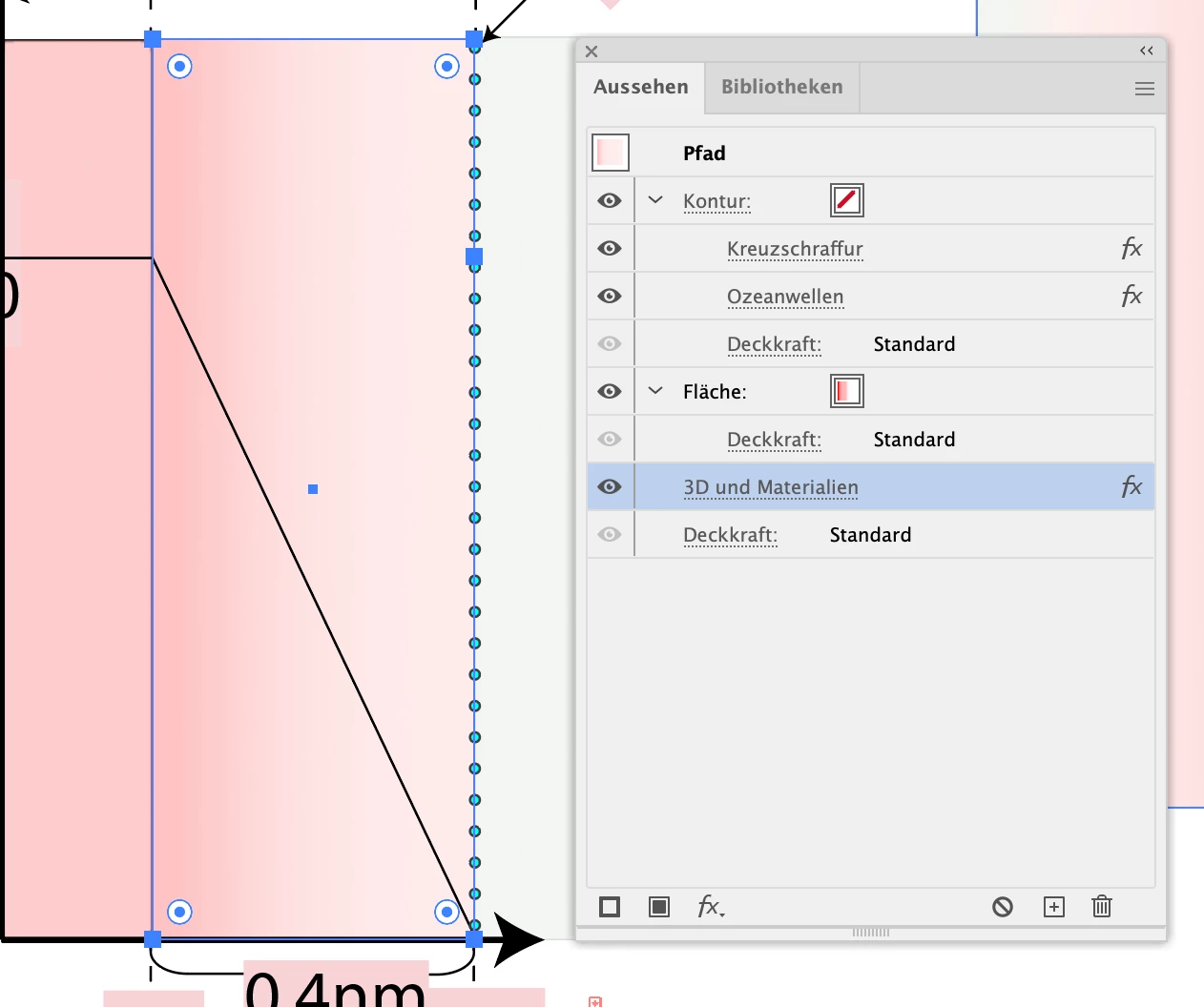
You have several effects applied to that bar. is that on purpose?


That is the Appearance panel.

1 reply

Monika Gause
Braniac
May 10, 2024

I would move the white stop slightly. There could be a pink one below.

New Participant
May 10, 2024

Hi - Thanks for the response!

So I checked, and I don't think there were more than two color stops. However, your thought did give me an idea, and I found something. I don't know what it means, but maybe you do? So I added a third color stop, and low and behold, it didn't do a single thing to the gradient.


However.... when I flip it 180 so white is the leftmost color, then white dominates the whole thing. 


(See attachment)


And then when I do a diagonal rotation (120deg), it then successfully shows the full range of the gradient.


(see second attachment)


Finally when I make white the reverse, I can actually get basically the gradient I'd expect, but in the opposite orientation I need the gradient in. Flipping it just returns the issue I showed before.


(see third attachment). 


Am I crazy?


Monika Gause
Braniac
May 10, 2024

Can you perhaps share the AI file?

Change the file extension to .PDF and then you can upload it here.