


runninghead_design
Inspiring
April 25, 2017
Answered

Conical gradients in Illustrator CC

  • April 25, 2017
  • 2 replies
  • 5580 views

Hi,

Is it possible to quickly create and/or save as a Swatch a conical gradient, like this one...
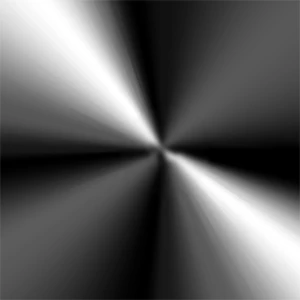
Or is this another basic function still missing from Adobe Illustrator?

    This topic has been closed for replies.
    Correct answer Mike_Gondek10189183

    Your could expand the item you create and then scale to also large as you like.
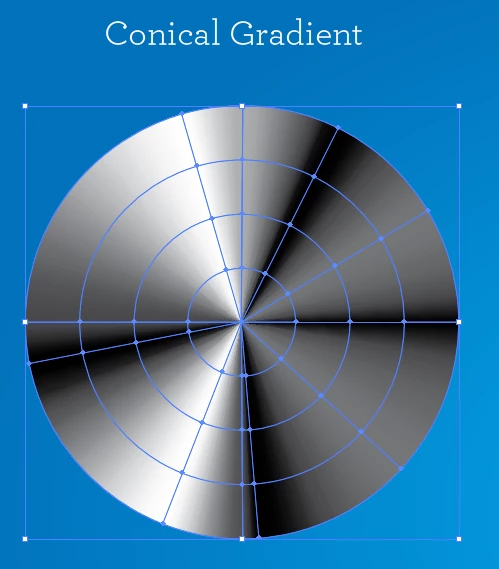
    I recommend expanding as if your stroke weight gets to large you begin to get this.
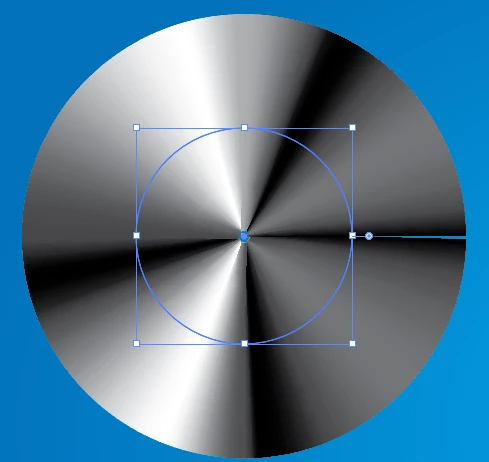
    I agree the workaround is not as easy as in other programs where you just choose a pull down option.  With gradient mesh though, you can create much more complex art than you could in other programs.

    For me atleast i do not mind how Illustrator is on this topic, as this promotes people to be more originally creative that just using canned designs. Other programs might seem to have more features than Illustrator, but in the end Illustrator has many  possibilities at the professional level.

    2 replies

    Garris
    New Participant
    March 25, 2022

    Sadly it is true. In 2022 Illustrator is still unable to do such essentials, what e.g. Fireworks could already in early versions. One walkaround is the already described rather akward method of using the stroke. Alternatively use Photoshop.

    New Participant
    May 10, 2024

    The ongoing limitation is probably related to the fact that the SVG spec does not natively support gradients other than linear or radial, and the Illustrator team is keeping the functionality aligned with spec?

    Monika Gause
    Adobe Expert
    May 10, 2024

    @grnaero  schrieb:

    The ongoing limitation is probably related to the fact that the SVG spec does not natively support gradients other than linear or radial, and the Illustrator team is keeping the functionality aligned with spec?


    So many features in Illustrator are out of the SVG specifications, so that cannot be the reason.

    Mike_Gondek10189183
    Adobe Expert
    April 25, 2017

    Use gradient along stroke, on a circle.

    Crat a mask or use the transparency palette to make a mask.

    runninghead_design
    Inspiring
    April 25, 2017

    That's great Mike, thank you.

    Not quite what I'm looking for though as...

    a) It's clearly a weird workaround for the lack of native conical gradients in AI,

    b) It limits your live gradients to 1000pt wide (the stroke limit of a stroked path in AI). I'm creating artwork for tents and due to various other factors, I'm working at large document sizes, so it's not ideal for me.

    c) As far as I know you can't add it to the Swatches panel.

    It's now been over 5 years since this was first flagged as a flaw in AI, maybe it's time it got addressed in the next Update?

    Mike_Gondek10189183
    Mike_Gondek10189183Correct answer
    Adobe Expert
    April 25, 2017

    Your could expand the item you create and then scale to also large as you like.

    I recommend expanding as if your stroke weight gets to large you begin to get this.

    I agree the workaround is not as easy as in other programs where you just choose a pull down option.  With gradient mesh though, you can create much more complex art than you could in other programs.

    For me atleast i do not mind how Illustrator is on this topic, as this promotes people to be more originally creative that just using canned designs. Other programs might seem to have more features than Illustrator, but in the end Illustrator has many  possibilities at the professional level.