


New Participant
September 5, 2023
Question

Convert swatch pattern inside shape to path

  • September 5, 2023
  • 1 reply
  • 972 views

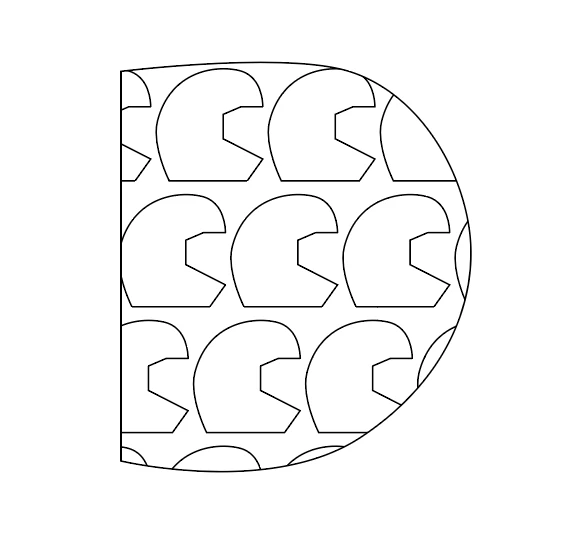
I have made a custom pattern and saved it as a swatch. I have then drawn a shape and filled it with the swatch pattern. I would like to convert the pattern inside the shape to a path so it can be sent to a plotter to cut out.
 

This topic has been closed for replies.

1 reply

Monika Gause
Brainiac
September 5, 2023

Object > Expand

Which will give you clipping masks

You will have to expand them as well.


But also you will have to make sure that you do expand the strokes along the way. You probably do not want to outline strokes? Or do you?

New Participant
September 8, 2023

I'm not sure what you mean. The pattern extends outside the shape however is not visible. I'm assuming that is a mask.

I just want the pattern to be inside the shape so I can select the shape outline and the pattern inside it

Monika Gause
Brainiac
September 8, 2023

Yes, that's what I understood. But those black lines - they are strokes, right? And you want them to stay strokes and not be outlined?


The trouble with clipping masks is that you cannot really expand them without having to expand strokes as well. So you have to prepare your artwork in a way that you do not get outlined strokes.


Please describe what you need to do.