


Participating Frequently
July 23, 2019
Question

Converting .aco/.ace pallete to another book CS6

  • July 23, 2019
  • 3 replies
  • 576 views

Hey guys. I am trying to get colors accurate for a mural project I am painting and I am taking it to the paint store because palletone colors are not accurate for that store. Ive downloaded the file from behr.com: Downloadable Color Palettes . I am trying to convert to one of my pallettes, and it says that the file is way too big for some reason. It works on palletone just fine, but the downloaded behr file says its limited to 3584 swatches.

I used illustrator cs6 because I though this was the easiest, but this file limit is a bit baffling to me.
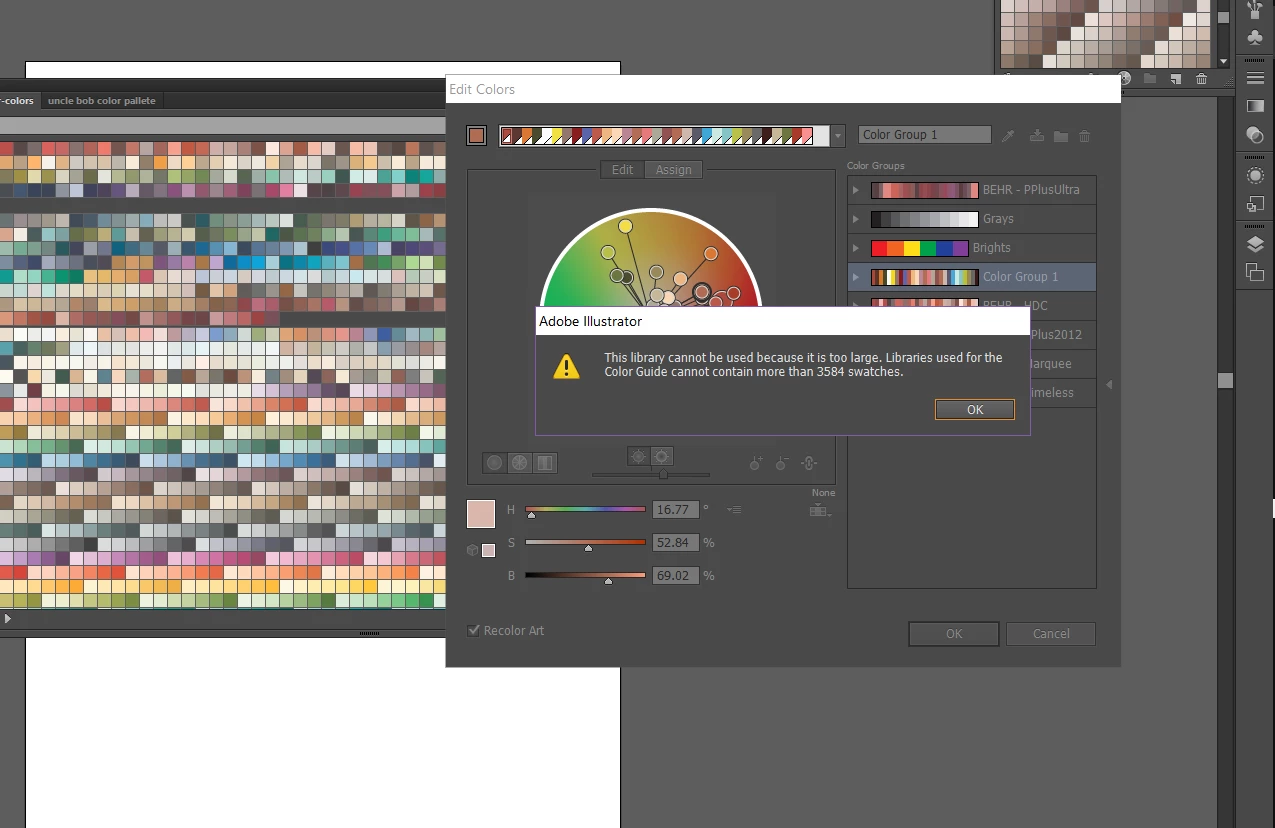
If you guys have an easier way to convert the pallete and it doesn't have to be illustrator, that would be great.

This topic has been closed for replies.

3 replies

Monika Gause
Community Expert
Community Expert
July 23, 2019

So you want to automatically extract color numbers in order to buy paint in the store?

That might not be a good idea, because wallpaint works completely differently than whatever color definition you have used in Illustrator.

Do you have any kind of printed swatches book (such as a Pantone book)? In that case I would research the colors from that book and then take it to the store to compare to the actual paint there.

jane-e
Community Expert
Community Expert
July 23, 2019

Hi

Here is Adobe Help for Adobe Swatch Exchange (ase) files. Illustrator saves swatches as an .ai file and PS saves them as .aco. The .ase can be used by either but only holds solid colors.

How to use and create swatches in Illustrator > Share swatches between applications.

If you can open the .ase file in either application, then you can multiple select swatches and save them into a new file.

Did the Edit colors open immediately or did you do that by double-clicking? Can you see all of the swatches?

~ Jane

July 23, 2019