


Copy & Paste image creates an embeded version + Image not placed at 100%?
Hi,
I have 2 questions.
1. Image not showing correct size in info pane?
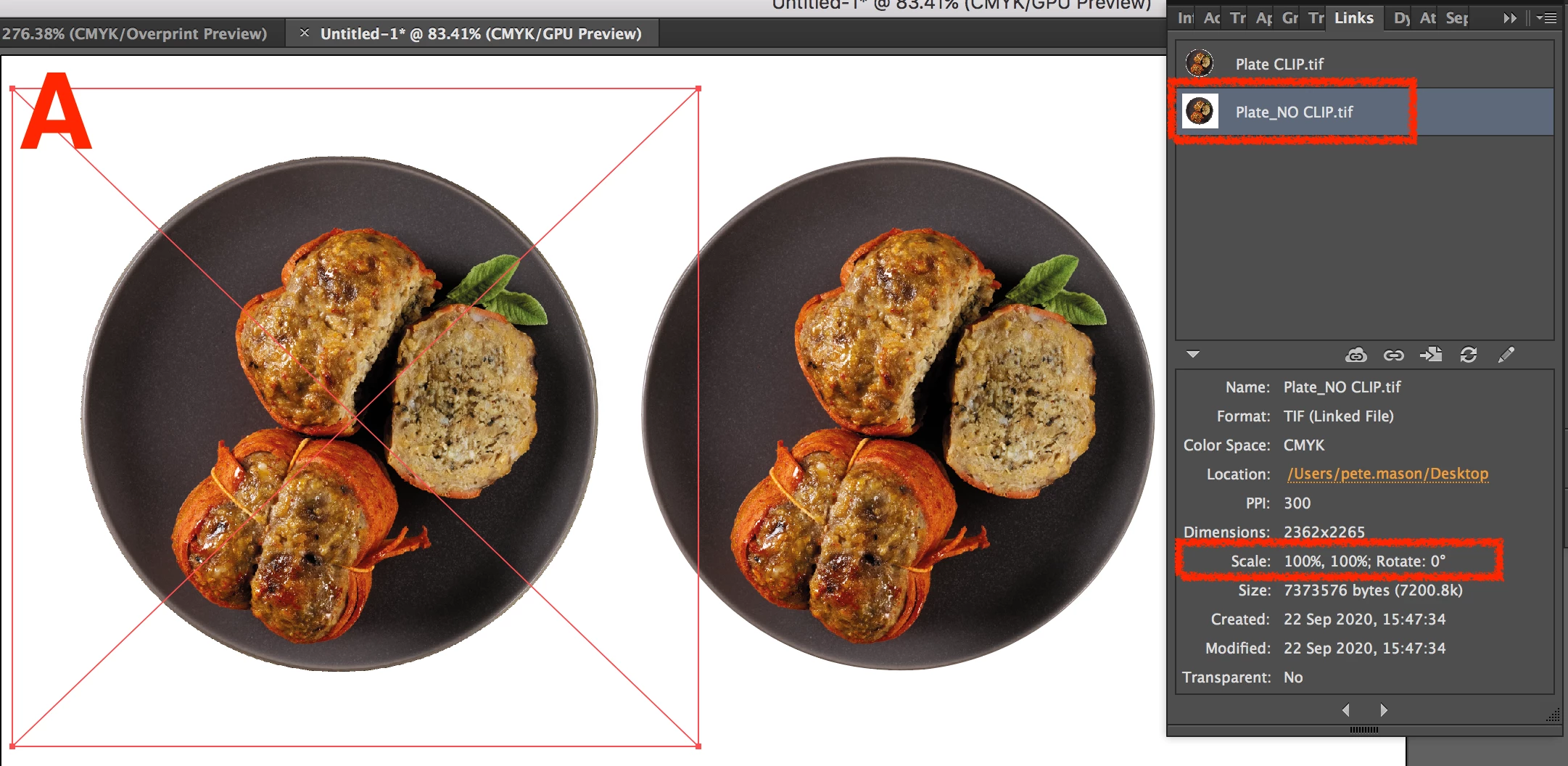
I have placed an image in a document, without a clipping path it says it is at 100%
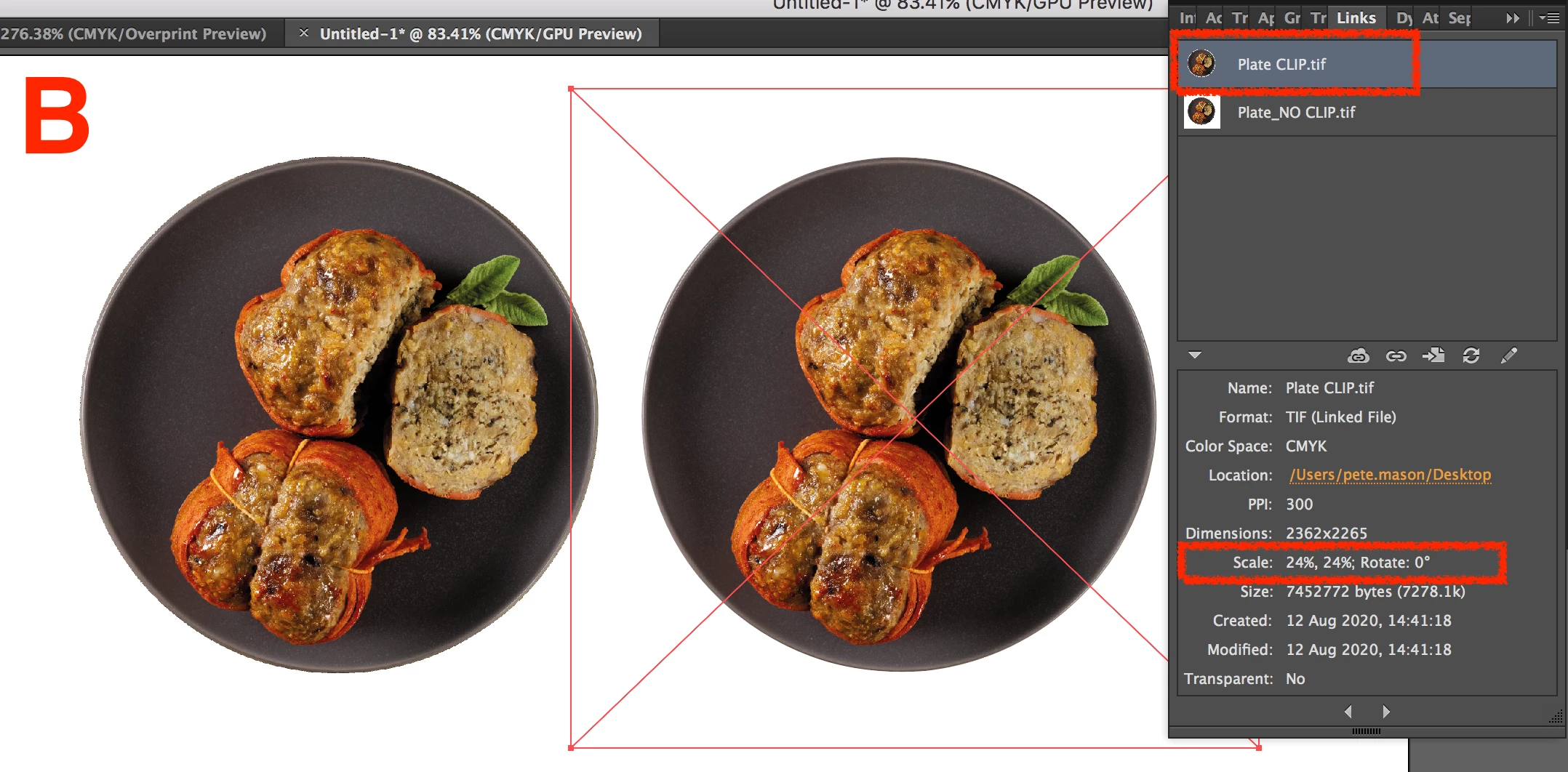
With a clipping path the same image placed the same way says it is in at 24%, why is that?
2. Copy and Paste image creates a duplicate and an embedded version
To create the above example I selected one of the images and then copy and pasted it, not only did another version apear but an embeded version did too? (This happens with either image being copied, clip or no clip and has happened with any other file I have tried it on)
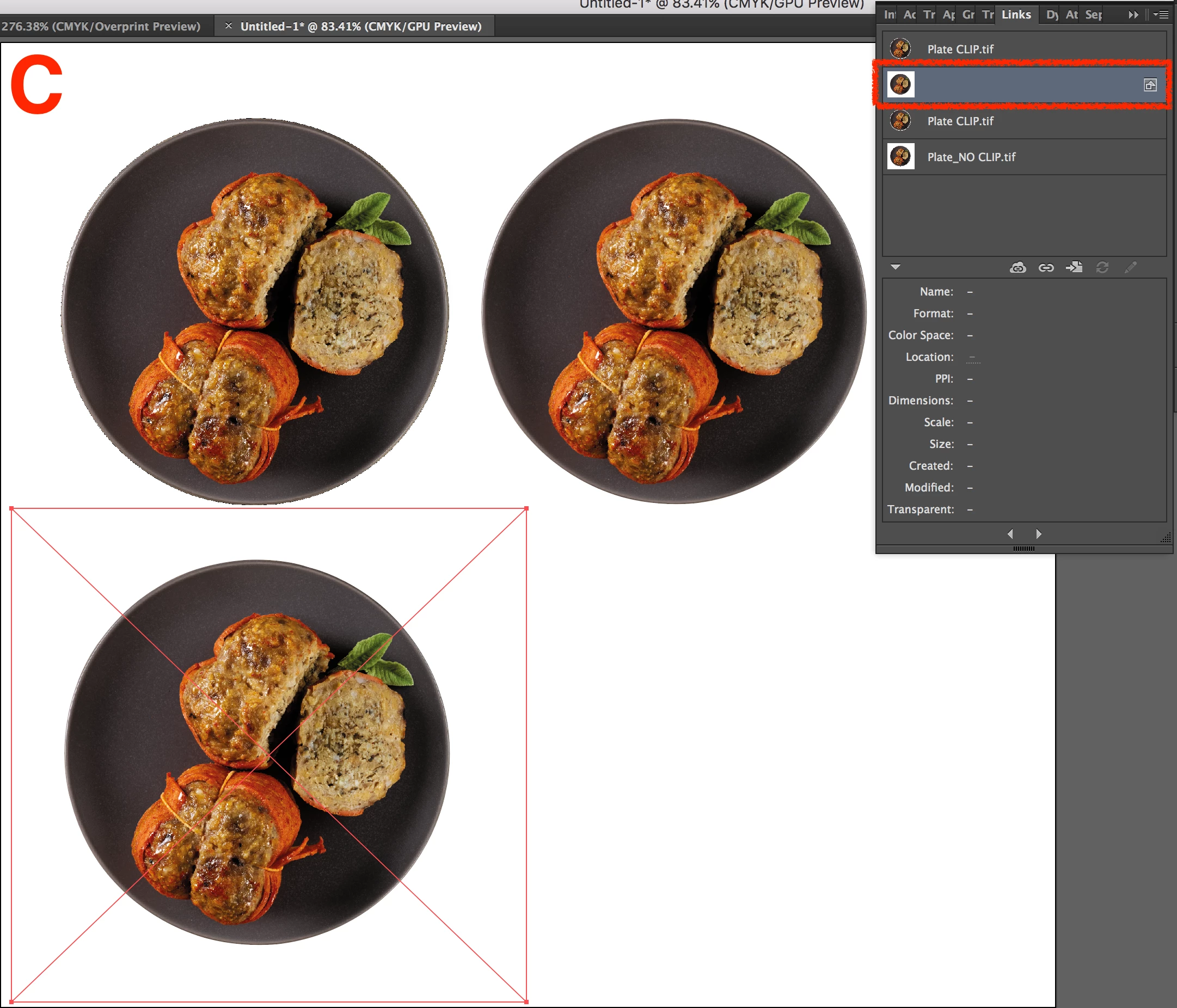
I cannot select and delete the embeded version, well I can select it in the links palete but cannot delete it?
I feel this is a setting in my Illustrator but cannot work out where?
Hopefully someone on here does.
Cheers
 AdChoices