


maxham12
Known Participant
September 3, 2017
Answered

Create a shape that hides everything outside the artboards

  • September 3, 2017
  • 3 replies
  • 1429 views

Please make such a script:

1) Create a new layer with black color on top of all other layers

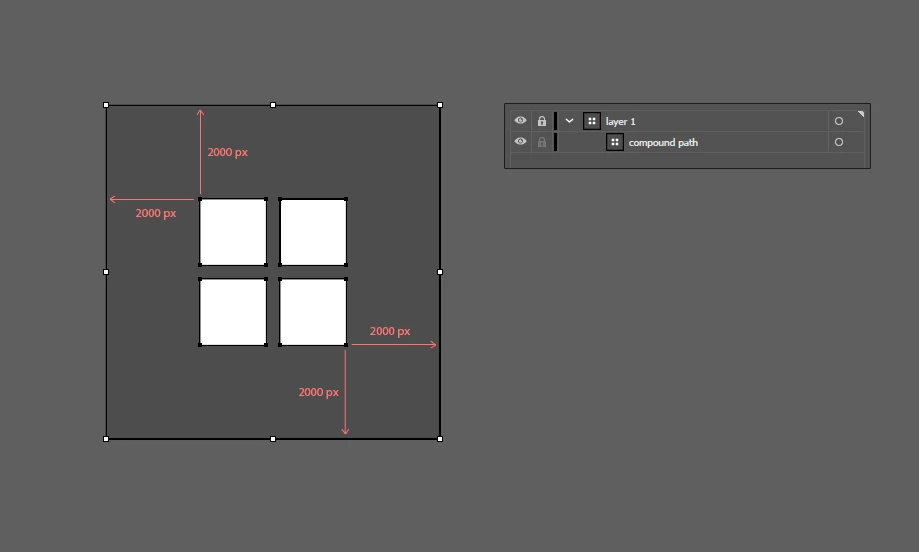
2) On this layer is created a very large rectangle with 2000 px indents from the borders of the extreme artboards

3) Create rectangles the size of each artboard in the document and cut out of a very large rectangle

4) This shape is repainted in color #606060

5) This top layer is blocked

This script will hide everything that is outside of all the artboards

It would be great if it could be used many times. That is, each time run the script the shape will be replaced by a new shape with new slots for new artboards.
This topic has been closed for replies.
Correct answer Silly-V

try Gustavo's tool:

Re: Output Simulator 2.0

3 replies

maxham12
maxham12Author
Known Participant
September 3, 2017

CarlosCanto suggested this solution: https://forums.adobe.com/message/3802829#3802829

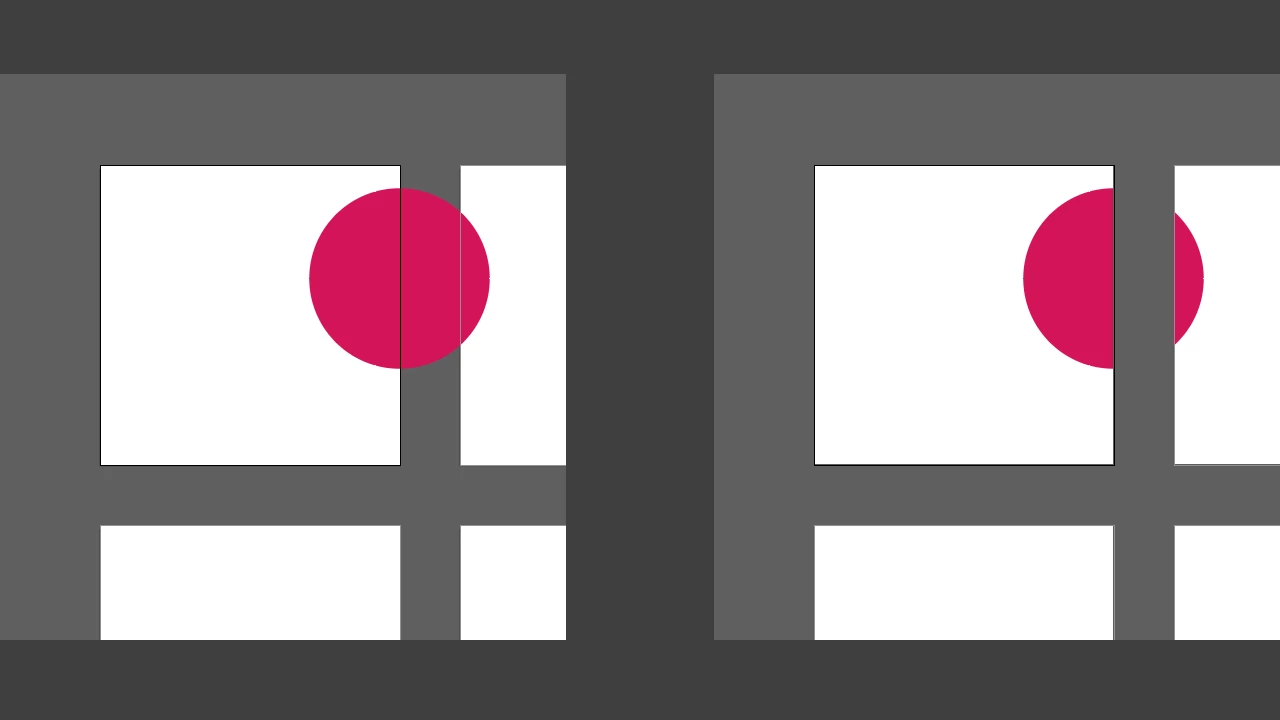
However, this script creates a rectangle for each artboard, and not one common. So the shapes overlap each other.

#target Illustrator 


//  script.name = artboardClipping.jsx; 

//  script.description = makes a faux "artboard clipping mask" by drawing a box to cover everything outiside artboards; 

//  script.required = an open document; 

//  script.parent = carlos canto // 7/16/11; 

//  script.elegant = false; 


if (app.documents.length > 0) 

    { 

          var idoc = app.activeDocument; 

          var ilayer = idoc.layers.add(); 

          ilayer.name = "ArtboardsMasks" 


          var newColor = new CMYKColor(); 

          newColor.cyan = 0; 

          newColor.magenta = 0; 

          newColor.yellow = 0; 

          newColor.black = 40; 


          var msg = "Enter Artboard Mask Percentage Margins \n"; 


          var margins = Number(Window.prompt (msg, 400, "Artboard Faux Clipping Mask")); 

          for (i=0; i<idoc.artboards.length; i++) 

               { 

                    var abBounds = idoc.artboards.artboardRect;// left, top, right, bottom 


                    var ableft = abBounds[0]; // 0 

                    var abtop = abBounds[1]; // 612 

                    var abwidth = abBounds[2] - ableft; // 792 // width 

                    var abheight = abtop- abBounds[3]; // 0 // height 

                    //$.writeln(abBounds); 

                    var igroup = ilayer.groupItems.add(); 

                    igroup.name = "Artboard " + (i+1); 


                    var ipath = igroup.pathItems.rectangle(abtop, ableft, abwidth, abheight); 

                    igroup.artworkKnockout = KnockoutState.ENABLED; 

                    ipath2 = ipath.duplicate(ipath,ElementPlacement.PLACEAFTER); 

                    ipath2.resize(margins,margins); 

                    ipath2.filled = true; 

                    ipath2.fillColor = newColor; 

                    ipath.opacity = 0; 

                    ipath.strokeWidth = ipath2.strokeWidth = 0; 

                    igroup.locked = true; 

                    igroup.hidden = true;                     

               } 

     } 

else  

    { 

        alert ("there are no open documents"); 

    } 

CarlosCanto
Braniac
September 3, 2017

I'll modify the script to make a single compound path as suggested as soon as I get some time.

pixxxelschubser
Braniac
September 3, 2017

maxham12  schrieb

Please make such a script:

...

… Please repair my car.

… Please renovate my apartment.

New Participant
September 3, 2017

Hi, to help me understand - what's the purpose of this? Is it to take screenshots of the artboards or to quickly preview artwork on screen?'

maxham12
maxham12Author
Known Participant
September 3, 2017

I create interfaces in Illustrator. It is more convenient for me to hide unnecessary, as in Photoshop.

maxham12
maxham12Author
Known Participant
September 5, 2017

try Gustavo's tool:

Re: Output Simulator 2.0


Exactly what is needed! The script is in Portuguese, but everyone can easily edit it using Google Translate. Although without translating everything is clear.