


Answered

Instead of Offset Path setting for all paths - group your artwork and apply this group an OffsetPath EFFECT
For the second image, use two instances because of the sharp corners of the mustache.
first instance of effect: sharp
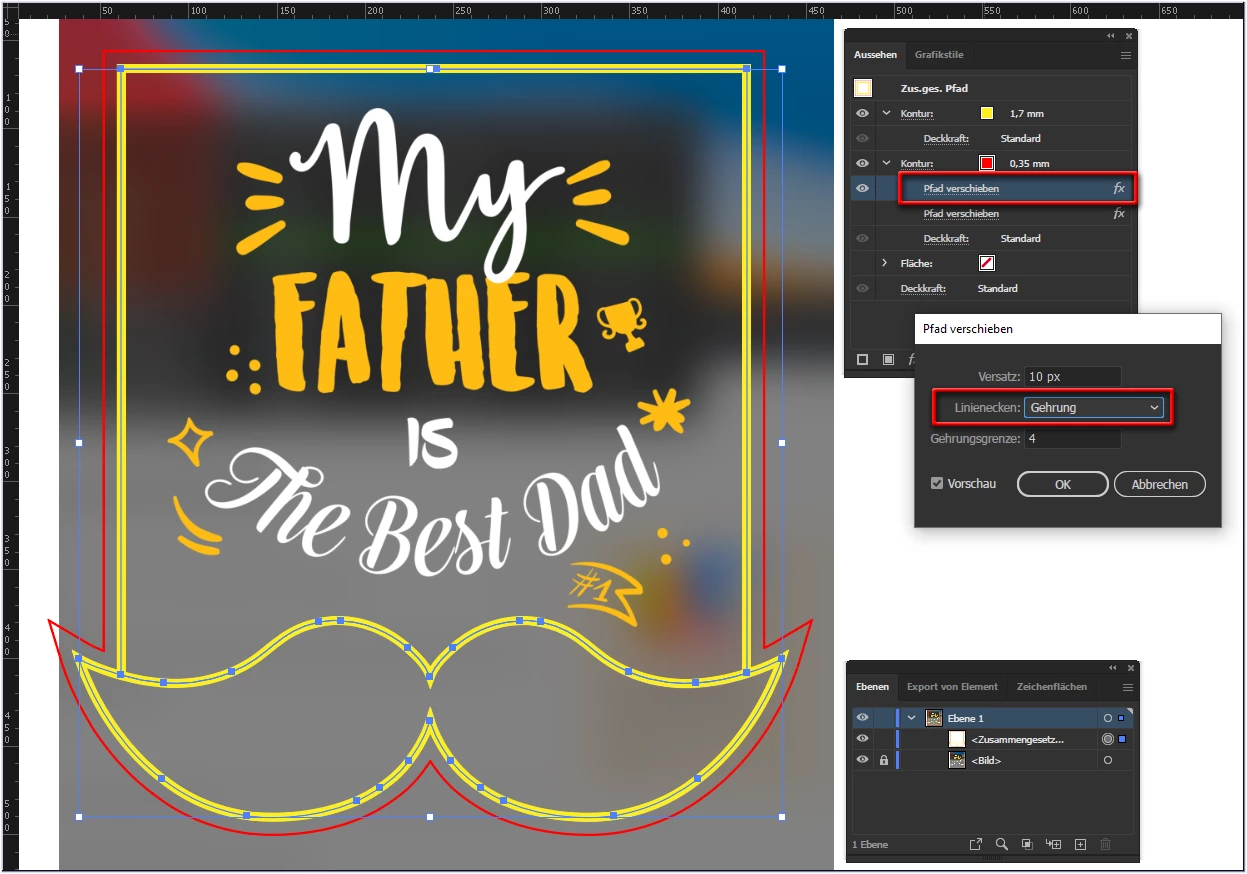
second instance of effect
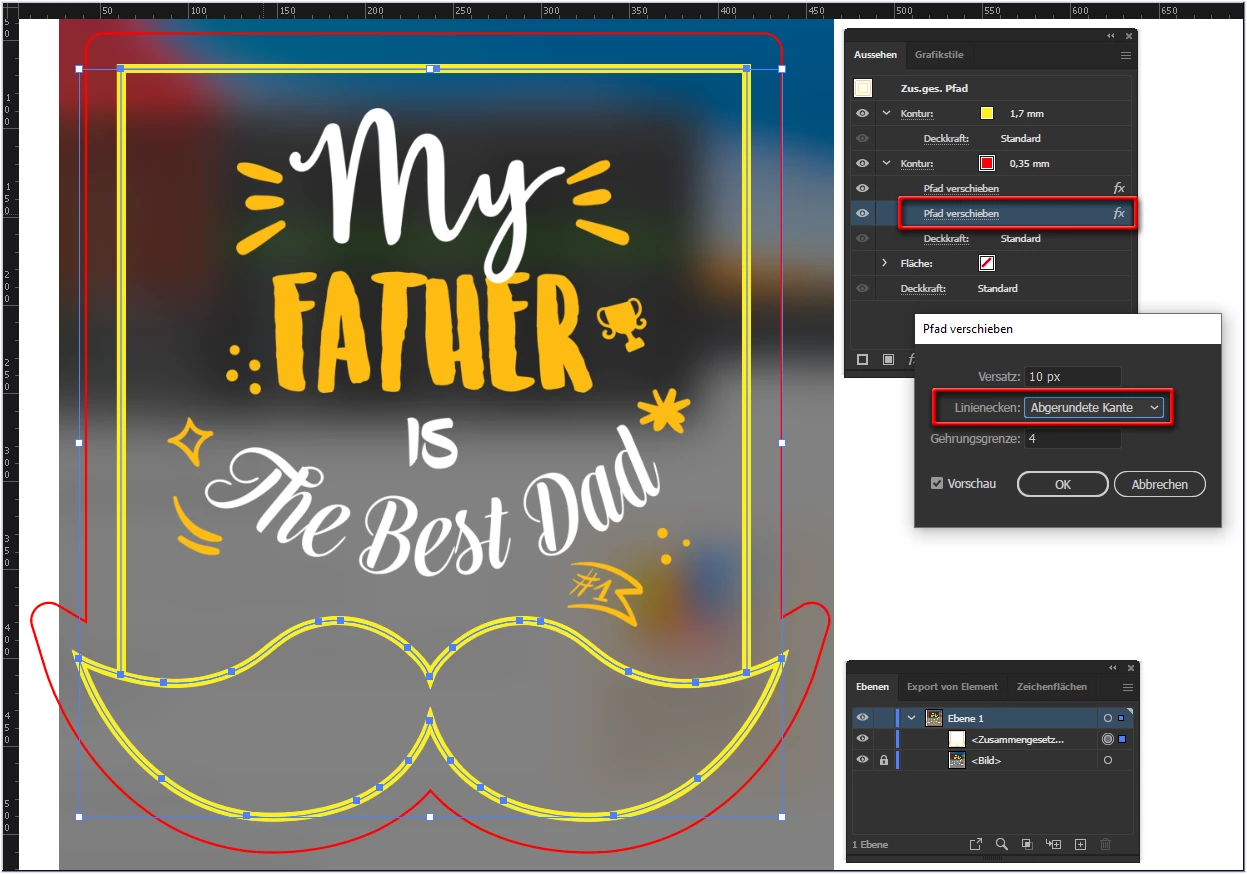
After that, you can Expand Appearance to get a real path.
Already have an account? Login
Enter your E-mail address. We'll send you an e-mail with instructions to reset your password.
 AdChoices