


Participant
July 20, 2020
Answered

Custom Brush / Technique Question

  • July 20, 2020
  • 2 replies
  • 334 views

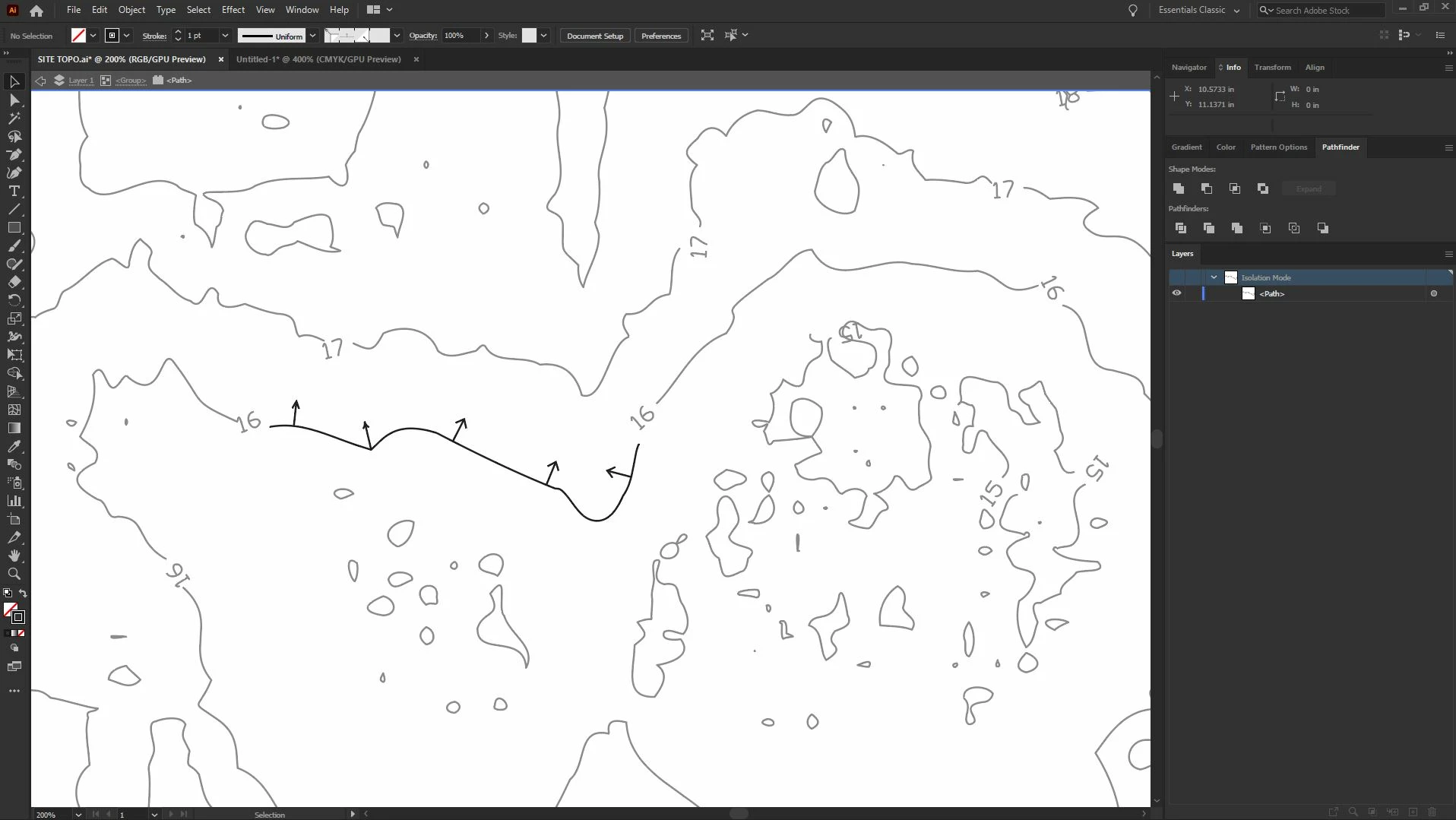
Hello! I've been wracking my brain to try and create a custom brush that mirrors a lot of what I'd normally do in AutoCAD (I'm an architect) and I just can't quite seem to get it right. Essentially, I'm looking to use vectorized topographic data (a lot of it) to show how existing grades and water flow function on a given site. We'd typically do this, very crudely, by hand by placing field arrows in CAD -- however -- I had an idea that doing something similar to the photo I've attached might be more accurate and faster in Illustrator. A couple of problems keep eluding me -- first any type of arrowhead I use whether as a compound path or stroke arrowhead always gets funky at odd paths or corners (see photo). I've tried breaking up the paths into straight line segments, simplifying paths, layering an art brush on top of a pattern brush -- all to no avail. The second issue I'm running into is how to do this at a scale whereby I'm not editing 100K points forever thus defeating the purpose of even making this drawing! Any or all ideas are welcome! This one has our office stumped.


J. 
This topic has been closed for replies.
Correct answer Monika Gause

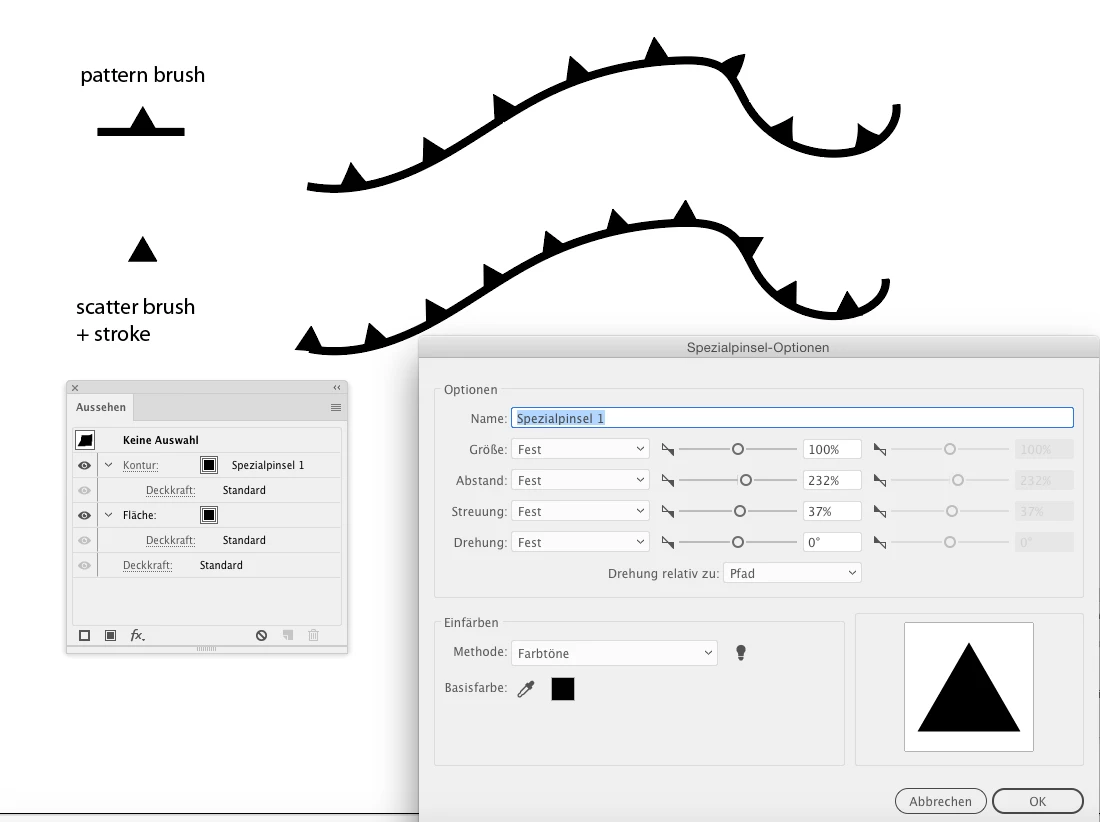
Pattern brushes always get deformed. You could apply a scatter brush together with a second stroke for the line.


Like in this example:

2 replies

Monika Gause
Community Expert
Community Expert
July 21, 2020

And how did you produce that example? With a pattern brush?

Participant
July 21, 2020

Correct. I created the arrow and pattern brush in that same drawing and applied it to that stroke as a test.

Monika Gause
Community Expert
Monika GauseCommunity ExpertCorrect answer
Community Expert
July 21, 2020

Pattern brushes always get deformed. You could apply a scatter brush together with a second stroke for the line.


Like in this example:

Mylenium
Legend
July 21, 2020

Simple answer: Invest in the CAD Tools and Astute plug-ins. They have proper parametric CAD-compliant arrows and tools like perpendicular alignment, intelligent path optimization or even proper collision detection with offsets to place objects. Some of it will be redundant with ACAD, but those could be the best 400 bucks you ever invested and if you do this stuff a lot, it will pay for itself.


Mylenium