Participant
April 22, 2025
Answered

Cutout object from the object behind

  • April 22, 2025
  • 1 reply
  • 223 views

Hello,


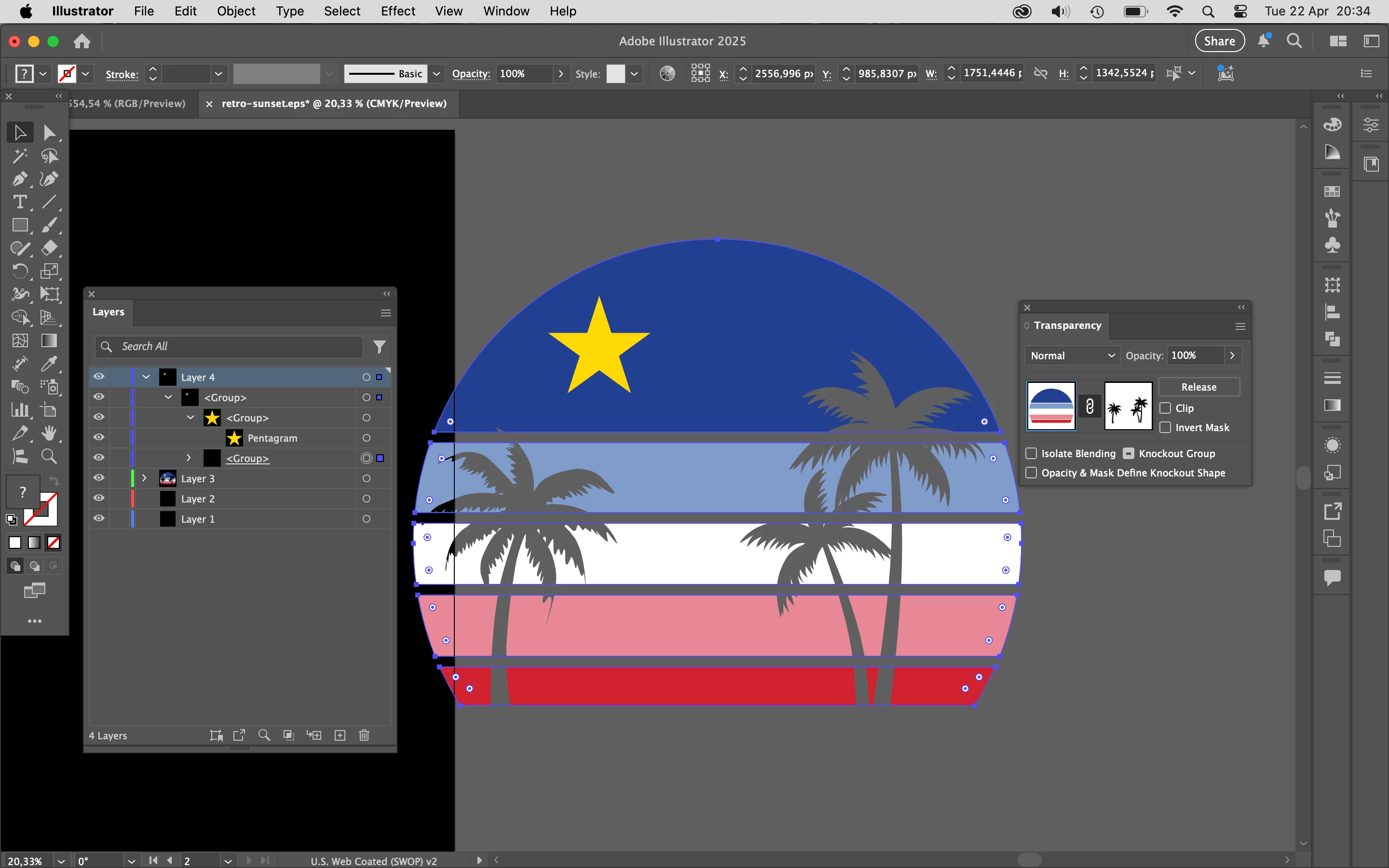
I'm trying to learn and follow tutorials to learn Illustrator, but I'm stuck with this image to cutout the palm trees from the background image.


I tried Pathfinder Divide and Minus Front, but it doesn't work as I expect.

Can you help me understand why and how to make the cutout?


You can find the file attached.


Thanks
Correct answer Ton Frederiks

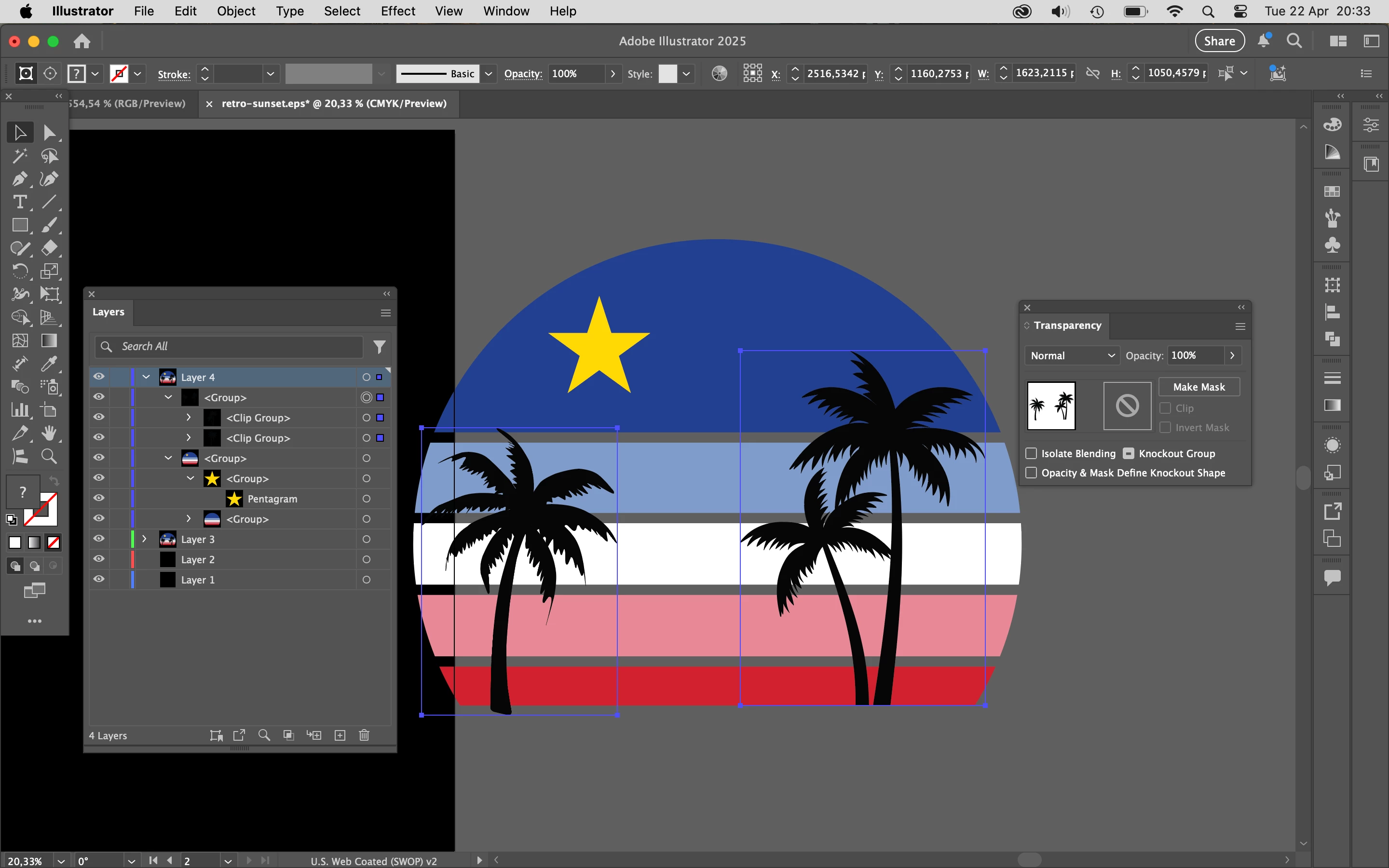
I would cut out the palm trees, paste them in front and group them.

Show the Transparency panel.

Select both the palm trees and the colored background group.

Click Make Mask and uncheck Clip.

1 reply

Ton Frederiks
Community Expert
Ton FrederiksCommunity ExpertCorrect answer
Community Expert
April 22, 2025

I would cut out the palm trees, paste them in front and group them.

Show the Transparency panel.

Select both the palm trees and the colored background group.

Click Make Mask and uncheck Clip.

Participant
May 12, 2025

It worked, thanks.

But because the "clip" box was checked, I had trouble finding out why all the elements were disappearing.