



#D Classic. revolved object can't map art with invisible geometry
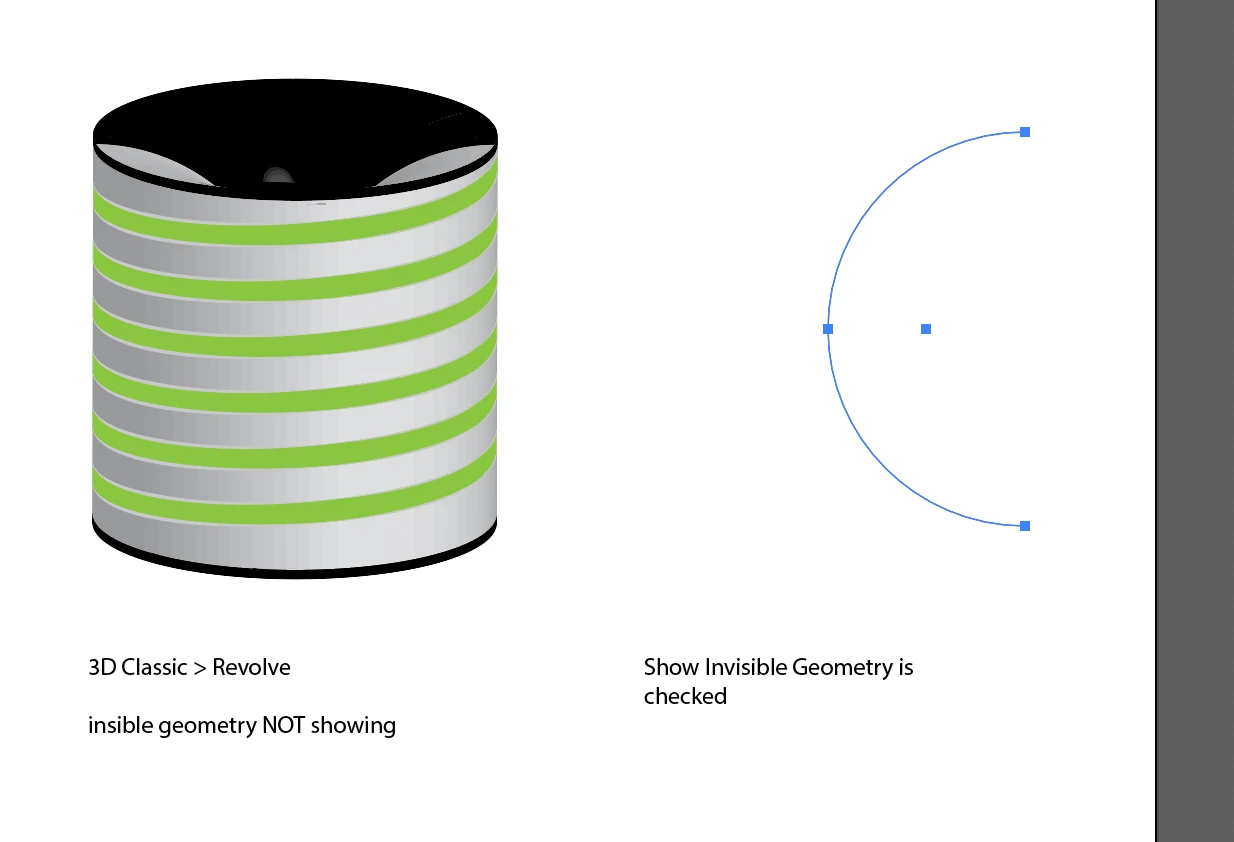
In the current 2022 version of AI, using 3D Classic revolve, the Show Invisible Geometry checkbox just makes the mapped art completely disappear. It doesn't show when you Expand either. Anyone know what is going on?
I'm trying to do this tutorial for constucting a spring/coil shape:
https://www.youtube.com/watch?v=j-tB5QIQP_Q
*********
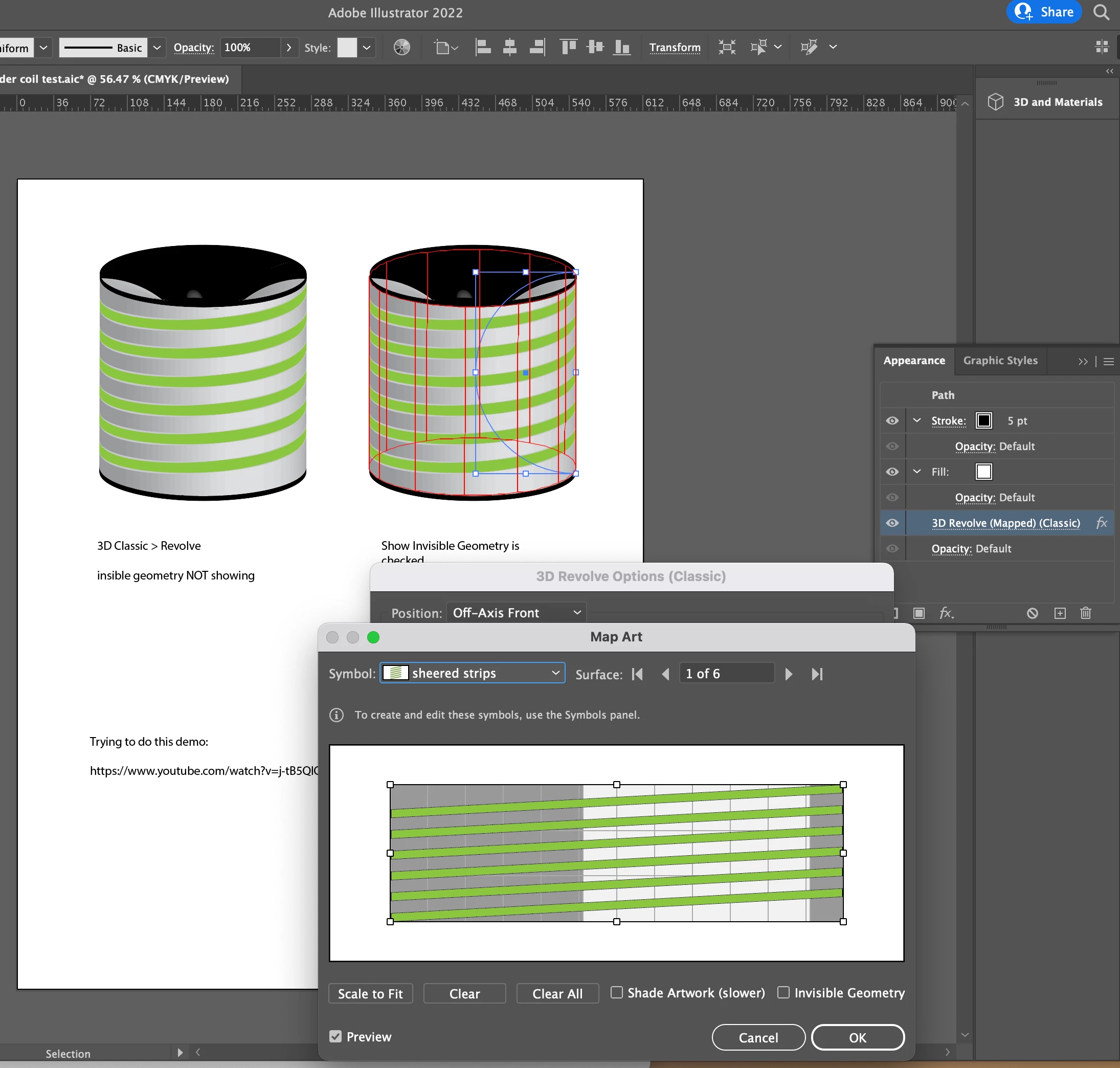
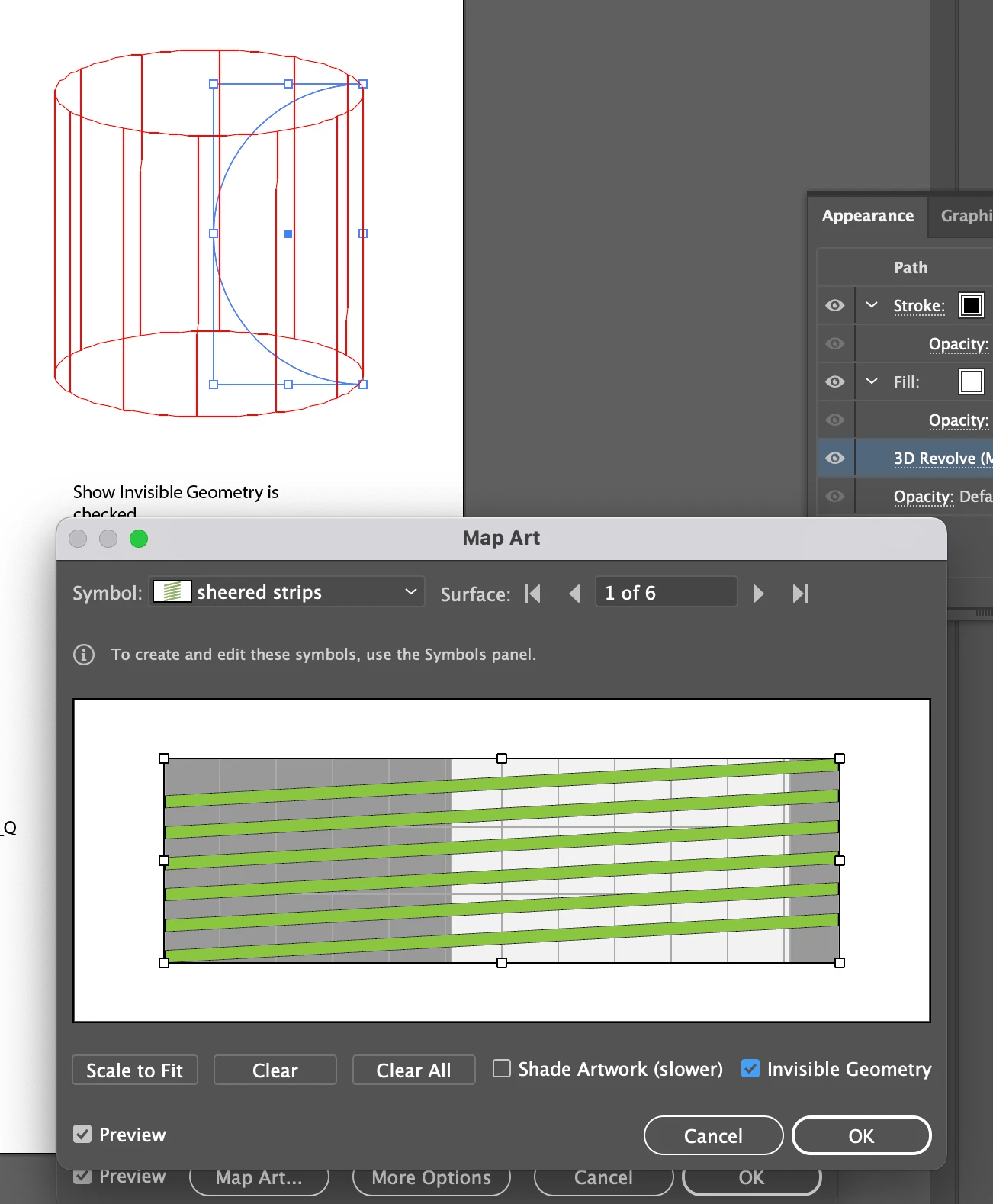
I am trying to map art to a half-circle that has been Revolved (3D Classic) to make a cylinder on it's outer surface. When I map the symbol onto the object and check Show Invisible Geometry the art compltely disappears. The revolved object becomes a transparent wireframe while the 3D dialog is open, then when I say OK and close the dialog, the artboard just has the original path that I had revolved, as if no 3D had been applied.
If I try to repeat the same 3D effect, it warns me that it applying a 2nd instance of the effect, so the object does think the effect was applied somehow.
If I do not check Show Invisible then the object looks like a normal revolved half-circle, and the art maps as expected on the visible front surface.
1. Edit the already-applied mapped art via the Appearance Panel. Invisible Geometry is NOT showing to start with.
2. This time, I check th Show Invisible Architecture box. The prview changes to a wireframe.
3. After clicking OK the object looks empty, but if I try to reapply the same 3D effect it warns me it is applying a second instance.
 AdChoices