Participant
August 18, 2024
Answered

decreasing distance between lines

  • August 18, 2024
  • 1 reply
  • 348 views

I have some old graphic illustrations for the 1800's and they use a blend-like series of lines, but the distance between steps decreases as the pt of the line gets smaller.
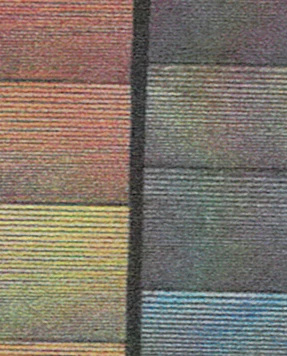
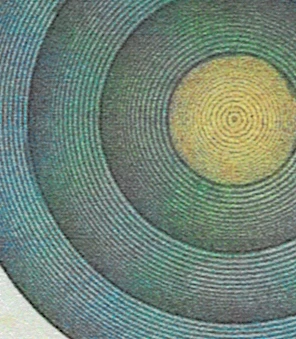
Is there a straightforward way to do this in Illustrator. Like I said, it's blend-like, but I couldn't find an option to makes steps in distance. A nice thing about this technique is that it looks like a gradient by having a solid color underneath and an opaque series of lines simultaneously increasing in density and decreasing in pt size.

Thanks!
This topic has been closed for replies.
Correct answer Monika Gause

These are probably brushes (art brushes)

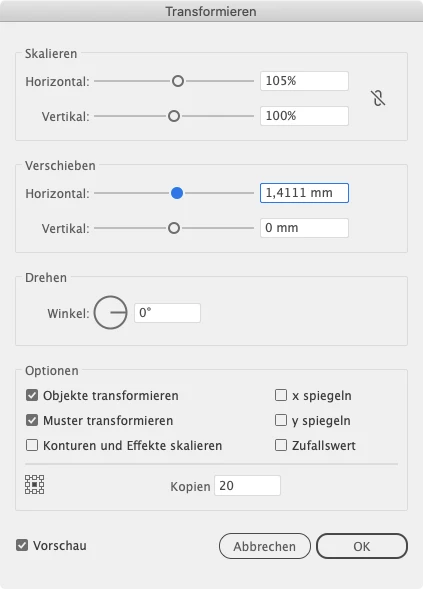
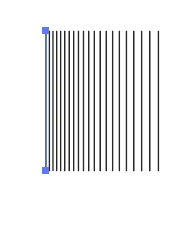
what you can do to create them is draw a line and then apply Effect > distort & transform > transform using settings like these:


Expand appearance and drag the thing in the brushes panel. It's a good thing to make this with black strokes, because then youz can use the colorizatio method Tints and apply a stroke color to get them in all colors you like.

1 reply

Monika Gause
Community Expert
Monika GauseCommunity ExpertCorrect answer
Community Expert
August 18, 2024

These are probably brushes (art brushes)

what you can do to create them is draw a line and then apply Effect > distort & transform > transform using settings like these:


Expand appearance and drag the thing in the brushes panel. It's a good thing to make this with black strokes, because then youz can use the colorizatio method Tints and apply a stroke color to get them in all colors you like.

Participant
August 18, 2024

Thank you! Lots to play with, would t have thought of it on my own

Monika Gause
Community Expert
Community Expert
August 18, 2024

You're welcome!