


Defect when creating knockout/see-through text with Pathfinder in AI
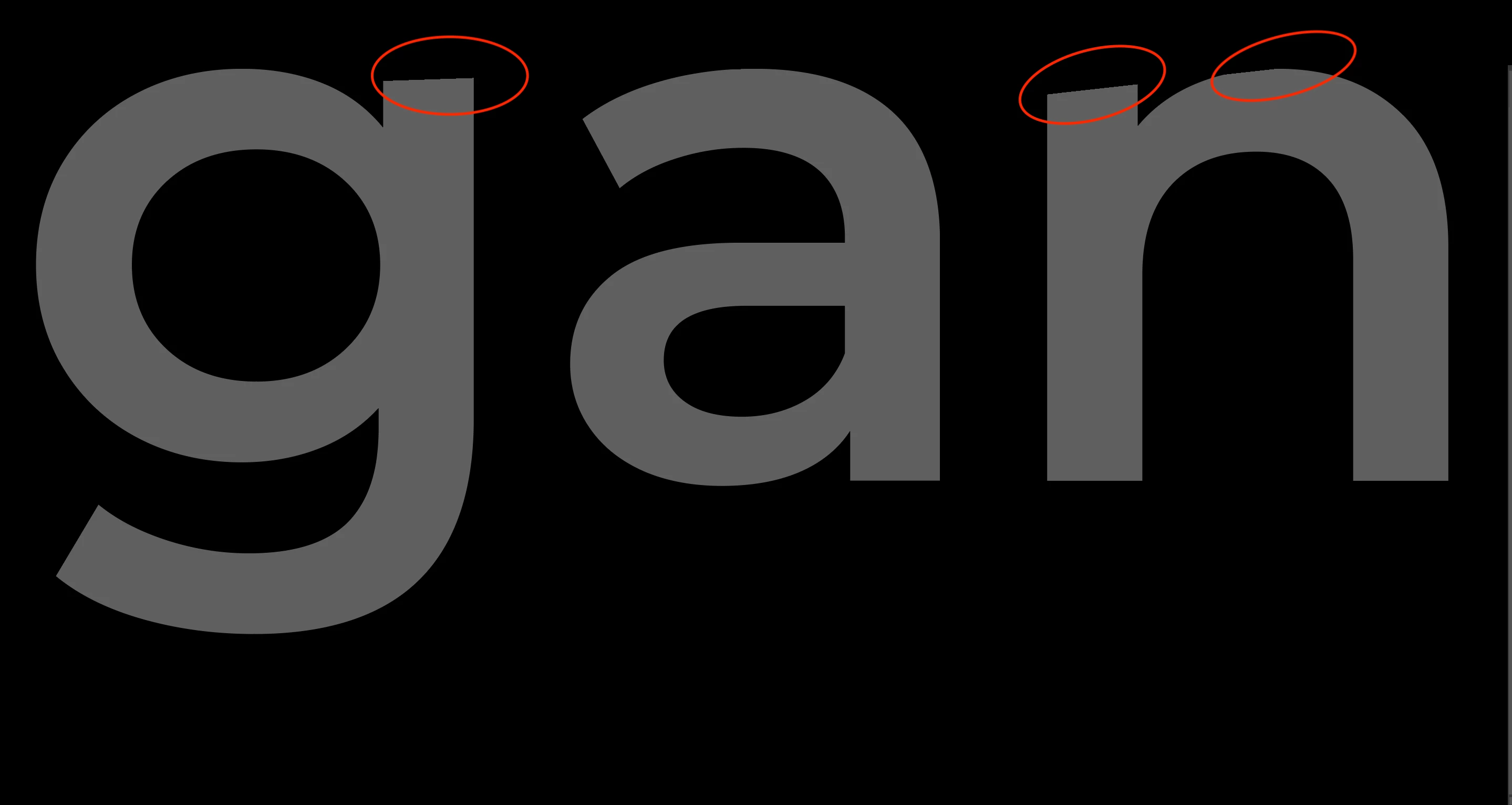
I've got an issue with creating see-through/subtracted text with Pathfinder in Adobe Illustrator. I want to make a punch out text on an object, for example a filled circle, so the text gets transparent or gets whatever background I put behind it. I've viewed a couple of posts regarding this topic but nothing has solved my problem. I'm aware that text should be outlined, and it is. What happens is that whatever alternative I choose in the Pathfinder, it cuts off the top of the letters. As you can see in the example below, "g" and "n" are cut off at the top, so the letters loose their proper look. Like it has lost some anchor points. How can I get around this issue? As I've mentioned, I've tried to outline text, but also to ungroup letters, tested with different font etc. It almost seems like the program creates/reduces anchor points or thinks that there is any object, like a line, above those two letters and cuts them off. 

 AdChoices