

Known Participant
October 9, 2017
Answered

Does Illustrator have support for a colour picker magnifier?

  • October 9, 2017
  • 2 replies
  • 835 views

Hello theres,

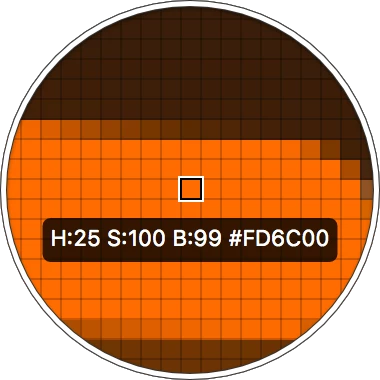
I'm using illustrator for some basic UX work and was wondering if it has support for a colour picker magnifier like Sketch does?

like this:
This topic has been closed for replies.
Correct answer Mike_Gondek10189183

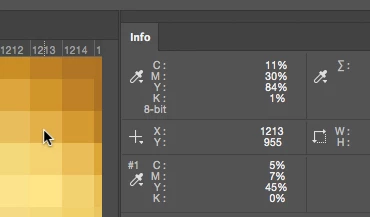
In Photoshop you would use the info palette, and just move the eyedropper over without clicking
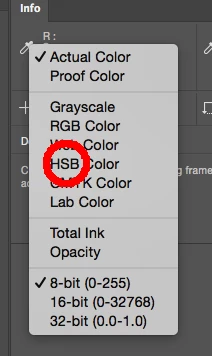
Click and hold on the arrow by the eyedropper to switch to the color space you need.
2 replies

Mike_Gondek10189183
Community Expert
October 9, 2017

There are built in zooming commands in the OS, on Mac is option command 8. But rolling over and having the values show in HSB, that you cannot do in Illustrator. So no Illustrator does not have this support.

Know that the illustrator eyedropper is not accurate for sampling bitmapped work or gradients. For vector solid color filled work you really do not need to zoom in as the entire vector object if filled with the same color. If you have a gradient and try to shift eyedropper to select the color, your result will not be accurate but divinely appear to be so.

For example I created this gradient of 0CMYK to 50CMYK, sampling in he middle gives me this result on a document set to color mode of CMYK. There is no black and the numbers are not equal to each other, so you know the result is not correct. This is because the sample is converted to RGB  back to CMYK.

Known Participant
October 9, 2017

thanks, I'm on OSX - it was just looking for something like Sketch, generally for sample bitmaps accurately ...

thanks I'll try these later

Monika Gause
Community Expert
October 9, 2017

No, Illustrator doesn't have this unfortunately.

Maybe your system has a magnifying function that you can use?
