


talented_Whirl98A2
Participant
February 21, 2018
Question

Dreaded UI for High DPI Laptop. Still issues after .manifest file

  • February 21, 2018
  • 2 replies
  • 533 views

Hello.

As the title states, I have a Dell XPS 9550 with the 4k Screen.
It's amazing in every way, except when using ANY Adobe products.
The scaling is so out of whack for each program I'm at my wit's end.

I've attempted the "Create manifest file" fix and it work okay, but I'm getting really strange errors like the "File-> New" is blank. Totally blank.
Nothing to click.
Also, the toolbars have "Tips" that popup and stay with the tools.
Adobe is really forcing me to waste valuable time to sit and troubleshoot these ridiculous bugs.
They should really get their stuff together.
No UI support for 4k Screens? Are you kidding me?
Ridiculous.
I wish there was another full graphics suite professional could use. Hours and HOURS wasted researching this.

Please help.
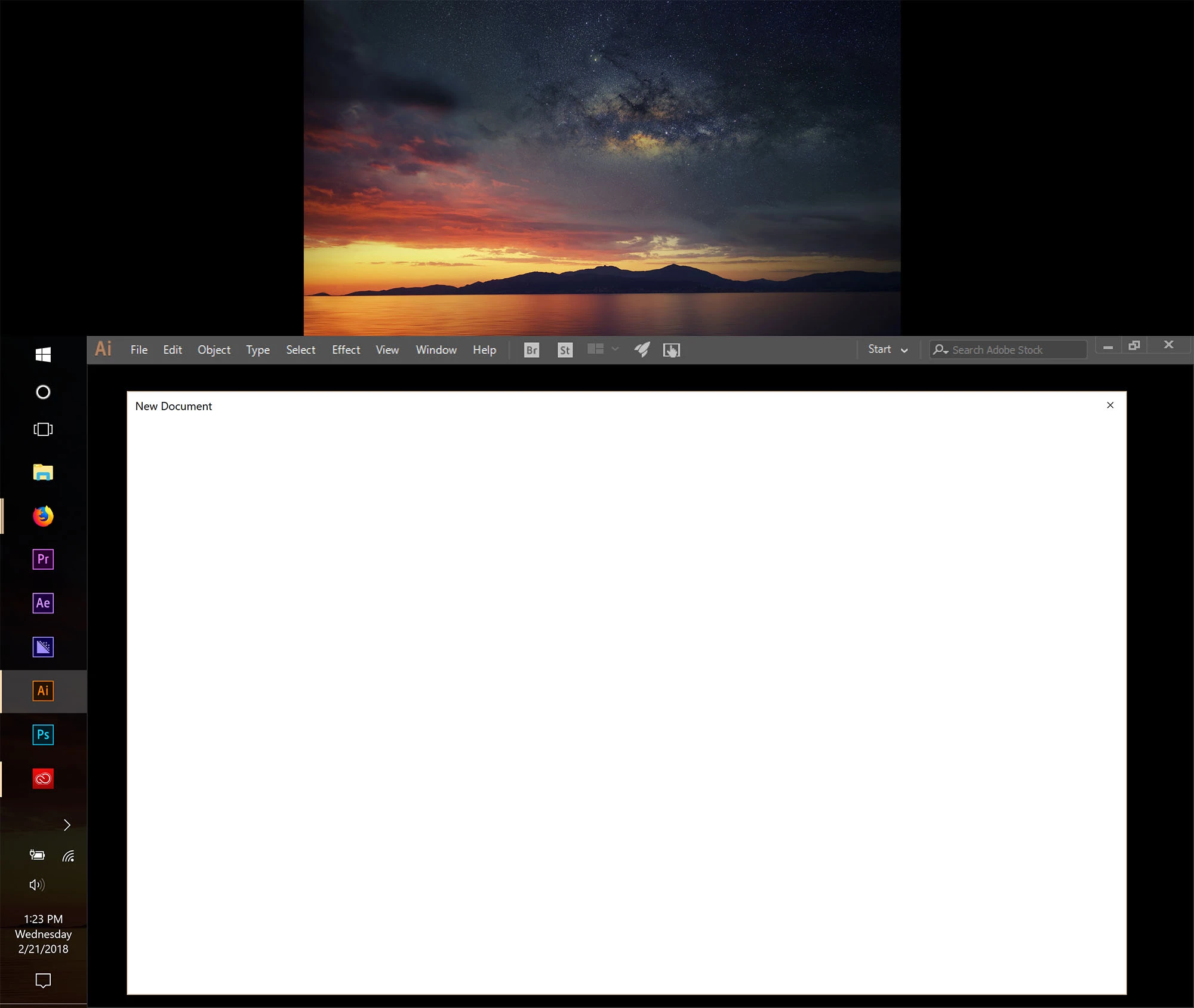
Here is a pic of my interface.

This topic has been closed for replies.

2 replies

talented_Whirl98A2
Participant
February 26, 2018

Just bumping this up a bit.

So NO ONE else has had, or is having this issue?

What do people do with 4k Screens and Adobe?

Participant
April 17, 2018

I have the same issue with Photoshop CC2107 before and tbh I don't know what to do with it. I have a Asus UX501VW with 15.6 4k panel and I cannot work with the Photoshop's TINY UI with any productivity. Illustrator used to work fine. However, after the latest update the situation just flipped. Now in Illustrator I have unusable tiny UI while in Photoshop the UI scaling is as good as it can be. I am really frustrated about this issue since this is already 2018 and I have had this issue since late 2016. No excuse Adobe, no excuse.

talented_Whirl98A2
Participant
June 28, 2018

Exactly.. So what do you do?
What is the fix.

Adobe's Creative Suite is USELESS with a 4k display.
Are there any decent alternatives that handle 4k better?

talented_Whirl98A2
Participant
February 21, 2018

Here is what's happening to my Photoshop as well.

Please. I literally cannot do my job.