
Participant
January 6, 2020
Répondu

EPS file imports into InDesign with white areas of graphic showing as transparent

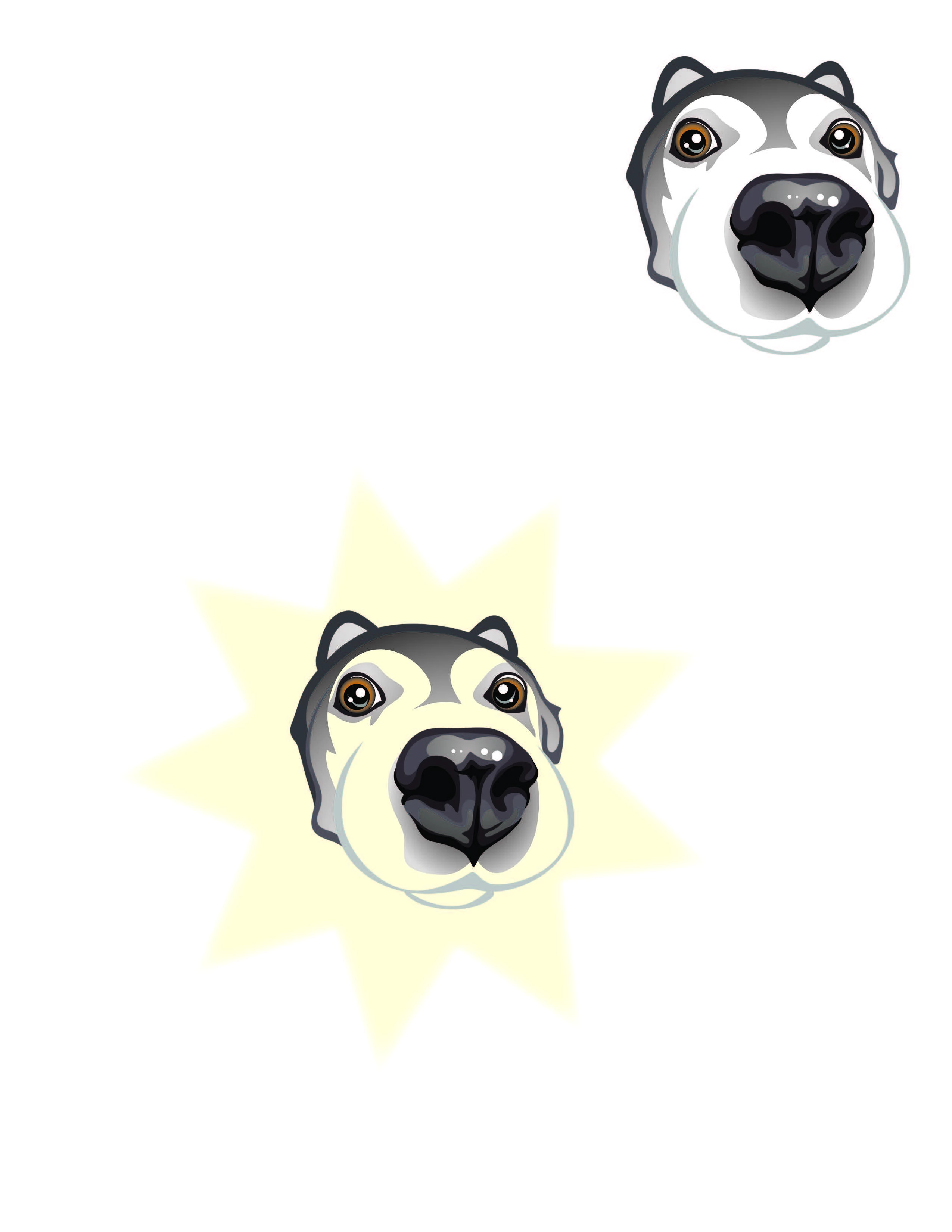
I am importing an eps file into InDesign. It is a dog's face with white areas and other colors on the face. When I import it into InDesign, the white areas show as transparent - allowing the background color to show through. The artboard or background area around the graphic is transparent and that's great. But, I do want the white sections of the dog face to remain as white. What setting am I missing? Is this something in Illustrator or something in InDesign? Thank you!
Ce sujet a été fermé aux réponses.
Meilleure réponse par chrisl41501719

You can make a quick white sublayer underneeth the shape of the dogs face.

4 commentaires

Willi Adelberger
Community Expert
Community Expert
January 17, 2020

Don't use EPS in modern days. Use AI oder PDF/X-4. 

meganchi
Legend
January 6, 2020

It appears like your Illustrator artwork doesn't have a true white shape, it is already transparent. But there is a quick way to remedy this. Draw a cyan filled square and place it behind the dog. Next, click on your shape builder tool. Holding down option (or Alt key if on windows), click inside the dog's face where the cyan color appears. This turns that area into its own separate shape that you can change to a white fill. Next, select the outside cyan shape that surrounds the outside edge of the dog and delete it.

Legend
January 6, 2020

When the dog face is open in Illustrator, does the white inside the face show when the Transparancy Grid is activated?

Participant
January 6, 2020

No. So, I guess the original artist did not really "finish" the graphic and just left it with the artboard showing through to make it look white. Would that be correct?

Peter Villevoye
Community Expert
Community Expert
January 7, 2020

Yep, the artist clearly did add white highlights in the eye and on the nose, but forgot to put a filled shape underneath the whole head...


The only oddity you might run into is that there is in fact a filled white shape beneath it all, but it might have been set to Overprint...


Participating Frequently
January 6, 2020

You can make a quick white sublayer underneeth the shape of the dogs face.

Participant
January 6, 2020

Yep. I did end up doing that. Just thought I may have had a setting wrong. Guess not.