


Gardens at Night
New Participant
November 25, 2021
Answered

Error occurred while processing the appearance of an object (using new 3D effects)

  • November 25, 2021
  • 5 replies
  • 28873 views

So I'm trying out the new 3D options in Illustrator (Tech. preview) and all I am getting is the error:

"An error occurred while processing the appearance of an object"

As you can see the object is just a rectangle.

Is there something I'm not doing correctly?


Dave

Correct answer Molinsky379327463mld

i have done this and still facing the same problem.


Olá a todos.
Comigo funcionou da seguinte forma:
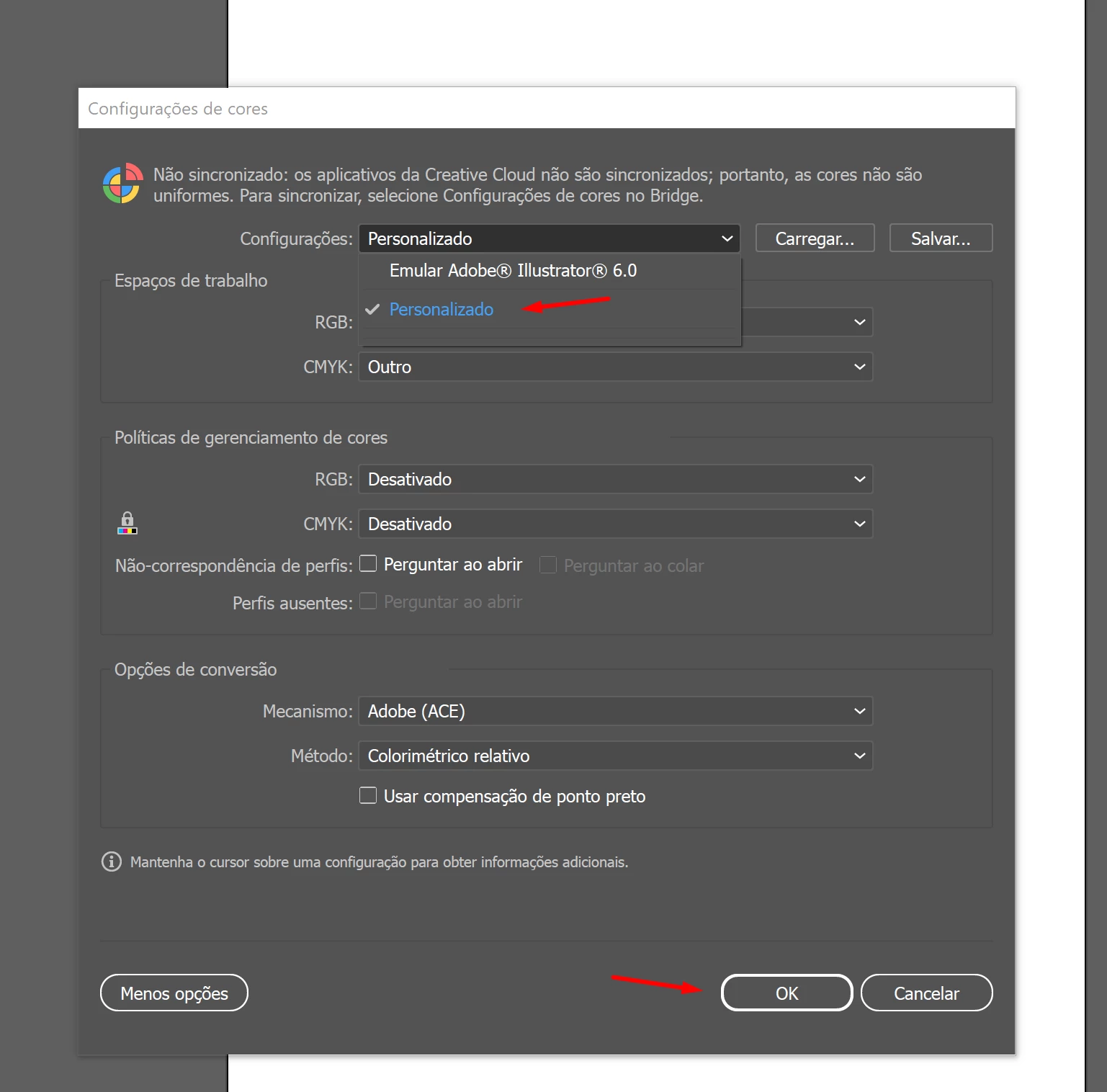
Não mudei nada, apenas mudei para personalizado e mantive o padrão fornecido.
Espero que ajude os amigos.

5 replies

Known Participant
December 20, 2023

Also, facing this issue. Hesitant to post here as Adobe has NEVER resolved one of my tickets. I have read the entire thread and tried all suggestions. 


Please note, I use this feature daily and it just randomly stopped working. Any advice? 


Known Participant
December 21, 2023

I'm on my 4th or 5th crash now...any help?

New Participant
January 7, 2023

It is very simple. I uninstalled and reinstalled. Everything will be fine. thank you

New Participant
January 7, 2023

You uninstall and then install again. thank you I was waiting to know the result.


New Participant
December 22, 2022

I still having this problem. Even when I change the colour settings. Someone has another solution? It doesn't work even in a simple retangule shape

Monika Gause
Community Expert
December 22, 2022
quote

I still having this problem. Even when I change the colour settings. Someone has another solution? It doesn't work even in a simple retangule shape


By @Diogo25544027sfev


Please tell us your hardware configuration.

Doug A Roberts
Community Expert
January 4, 2023

yup


How about in a new RGB document?

Gardens at Night
New Participant
November 25, 2021

It looks like I found a solve for this in the feedback section of the Tech Preview.

It seems that I needed to change my Colour Settings (Edit > Colour Settings) to anything else - it was set as Emulate Illustrator 6


New Participant
December 9, 2021

I was going crazy trying to figure why AI was having this issue...thanks for figuring ot a fix!!