


Participant
October 23, 2019
Question

Error while opening Ai files: "This text was created in a different version of Illustrator"

  • October 23, 2019
  • 5 replies
  • 7031 views

Is there something I am doing incorrectly? I just updated my CC today and upon opening recently made files, I received this message. Does anyone know how to get around this issue—or is it an issue?
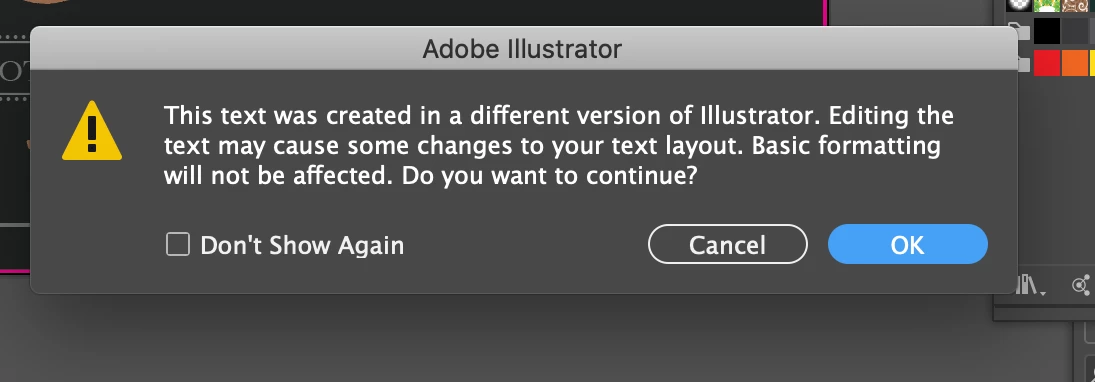


{Renamed by MOD}

This topic has been closed for replies.

5 replies

Stom__
Participating Frequently
July 27, 2023

Hello, same issue / bug here

OS Windows 10 and 11

Illustrator version 27.7


After designing and saving the Illustrator file, everything seems normal.

Once I reopen the Illustrator file, then the text that has been placed on a curve (Type on a Path) disappears.


This has happened in different working files of mine


https://community.adobe.com/t5/illustrator-discussions/text-on-path-curve-bug/m-p/13967022#M374838

Participating Frequently
July 6, 2023

Apparently, Adobe hasn't fixed this issue. Just created this today. Illustrator version 27.7. Text disappears just magnifying, moving vector art close to it, or just opening and its gone. I've made a safe layer and even that disappeared. Can I have my Freehand back? 🙂 

Seriously, Adobe has been in an update frenzy of late. Maybe that's the problem. If Adobe has had this problem since 2019, clearly, they are not addressing existing issues. Take a breath, Adobe, and fix existing problems for your customers who pay a lot for this software. 

Participating Frequently
July 6, 2023

Just saved and opened the file again and this is what I have. 

Monika Gause
Community Expert
Community Expert
July 6, 2023

And how is this supposed to look?

Ashutosh_Mishra
Inspiring
February 11, 2020

Hi All,


Please try following instructions provided on similar discussion at https://community.adobe.com/t5/illustrator/quot-this-type-was-created-in-a-different-version-quot-error-on-illustrator-cc2020-on-macos-10-13-6/m-p/10917897?page=1#M165700
Let us know if it helps you out.


Regards,

Ashutosh

Alexandre Brandt
Inspiring
November 17, 2019

Hello,
Me to I'm having the same message opening an AI file today.
I see your post is recent from last months.


I'm on OS 10.12.6

AI 23.11

I believe my file was created in a slightly earlier version using some Type Kit fonts.
Have you found any fix for this ?

I'm currently trying to reinstall and older version of AI.

Monika Gause
Community Expert
Community Expert
November 17, 2019

What exactly is "slightly earlier version"?

Rishabh_Tiwari
Community Manager
Community Manager
October 23, 2019

Hi Libby,

Thanks for reaching out. Could you please confirm if you have updated the CC app or Illustrator? Which OS and version of Illustrator you are working on? These messages appear when we try to open a file created in an older version of Illustrator on the comparatively newer version.

Generally, it should not make any changes. You may try creating a backup of the file for a safer side and then try to open the file again and when you get this message please click on OK and see if things are fine.

Regards
Rishabh

Participant
October 25, 2019

I updated earlier that day to Catalina 10.15 and then CC wanted me to update. I'm running on Illustrator 23.1.1


I back up all my files, but since moving to the CC, I have had a really big issue with fonts. Mainly opening old client files, where they need revisions, and none of the fonts load nor tell me what they were. I've been able to squeak by with outlined art files.  But I know one day this will catch up with me. If there is a remedy for this, please share.